



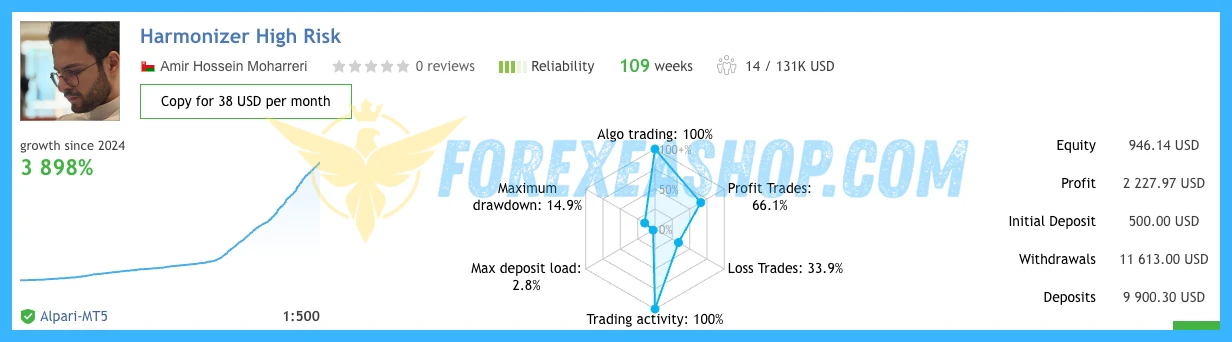
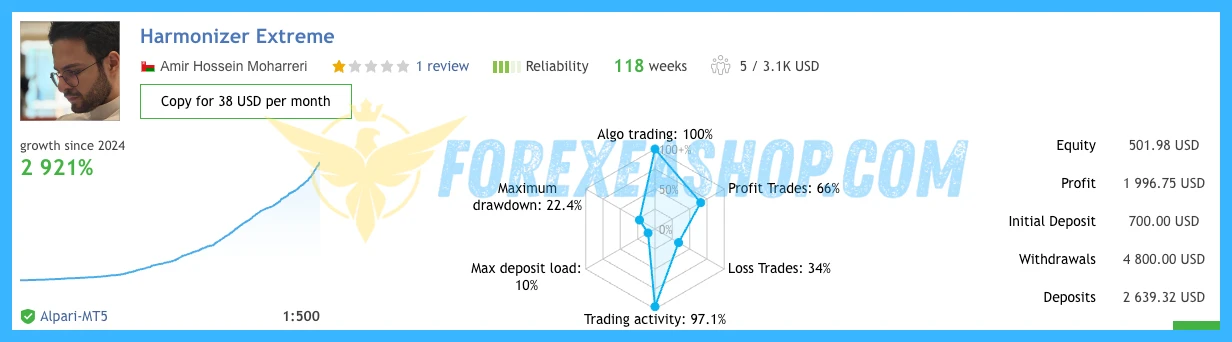
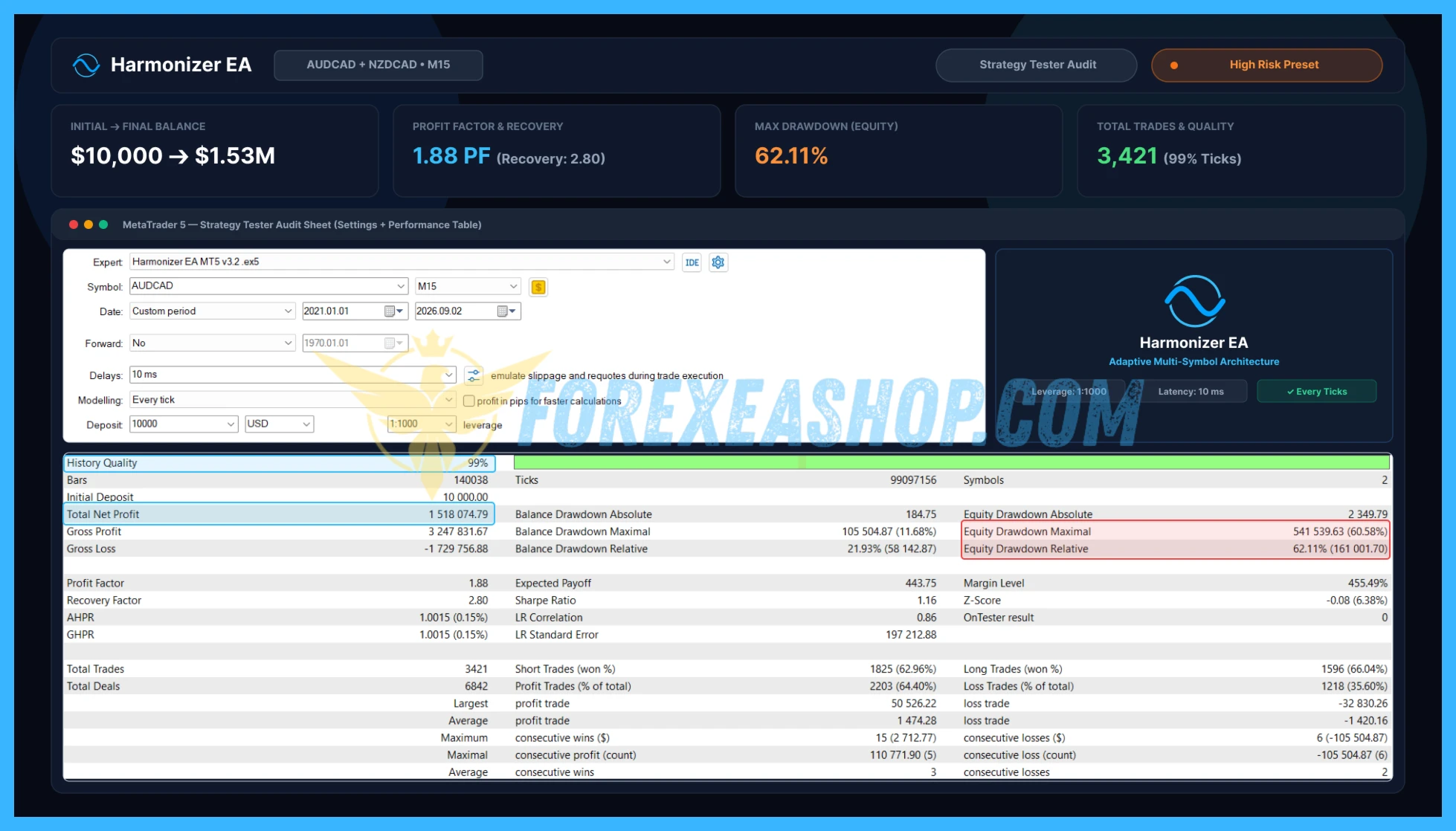
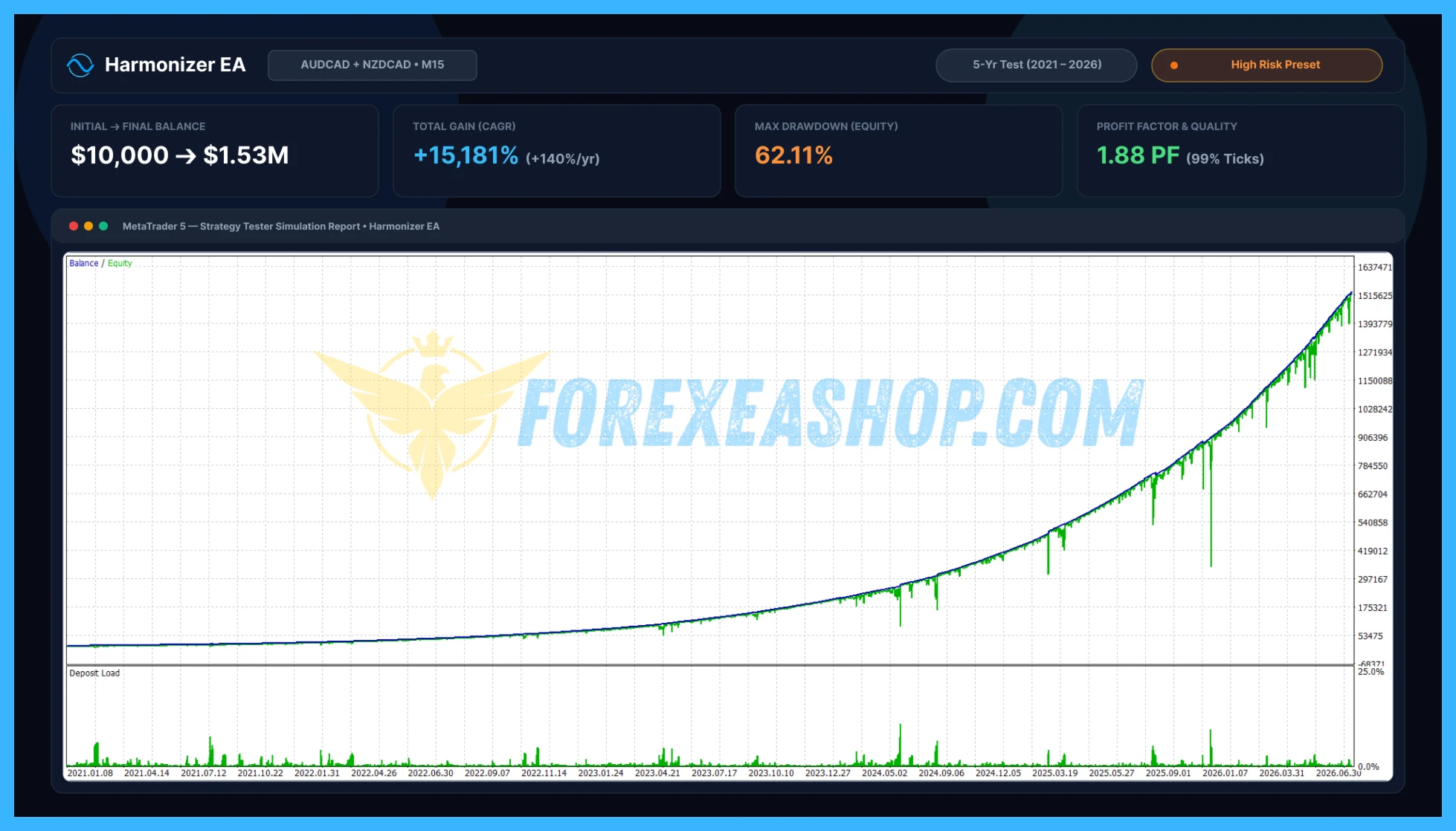


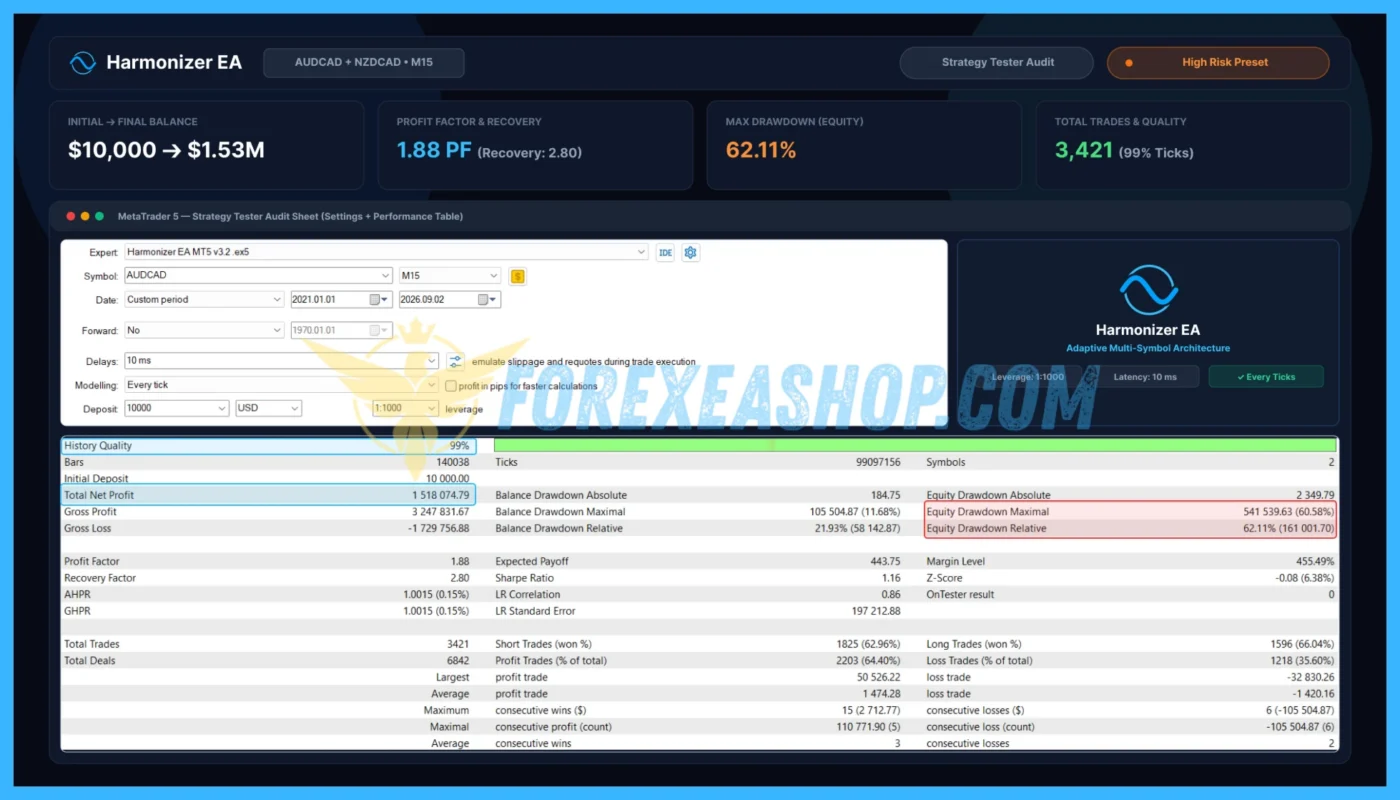
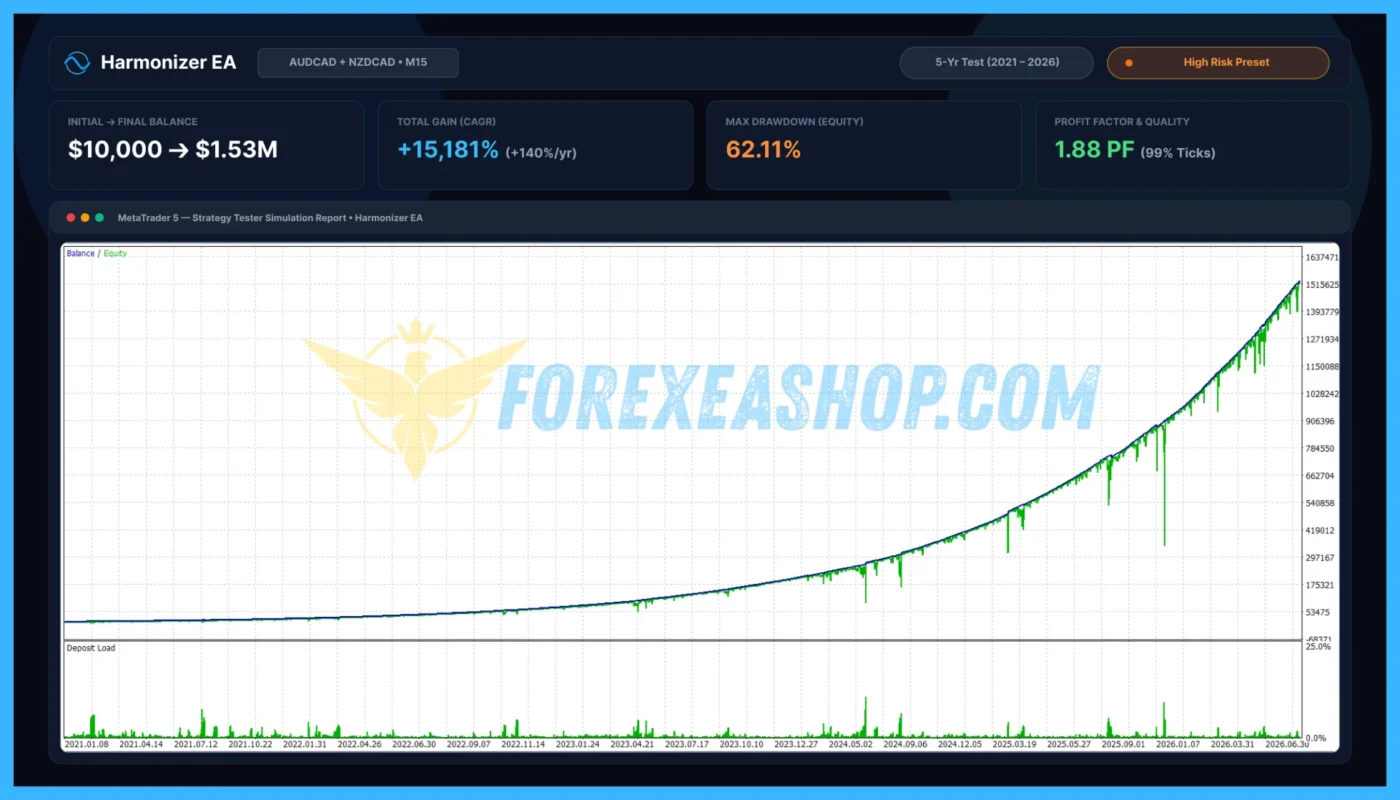
What is Harmonizer EA MT5?
Harmonizer EA MT5 is a fully automated MetaTrader 5 Expert Advisor specifically developed for AUDCAD, NZDCAD, (AUDNZD is optional) trading on the M15 timeframe, combining proprietary multi-factor market analysis with selective trade execution and comprehensive risk management. The algorithm evaluates market structure, trend direction, momentum, candle quality, and trading volume to identify potential short-term opportunities while avoiding unnecessary entries during unfavorable market conditions. Unlike conventional Grid trading robots, the EA uses independently evaluated trading setups with predefined Stop Loss and Take Profit protection, dynamic trailing stops, and configurable position sizing instead of relying on Grid-based recovery. The trading system also incorporates high-impact economic news filtering, holiday and market-closure protection, slippage adjustment, daily trade limits, cooldown controls, and broker-specific point adjustments to support consistent automated operation across different trading environments. Its integrated information panel provides on-chart trading statistics and operational details, allowing traders to monitor algorithmic activity without continuously managing individual positions.
Vendor website: https://www.mql5.com/en/market/product/96759

Original price: $870
ForexEAshop price: $19 (You Save 99%)
Key Takeaways
- Harmonizer EA MT5 is a fully automated MetaTrader 5 gold scalping robot that combines market structure analysis, trend and momentum confirmation, candle quality assessment, and volume filtering to identify selective AUDCAD, NZDCAD, (AUDNZD is optional) trading opportunities without Grid trading or a documented Martingale recovery component.
- The automated software integrates predefined Stop Loss and Take Profit protection, dynamic trailing stops, fixed-lot and percentage-based risk management, high-impact news filtering, holiday protection, and execution safeguards designed to manage trading exposure under changing gold market conditions.
- The system is optimized for AUDCAD, NZDCAD, (AUDNZD is optional) on the M15 timeframe, with a minimum recommended deposit of $100, an initial trading volume of 0.01 lot, and a suggested risk allocation of 0.5% to 1% per trade, while Raw Spread or Raw ECN accounts and a reliable VPS are recommended for efficient execution.
Harmonizer EA MT5 Features
- Used on platform: Meta Trader 5.
- Currency pairs: AUDCAD, NZDCAD, (AUDNZD is optional).
- Time frame: M15.
- Minimum deposit: $100.
- Recommend use leverage: 1:200 or higher.
- Expert Advisor trading automated 100%.
- Account Type: Standard, ECN, Raw, Cent.
- Engineered for Capital Preservation.
🚀 Recommend Use VPS Forex
To keep Experts Advisor running smoothly 24/7, use a quality Forex VPS. Optimize trading efficiency, no worries about interruptions!
Register VPS NowHarmonizer EA MT5 Review
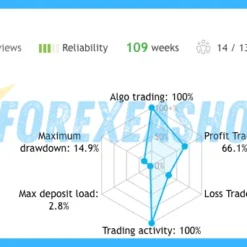
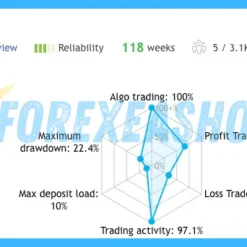
Harmonizer EA MT5 was officially published on the MQL5 Market on July 31, 2026, by developer Jorge Luiz Guimaraes De Araujo Dias, with version 1.3 updated on August 7, 2026, and subsequent development introducing additional refinements to its selective gold trading approach. Marketplace feedback has been mixed, with positive reviews highlighting the Expert Advisor’s selective entries, automatic Stop Loss management, on-chart trading information, and responsive developer support, while critical reviews describe consecutive losing trades, sensitivity to broker execution, and differences between historical testing and live account results. The developer also provides a publicly monitored MQL5 trading signal that traders can examine for historical transactions, account growth, and drawdown behavior, although live results depend heavily on spreads, commission, slippage, liquidity, and the selected trading configuration.

Signal EA on link: Click to view

Signal EA on other link: Click to view


Why should you use Harmonizer EA MT5?
Harmonizer EA MT5 provides a structured approach to automated gold trading by combining multiple technical confirmation filters with predefined protective exits, dynamic profit management, and broker-sensitive execution controls. Its selective trading philosophy, flexible position sizing, economic news protection, and operational monitoring features make it suitable for traders seeking systematic AUDCAD, NZDCAD, (AUDNZD is optional) scalping opportunities while maintaining clear risk parameters and realistic expectations about consecutive losing trades.
Advanced Multi-Factor Market Analysis: Uses a proprietary decision-making engine that combines market structure, trend direction, momentum, candle quality, and trading volume to evaluate potential AUDCAD, NZDCAD, (AUDNZD is optional) trading opportunities. Instead of entering the market continuously, the algorithm waits for qualifying conditions across several analytical components, helping reduce unnecessary exposure during unclear or unfavorable trading environments.
Automatic Stop Loss, Take Profit, and Dynamic Trailing Protection: Every qualifying position is managed through automatic Stop Loss and Take Profit levels, establishing predefined protective exits and potential profit objectives from the beginning of the trade. An integrated dynamic trailing stop mechanism adjusts protective levels as favorable market movements develop, helping manage accumulated gains while allowing positions to respond to changing gold price behavior.
Flexible Risk-Based and Fixed-Lot Position Sizing: Supports fixed trading volumes and percentage-based risk management, allowing traders to configure position sizes according to account capital, broker specifications, and individual risk tolerance. The developer recommends starting with 0.01 lot or approximately 0.5% to 1% risk per trade, with 2% identified as the maximum recommended risk level, although actual losses can exceed intended amounts because of slippage and market gaps.
Intelligent Slippage Adjustment and Broker Compatibility: Includes a slippage adjustment mechanism designed to account for differences in broker execution conditions, helping the trading system manage orders in markets where spreads, liquidity, and execution speed can change rapidly. A dedicated broker configuration also provides automatic point adjustment for Exness gold symbols, while the standard broker setting supports conventional AUDCAD, NZDCAD, (AUDNZD is optional) contract specifications and should be evaluated under each broker’s actual trading conditions.
High-Impact News Filtering and Market Closure Protection: Features a configurable economic news filter that can restrict new trading activity before and after selected high-impact announcements, allowing traders to adjust the suspension period and monitored currencies. Additional holiday and market-closure protection, daily trade limits, and cooldown controls help the algorithm avoid selected periods of unfavorable liquidity or excessive trading frequency, although these safeguards cannot eliminate volatility-related execution risks.
Integrated Trading Dashboard and Simplified Automation: Provides an informational on-chart panel displaying trading activity, profit and loss statistics, and relevant operational details, allowing traders to monitor the Expert Advisor directly within MetaTrader 5. Additional configuration options include unique Magic Numbers, customizable trade comments, profit and loss labels, and debug logging, while the preconfigured internal strategy parameters simplify installation for traders who prefer automated execution without manually adjusting complex analytical settings.
Trading Specifications
Recommended settings and parameters to pay attention to from developers and experts:
| Trading platform | MetaTrader 5 (MT5) |
| Currency pairs | AUDCAD, NZDCAD, (AUDNZD is optional) |
| Time frame | M15 |
| Minimum deposit | $100 |
| Recommend leverage | 1:200 or higher |
| Setup files | Default settings |
| Product type | Without DLL / Unlimited / 1 Year Updates Included |
| Recommend Broker | Exness Broker / ICMarket Broker / Tickmill / Roboforex |
| Virtual Private Server (VPS) | FXVM Forex VPS provides reliable Windows VPS solutions optimized for MT4/MT5, helping keep Expert Advisors and automated trading platforms online 24/7 |
How to install and run the Harmonizer EA MT5 Trading Bot in Metatrader 5?
- Open the Metatrader 5 platform
- From the top menu, click on File
- Now click on Open Data Folder
- Open the MQL5 folder
- Open the Experts folder
- Copy the Harmonizer EA MT5.ex5 file here
- Then close and restart the MT5 platform
- Attach the Expert Advisor to the chart
- Now, you are ready to start using the Harmonizer EA MT5 v3.3.
If you have any questions regarding EA installation, you can view the information in the Help Center to assist you in installing the EA: Click to view
Harmonizer EA MT5 Download Package
Link download Harmonizer EA MT5 v3.3 will be sent to your email after purchase.
Installation guide (if any) will be sent immediately via email after your purchase, or you can directly download it from the website, under the section: My account -> Download.
+ Expert Advisor Download:
- Harmonizer EA MT5.ex5
- Unlimited / NoDLL / Build New
- 1 Year Updates Included (If there is a new update, please check in the download on the forexeashop website or you can contact us via Email or Telegram Lucas Jason and provide proof of purchase, we will send you the update)
Conclusion
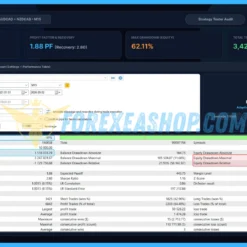
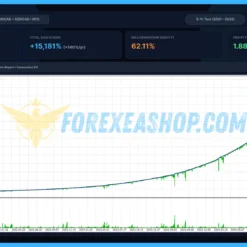
Harmonizer EA MT5 trading solution for MetaTrader 5, combining multi-factor technical analysis with selective M15 execution, predefined risk protection, and dynamic trade management. Its trend and momentum filters, candle quality analysis, volume confirmation, and automated Stop Loss and Take Profit mechanisms provide practical tools for identifying and managing short-term AUDCAD, NZDCAD, (AUDNZD is optional) trading opportunities without relying on Grid recovery. The Expert Advisor also incorporates slippage adjustment, economic news protection, holiday restrictions, cooldown controls, and an integrated trading dashboard, making it relevant for traders seeking systematic gold scalping with customizable position sizing and operational safeguards. Before live deployment, review the included configuration setfiles, verify the recommended $100 starting balance and 0.01-lot configuration, examine the developer’s publicly monitored trading signal, and confirm that your broker provides competitive Raw Spread or Raw ECN execution conditions. Test the system thoroughly using the MetaTrader 5 Strategy Tester with real tick data and realistic trading costs, followed by independent demo forward testing, before committing real capital, recognizing that consecutive Stop Losses, execution differences, and changing gold market conditions can affect actual performance.
Frequently Asked Questions (FAQs)
What platform does Harmonizer EA MT5 use?
Harmonizer EA MT5 is developed exclusively for MetaTrader 5 and operates as a fully automated AUDCAD, NZDCAD, (AUDNZD is optional) scalping system combining market structure, trend analysis, momentum confirmation, candle quality assessment, and volume filtering. The Expert Advisor manages qualifying trades through automatic Stop Loss and Take Profit protection, dynamic trailing stops, and configurable position sizing.
Which currency pair and timeframe are recommended?
The EA is specifically designed for AUDCAD, NZDCAD, (AUDNZD is optional) and should be attached to an M15 chart. The trading algorithm uses a proprietary multi-factor decision engine to identify qualifying short-term opportunities, with its internal strategy parameters preconfigured for the recommended trading environment.
What is the minimum deposit and recommended leverage?
The developer recommends a minimum deposit of $100, an initial trading volume of 0.01 lot, and a risk allocation between 0.5% and 1% per trade, with 2% identified as the maximum recommended risk level. No mandatory leverage requirement is specified, and actual margin needs depend on broker contract specifications, account leverage, trading volume, and current gold prices.
How does the Expert Advisor manage risk and protect profitable positions?
The trading system applies predefined Stop Loss and Take Profit levels to qualifying trades and uses dynamic trailing stops to adjust protective exits as favorable price movements develop. Traders can select fixed-lot or percentage-based position sizing, while daily trade limits, cooldown controls, and configurable market filters provide additional operational safeguards, although consecutive losses remain possible during unfavorable conditions.
Does Harmonizer EA MT5 use Grid or Martingale trading strategies?
The developer explicitly states that the Expert Advisor does not use a Grid strategy and instead manages individual trading opportunities with predefined protective stops and profit targets. Martingale recovery is not identified as part of the published trading methodology, but traders should review the installed settings and historical position sizing behavior before assuming that every possible recovery mechanism is excluded.
Does the Expert Advisor require a VPS and support economic news filtering?
A reliable VPS located near the broker’s trading server is recommended to maintain uninterrupted MetaTrader 5 operation, low-latency order execution, and consistent automated position management throughout active gold trading sessions. The integrated economic news filter allows traders to restrict new entries around selected high-impact announcements, while holiday protection, broker-specific point adjustments, and slippage controls help manage additional execution risks on Raw Spread and Raw ECN accounts.
Shopping Guide and Important Information
We Accept Payment: Cryptocurrency, USDT, Binance Pay, Skrill, Paypal: Click to view
More payment methods please contact: Email or Telegram Admin.
Cryptocurrency, PayPal: Our website checkout system automated.
Memo: Your email + EA name
EA will be send to your email ASAP. The download link will be sent to your email within 5 minutes after the order is confirmed.
Some EAs will need to wait a few hours to up to 12 hours to receive the download link.
Please read and agree to the information below before purchasing our products:
Term & Condition
Refund Policy
Privacy Policy
Beginner traders should research and learn about trading before using any EAs.
Please make sure you understand the risks involved with trading and that past performance is no guarantee for future results. (EA could also make losses).
The product does not guarantee profits and demands resilience, patience, and a positive attitude in forex trading.
Before use, please test the EA on a demo account first.
Happy trading.


Reviews
There are no reviews yet.