

What is Kyora MT5?
Kyora MT5 is a fully automated MetaTrader 5 Expert Advisor specifically developed for USDJPY breakout trading, combining multiple built-in trading strategies with intelligent pending-order execution and configurable risk management. The algorithm identifies strategy-defined breakout levels and places Buy Stop and Sell Stop orders to participate in potential directional price movements, with individual Stop Loss and Take Profit levels assigned to each trade. Unlike conventional averaging systems, the EA operates without Grid or Martingale strategies and incorporates independent position management, break-even adjustments, and trailing stop mechanisms to manage favorable price movements. The trading system offers two selectable configurations, Balanced and Ultimate, allowing traders to activate a selected combination of breakout strategies or the complete strategy set while maintaining independent BUY and SELL position sizing. Additional functionality includes economic news filtering, Nonfarm Payrolls protection, spread monitoring, margin verification, daily loss limits, account-equity safeguards, and an interactive trading dashboard for managing automated USDJPY trading from a single H1 chart.
Vendor website: https://www.mql5.com/en/market/product/200056

Original price: $129
ForexEAshop price: $19 (You Save 85%)
Key Takeaways
- Kyora MT5 is a fully automated MetaTrader 5 breakout trading system designed for USDJPY, combining multiple independent strategies, Buy Stop and Sell Stop pending orders, and predefined protective exits without Grid averaging or Martingale lot progression.
- The automated software provides Balanced and Ultimate trading configurations, independent BUY and SELL position sizing, fixed-lot and automatic lot calculations, strategy-specific break-even management, trailing stops, and customizable trading direction to support different exposure preferences.
- The system incorporates optional daily loss limits, cycle-level profit and loss controls, account-equity emergency protection, economic news and Nonfarm Payrolls filters, and an interactive dashboard, with an MT5 hedging account, competitive spreads, and a stable VPS recommended for reliable operation.
Kyora MT5 Features
- Used on platform: Meta Trader 5.
- Currency pairs: USDJPY.
- Time frame: H1.
- Minimum deposit: 500$.
- Recommend use leverage: 1:100 or higher.
- Expert Advisor trading automated 100%.
- Account Type: Standard, ECN, Raw, Cent.
- Low spreads and stable execution are recommended.
🚀 Recommend Use VPS Forex
To keep Experts Advisor running smoothly 24/7, use a quality Forex VPS. Optimize trading efficiency, no worries about interruptions!
Register VPS NowKyora MT5 Review
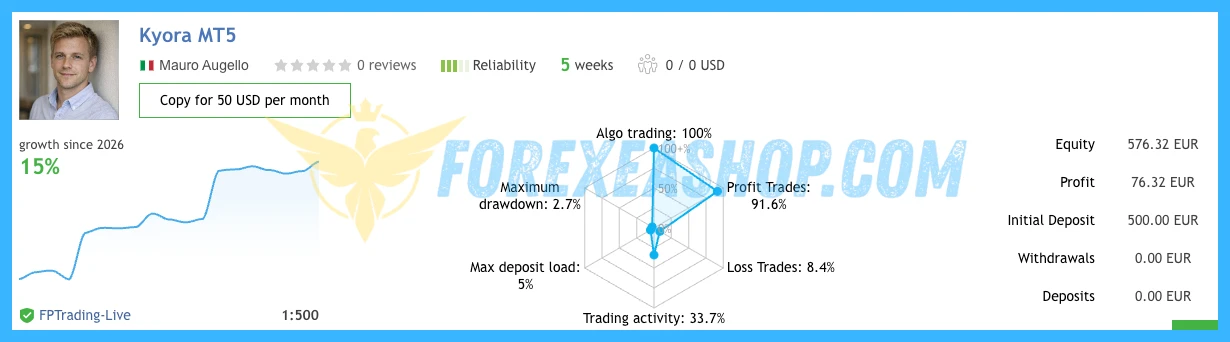
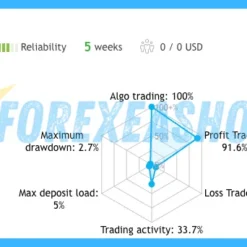
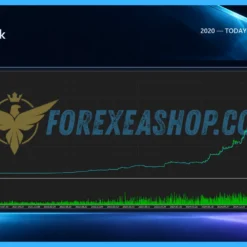
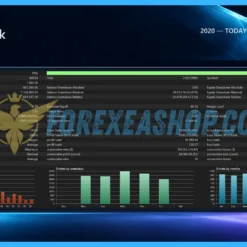
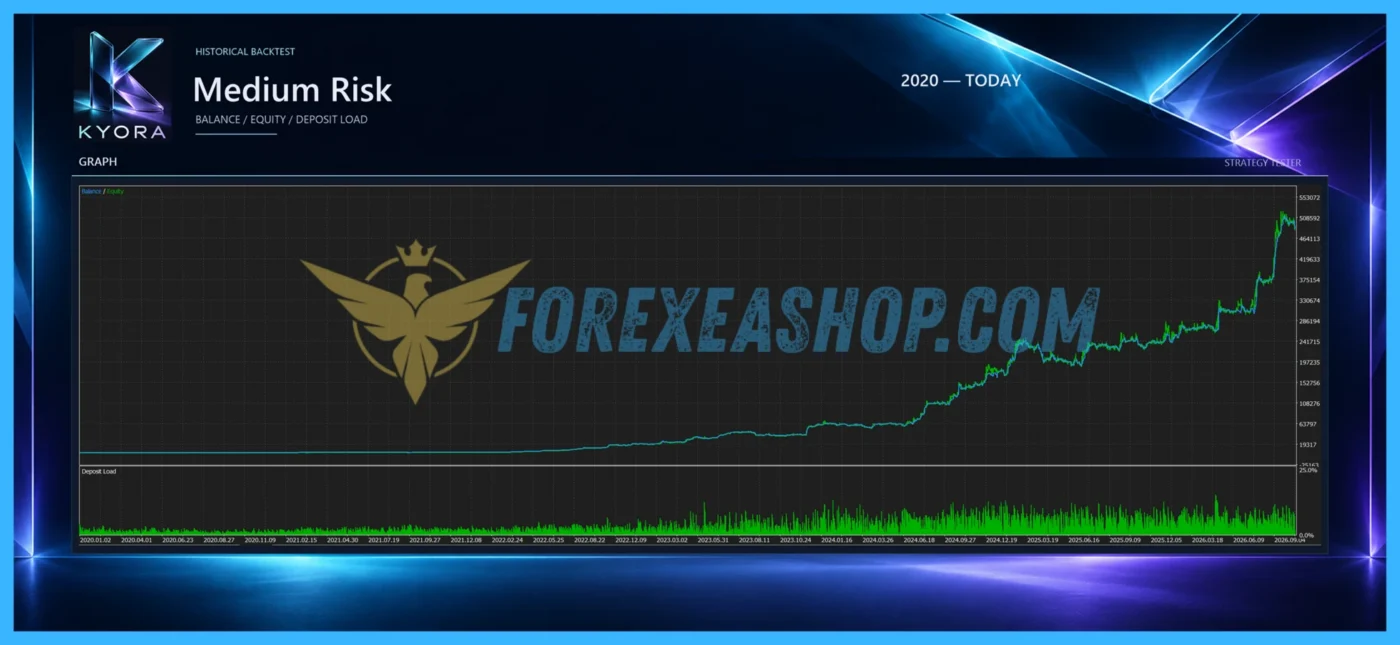
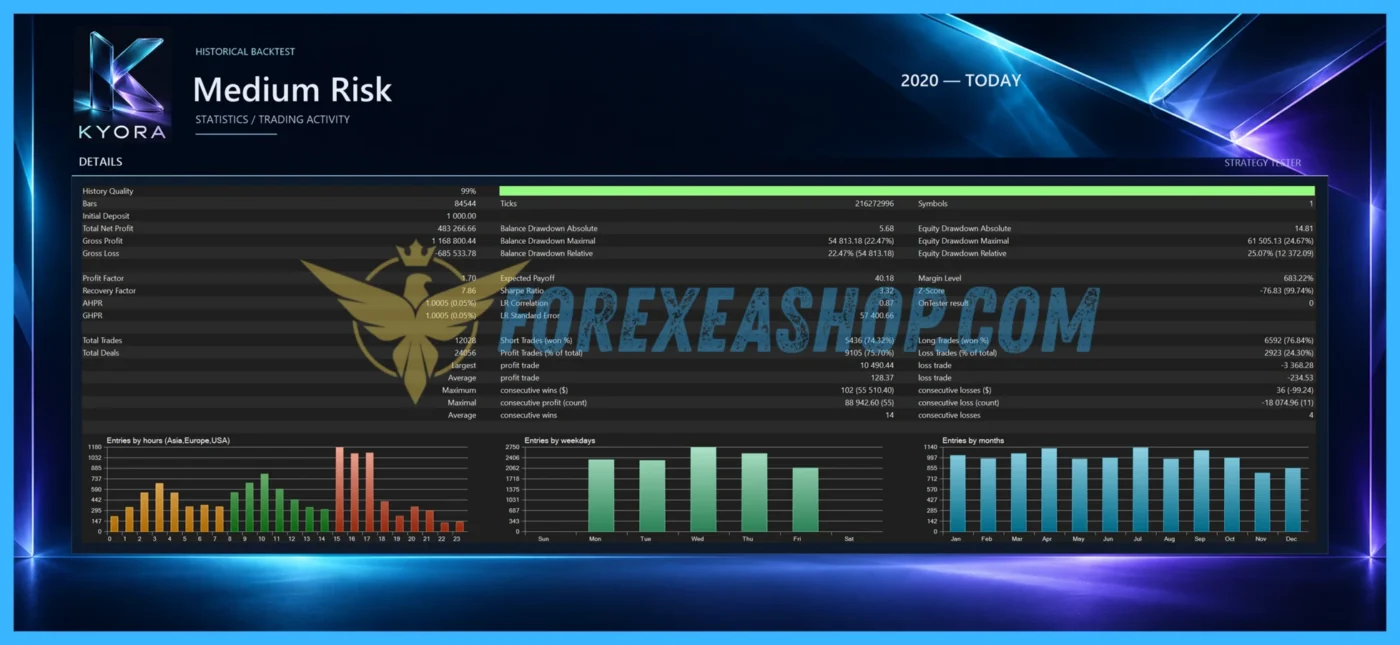
Kyora MT5 was officially published on the MQL5 Market on October 18, 2026, by developer Mauro Augello, with version 2.32 released on November 14, 2026, reflecting continued development of its breakout execution framework, position management features, and integrated trading controls. The Expert Advisor currently displays a five-star marketplace rating across six customer reviews, with early users highlighting its USDJPY breakout strategy, protective Stop Loss management, multi-strategy architecture, and responsive developer support. The developer also provides a publicly monitored live trading signal that allows traders to examine historical transactions and account performance, although the relatively short monitoring period and limited number of reviews mean that long-term profitability and drawdown stability remain unproven.

Signal EA on link: Click to view


Why should you use Kyora MT5?
Kyora MT5 offers a specialized approach to automated USDJPY trading by combining multiple breakout strategies with independent directional position sizing, predefined protective exits, and configurable account-level risk management. Its flexible trading configurations, economic news protection, automated position management, and centralized dashboard provide practical advantages for traders seeking systematic breakout opportunities while maintaining greater control over trading exposure and execution conditions.
Multi-Strategy USDJPY Breakout Trading Engine: Combines multiple proprietary breakout strategies within a single Expert Advisor, allowing the algorithm to identify qualifying USDJPY price movements and place Buy Stop or Sell Stop pending orders at predefined breakout levels. Each position receives individual Stop Loss and Take Profit parameters, enabling structured trade management without relying on Grid averaging or Martingale recovery methods.
Balanced and Ultimate Trading Configurations: Provides two selectable operating configurations designed for different levels of trading activity, with Balanced activating a selected combination of built-in strategies and Ultimate enabling the complete strategy set. Traders can also restrict execution to BUY positions, SELL positions, or both directions, allowing the trading system to be configured according to individual market expectations and acceptable exposure.
Independent BUY and SELL Money Management: Supports fixed trading volumes and automatic balance-based position sizing with separate parameters for BUY and SELL operations, allowing traders to customize trading exposure independently for each direction. Additional automatic lot profiles, configurable sizing references, and position volume limits provide flexibility for different account balances, although simultaneous strategies can generate combined exposure greater than the volume of an individual order.
Automatic Stop Loss and Dynamic Profit Protection: Every trading position includes predefined Stop Loss and Take Profit levels, supported by strategy-specific break-even adjustments and trailing stop mechanisms designed to manage positions as market prices move favorably. These protective features allow the algorithm to adjust exits according to its internal trading rules, while integrated spread filtering and margin checks help restrict new orders under unsuitable execution conditions.
Multi-Layer Drawdown Protection and Economic News Filtering: Includes configurable daily monetary loss limits, total cycle loss thresholds, cycle profit targets, and an account-equity emergency stop that monitors overall account equity while acting on the Expert Advisor’s own positions and pending orders. Additional economic news and dedicated Nonfarm Payrolls filters support customizable trading suspension periods, position-closing options, and pending-order cancellation, although these optional protection mechanisms are disabled by default and require manual activation.
Interactive Trading Dashboard and Automated Position Recovery: Features a responsive on-chart dashboard displaying the active trading configuration, operating status, current exposure, floating and realized trading results, and enabled protection settings, alongside integrated Pause, Resume, and Close All controls. The software can recognize existing positions and pending orders after a terminal restart or Expert Advisor reattachment when the same trading symbol and Magic Number configuration are maintained, helping restore automated position management without requiring a new trading setup.
Trading Specifications
Recommended settings and parameters to pay attention to from developers and experts:
| Trading platform | MetaTrader 5 (MT5) |
| Currency pairs | USDJPY |
| Time frame | H1 |
| Minimum deposit | 500$ |
| Recommend leverage | 1:100 or higher |
| Setup files | Default settings |
| Product type | Without DLL / Unlimited / 1 Year Updates Included |
| Recommend Broker | Exness Broker / ICMarket Broker / Tickmill / Roboforex |
| Virtual Private Server (VPS) | FXVM Forex VPS provides reliable Windows VPS solutions optimized for MT4/MT5, helping keep Expert Advisors and automated trading platforms online 24/7 |
How to install and run the Kyora MT5 Trading Bot in Metatrader 5?
- Open the Metatrader 5 platform
- From the top menu, click on File
- Now click on Open Data Folder
- Open the MQL5 folder
- Open the Experts folder
- Copy the Kyora MT5.ex5 file here
- Then close and restart the MT5 platform
- Attach the Expert Advisor to the chart
- Now, you are ready to start using the Kyora MT5.
If you have any questions regarding EA installation, you can view the information in the Help Center to assist you in installing the EA: Click to view
Kyora MT5 Download Package
Link download Kyora MT5 will be sent to your email after purchase.
Installation guide (if any) will be sent immediately via email after your purchase, or you can directly download it from the website, under the section: My account -> Download.
+ Expert Advisor Download:
- Kyora MT5.ex5
- Unlimited / NoDLL / Build New
- 1 Year Updates Included (If there is a new update, please check in the download on the forexeashop website or you can contact us via Email or Telegram Lucas Jason and provide proof of purchase, we will send you the update)
Conclusion
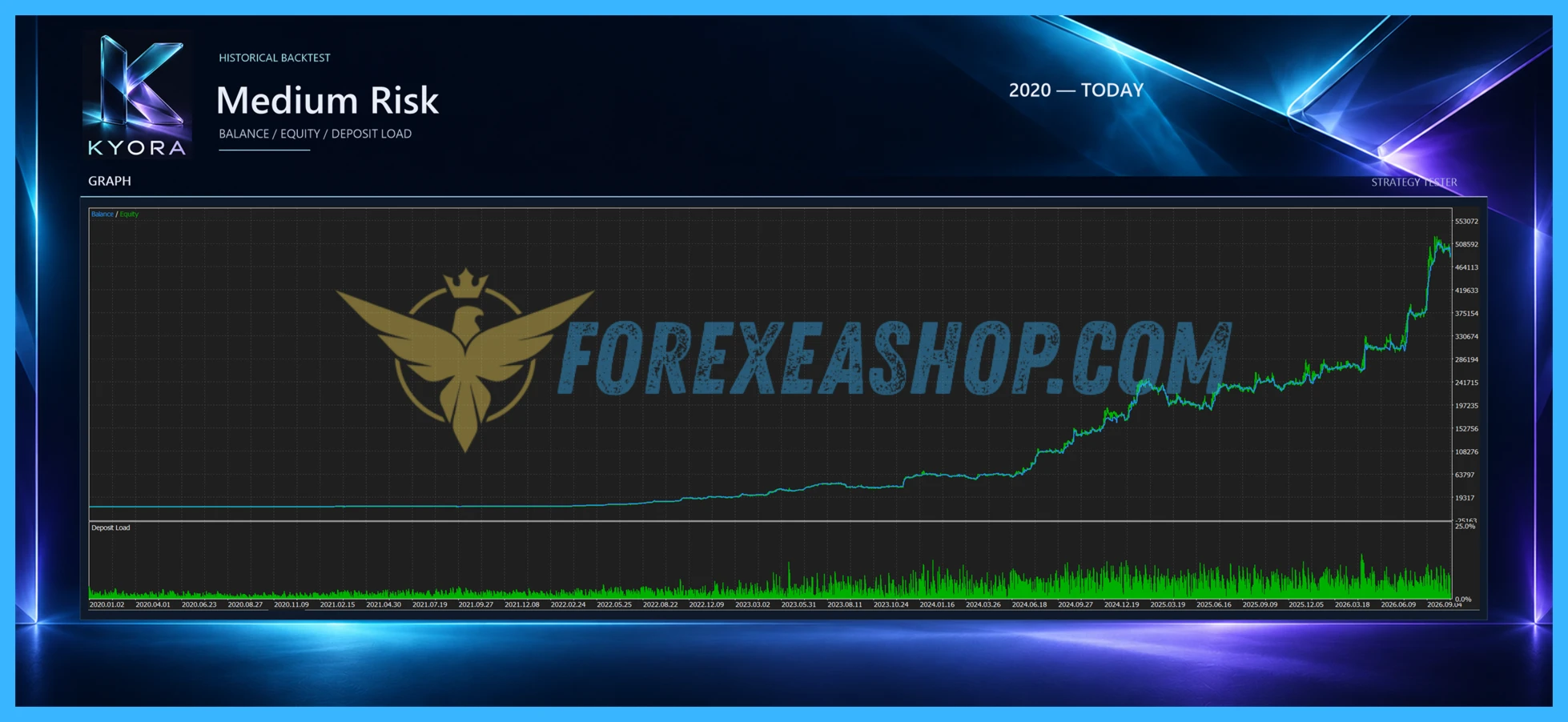
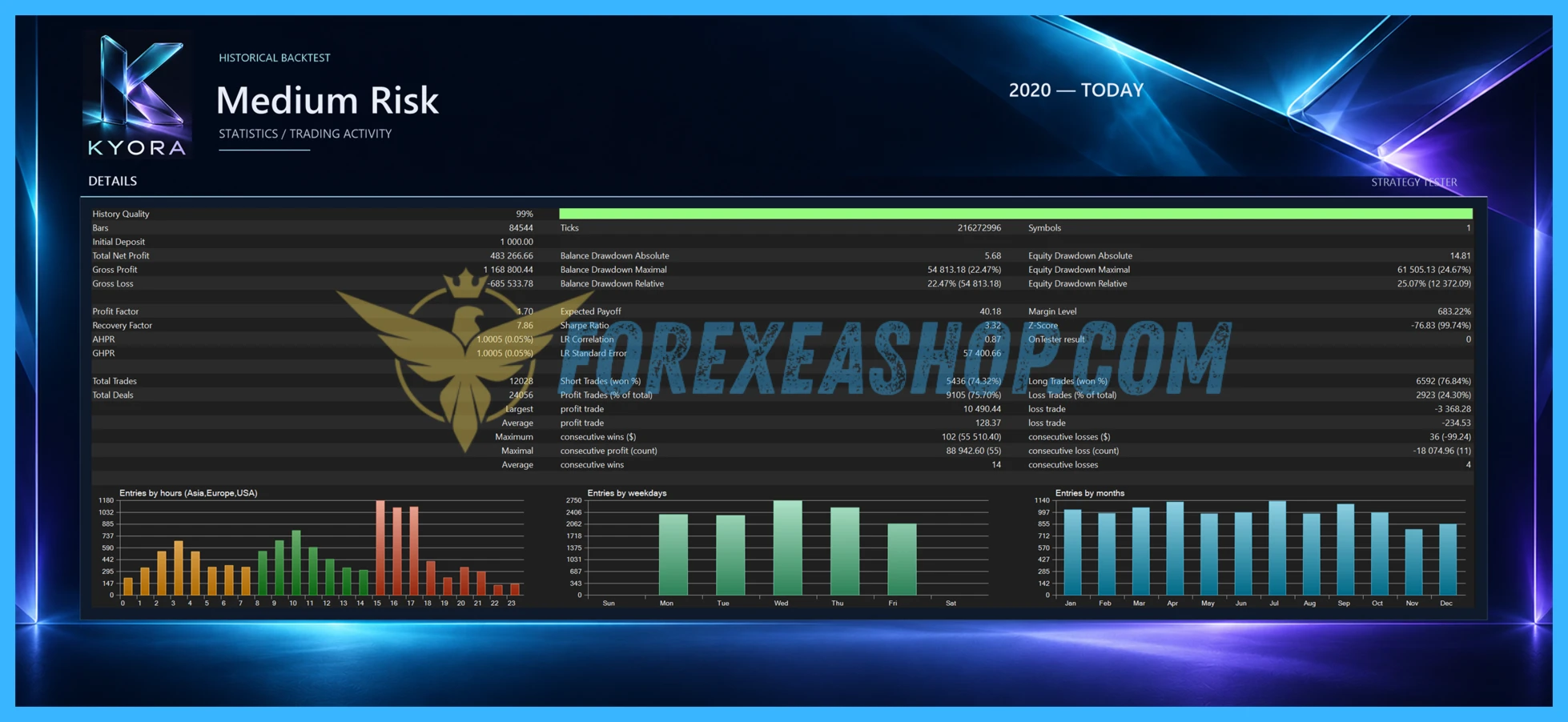
Kyora MT5 delivers a specialized automated USDJPY breakout trading solution for MetaTrader 5, combining multiple independent trading strategies with configurable pending-order execution and comprehensive position management. Its Balanced and Ultimate configurations, independent directional lot sizing, individual Stop Loss protection, break-even adjustments, and trailing stop mechanisms provide practical tools for managing breakout opportunities without relying on Grid averaging or Martingale recovery methods. The Expert Advisor also incorporates optional economic news protection, dedicated Nonfarm Payrolls filtering, monetary loss limits, account-equity safeguards, and an interactive trading dashboard, making it suitable for traders seeking systematic forex execution with customizable risk parameters. Before live deployment, review the recommended USDJPY H1 configuration, select an appropriate trading setup, enable the desired protective filters, and verify that your broker provides a compatible MT5 hedging account with competitive spreads and sufficient margin. Test the system thoroughly using the MetaTrader 5 Strategy Tester and independent demo forward testing, paying particular attention to simultaneous strategy exposure, pending-order execution, slippage, drawdown, and performance during major USD and JPY economic announcements before committing real capital.
Frequently Asked Questions (FAQs)
What platform does Kyora MT5 use?
Kyora MT5 is developed exclusively for MetaTrader 5 and operates as a fully automated USDJPY breakout trading Expert Advisor. The software combines multiple strategies using Buy Stop and Sell Stop pending orders, with individual Stop Loss, Take Profit, break-even, and trailing stop management.
Which currency pair and timeframe are recommended?
The Expert Advisor is specifically designed for USDJPY, and the developer recommends attaching it to an H1 chart in MetaTrader 5. Broker-specific symbol prefixes and suffixes are supported, while only one active instance should use the same trading symbol and Magic Number configuration.
What is the minimum deposit and recommended leverage?
The developer does not specify a mandatory minimum deposit or fixed leverage requirement because suitable account capital depends on the selected Balanced or Ultimate configuration, individual trading volumes, and potential combined exposure. Traders should calculate margin requirements carefully and select conservative position sizes, particularly when multiple breakout strategies can maintain positions simultaneously.
How does the Expert Advisor manage trading risk?
The trading system assigns individual Stop Loss and Take Profit levels to positions and supports break-even adjustments, trailing stops, spread filtering, margin verification, daily loss limits, cycle-level protection, and an account-equity emergency stop. The monetary protection mechanisms and economic news filters are disabled by default, so traders must enable and configure them according to their preferred risk parameters.
Does Kyora MT5 use Grid or Martingale trading strategies?
No, the developer explicitly states that the Expert Advisor does not use Grid averaging or Martingale lot progression, instead relying on independent breakout strategies with predefined protective exits. However, multiple strategies may maintain positions simultaneously, so total account exposure can exceed the volume of a single order and should be monitored carefully.
Does the Expert Advisor require a VPS and support economic news filtering?
A stable VPS is strongly recommended to maintain uninterrupted MetaTrader 5 operation, continuous pending-order monitoring, and reliable automated position management, although it is not technically mandatory. The EA includes optional economic calendar and Nonfarm Payrolls filters with configurable trading suspension periods, while its integrated dashboard provides real-time monitoring and manual controls for pausing, resuming, or closing automated trading activity.
Shopping Guide and Important Information
We Accept Payment: Cryptocurrency, USDT, Binance Pay, Skrill, Paypal: Click to view
More payment methods please contact: Email or Telegram Admin.
Cryptocurrency, PayPal: Our website checkout system automated.
Memo: Your email + EA name
EA will be send to your email ASAP. The download link will be sent to your email within 5 minutes after the order is confirmed.
Some EAs will need to wait a few hours to up to 12 hours to receive the download link.
Please read and agree to the information below before purchasing our products:
Term & Condition
Refund Policy
Privacy Policy
Beginner traders should research and learn about trading before using any EAs.
Please make sure you understand the risks involved with trading and that past performance is no guarantee for future results. (EA could also make losses).
The product does not guarantee profits and demands resilience, patience, and a positive attitude in forex trading.
Before use, please test the EA on a demo account first.
Happy trading.


Reviews
There are no reviews yet.