



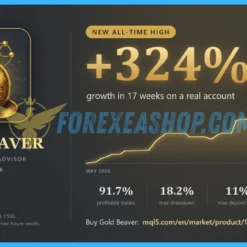

What is Gold Beaver?
Gold Beaver is a fully automated MetaTrader 5 Expert Advisor designed specifically for XAUUSD gold trading through a multi-strategy breakout approach. The system features 13 selectable trading presets organized into CONS, BAL, AGG, and ALL profiles, with a Python-based research engine developed and evaluated across multiple market periods from 2020 to 2026. Trading signals are evaluated at M15 candle boundaries, allowing the software to operate on any XAUUSD chart timeframe without requiring high-frequency execution. Each position receives an immediate Stop Loss, while the algorithm avoids Grid, Martingale, and averaging strategies.
Vendor website: https://www.mql5.com/en/market/product/177869

Original price: $449
ForexEAshop price: $19 (You Save 96%)
Key Takeaways
- Gold Beaver trading system specializing in XAUUSD breakout strategies with 13 selectable presets and no Grid or Martingale trading.
- The Expert Advisor automated software features broker-specific Strategy Rank analysis, comparing preset performance over 7, 14, or 30 days using live trading data or the system built-in Strategy Tester.
- The system provides immediate Stop Loss protection, configurable position sizing, exposure smoothing, and optional daily and maximum loss limits.
Gold Beaver Features
- Used on platform: Meta Trader 5.
- Currency pairs: XAUUSD (Gold).
- Time frame: Any timeframe (M15 signal evaluation).
- Minimum deposit: 500$.
- Recommend use leverage: 1:100 or higher.
- Expert Advisor trading automated 100%.
- Account Type: Standard, ECN, Raw, Cent.
🚀 Recommend Use VPS Forex
To keep Experts Advisor running smoothly 24/7, use a quality Forex VPS. Optimize trading efficiency, no worries about interruptions!
Register VPS NowGold Beaver Review
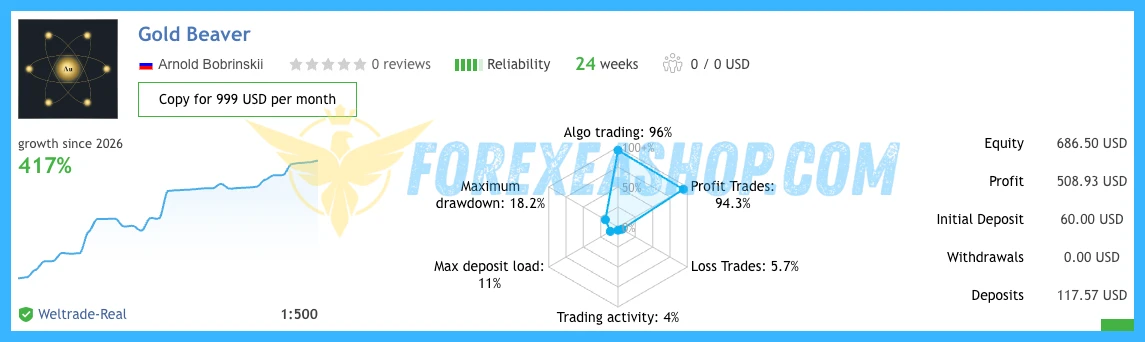
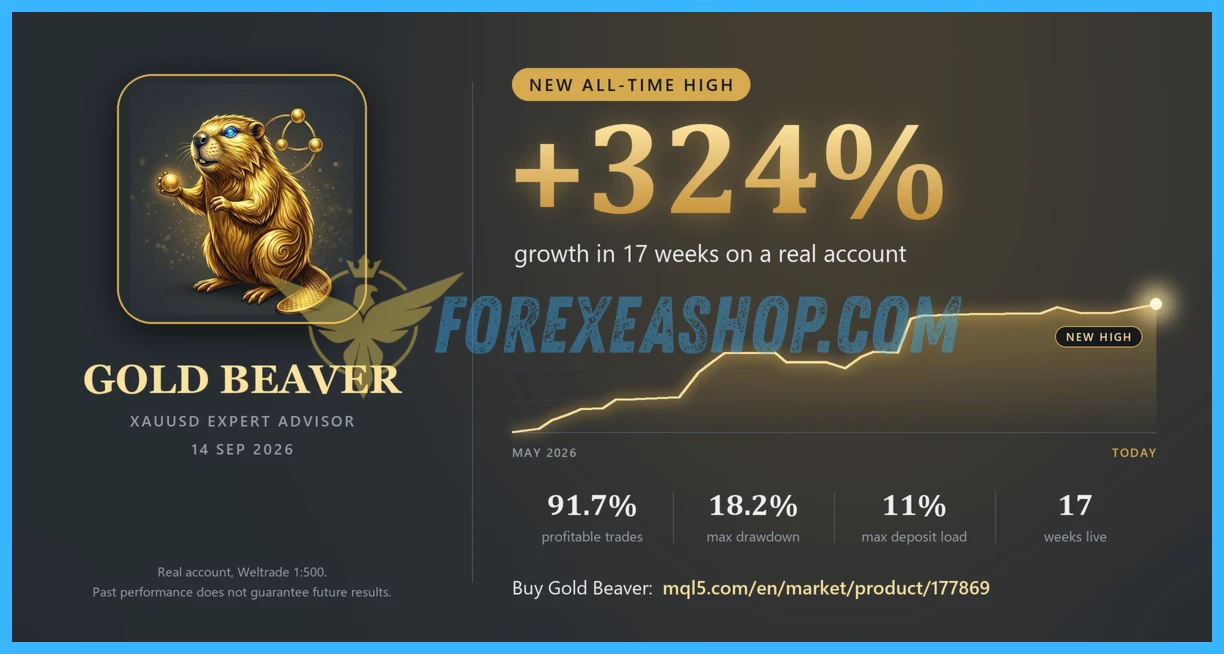
Gold Beaver was published on the EA MQL5 Market on May 31, 2026, and the Expert Advisor marketplace listing records version 5.57 as updated on October 28, 2026. User feedback highlights straightforward installation and responsive developer support, while some traders have requested clearer explanations of the EA different presets and reported extended periods without trading activity. A publicly accessible MQL5 live signal provides forward-trading history for performance monitoring and independent assessment, although historical results do not guarantee future performance.

Signal EA on link: Click to view

Why should you use Gold Beaver?
Gold Beaver provides a structured approach to automated gold trading by combining multiple breakout strategies with customizable risk management and real-time performance monitoring. Its flexible preset selection and broker-specific strategy comparison tools help traders evaluate different trading styles and exposure levels before deploying capital.
Multi-Preset Strategy Selection: Choose from 13 trading presets organized into conservative, balanced, aggressive, and combined profiles. Combo Safe serves as the Expert Advisor default configuration, providing a starting point for traders seeking moderate trading activity.
Broker-Specific Strategy Ranking: Compare trading performance across all available presets using 7, 14, or 30-day analysis periods. The Expert Advisor integrated Strategy Rank panel evaluates live trading activity or Strategy Tester results and allows users to switch configurations directly.
Immediate Stop Loss Protection: Every position receives a Stop Loss immediately upon execution, providing predefined downside protection. The Expert Advisor trading algorithm avoids Grid recovery, Martingale multipliers, and averaging techniques.
Advanced Risk Management Controls: Configure fixed lot sizes or balance-scaled position sizing alongside a maximum spread filter. The Expert Advisor optional Prop Firm Guard introduces customizable daily loss and maximum loss limits to help manage account exposure.
Intelligent Exposure Smoothing: Select Default, Smooth, De-Overlap, or Max smoothing modes to adjust overlapping trade exposure while maintaining the Expert Advisor selected preset’s underlying signal logic. These options provide additional flexibility when managing multiple trading opportunities.
Performance Dashboard and Equity Analysis: Monitor trading activity through an integrated interface featuring preset equity curves, worst drawdown periods, trade counts, and win rates. The Expert Advisor visual dashboard helps traders compare strategy behavior and assess historical performance before changing configurations.
Trading Specifications
Recommended settings and parameters to pay attention to from developers and experts:
| Trading platform | MetaTrader 5 (MT5) |
| Currency pairs | XAUUSD (Gold) |
| Time frame | Any timeframe (M15 signal evaluation) |
| Minimum deposit | 500$ |
| Recommend leverage | 1:100 or higher |
| Setup files | Default settings |
| Product type | Without DLL / Unlimited / 1 Year Updates Included |
| Recommend Broker | Exness Broker / ICMarket Broker / Tickmill / Roboforex |
| Virtual Private Server (VPS) | FXVM Forex VPS provides reliable Windows VPS solutions optimized for MT4/MT5, helping keep Expert Advisors and automated trading platforms online 24/7 |
How to install and run the Gold Beaver Trading Bot in Metatrader 5?
- Open the Metatrader 5 platform
- From the top menu, click on File
- Now click on Open Data Folder
- Open the MQL5 folder
- Open the Experts folder
- Copy the Gold Beaver.ex5 file here
- Then close and restart the MT5 platform
- Attach the Expert Advisor to the chart
- Now, you are ready to start using the Gold Beaver v5.57 MT5.
If you have any questions regarding EA installation, you can view the information in the Help Center to assist you in installing the EA: Click to view
Gold Beaver Download Package
Link download Gold Beaver v5.57 MT5 will be sent to your email after purchase.
Installation guide (if any) will be sent immediately via email after your purchase, or you can directly download it from the website, under the section: My account -> Download.
+ Expert Advisor Download:
- Gold Beaver.ex5
- Unlimited / NoDLL / Build New
- 1 Year Updates Included (If there is a new update, please check in the download on the forexeashop website or you can contact us via Email or Telegram Lucas Jason and provide proof of purchase, we will send you the update)
Conclusion
Gold Beaver trading solution for MetaTrader 5, combining 13 strategy presets, breakout execution, and integrated risk management features. Its broker-specific Strategy Rank, exposure smoothing options, and immediate Stop Loss protection provide practical tools for evaluating and managing different trading configurations. Review the Expert Advisor default Combo Safe preset, suggested lot size, and available risk controls before deployment. Inspect the system public trading signal and test your preferred configuration on a demo account before committing real capital.
Frequently Asked Questions (FAQs)
Gold Beaver platform does Gold Beaver v5.57 MT5 use?
Gold Beaver v5.57 MT5 developed exclusively for MetaTrader 5 and operates as a fully automated Expert Advisor specializing in XAUUSD gold trading.
Which currency pair and timeframe are supported?
The EA is specifically designed for XAUUSD and can be attached to any chart timeframe. Trading signals are evaluated at M15 candle boundaries, while OHLC M1 is supported for efficient backtesting.
The EA trading strategies and presets are included?
the EA v5.57 current version includes 13 presets organized into CONS, BAL, AGG, and ALL profiles. Combo Safe is the EA v5.57 MT5default configuration, while Strategy Rank allows traders to compare performance over different evaluation periods.
The EA minimum deposit and required leverage?
the EA v5.57 developer does not specify a fixed minimum deposit or mandatory leverage requirement. the EA v5.57 MT5on-chart dashboard provides a suggested lot size based on the EA v5.57 MT5 account balance and selected preset, helping traders evaluate suitable position sizing.
Does the EA use Grid or Martingale strategies?
No. the EA v5.57 MT5 system operates without Grid, Martingale, or averaging strategies, and every position receives a Stop Loss immediately upon execution.
Does the EA v5.57 Expert Advisor require a VPS?
the EA v5.57 MT5 is not required because the EA v5.57 MT5 software does not use high-frequency trading execution. However, a stable internet connection and an uninterrupted MetaTrader 5 environment are recommended for continuous automated operation.
Shopping Guide and Important Information
We Accept Payment: Cryptocurrency, USDT, Binance Pay, Skrill, Paypal: Click to view
More payment methods please contact: Email or Telegram Admin.
Cryptocurrency, PayPal: Our website checkout system automated.
Memo: Your email + EA name
EA will be send to your email ASAP. The download link will be sent to your email within 5 minutes after the order is confirmed.
Some EAs will need to wait a few hours to up to 12 hours to receive the download link.
Please read and agree to the information below before purchasing our products:
Term & Condition
Refund Policy
Privacy Policy
Beginner traders should research and learn about trading before using any EAs.
Please make sure you understand the risks involved with trading and that past performance is no guarantee for future results. (EA could also make losses).
The product does not guarantee profits and demands resilience, patience, and a positive attitude in forex trading.
Before use, please test the EA on a demo account first.
Happy trading.


Reviews
There are no reviews yet.