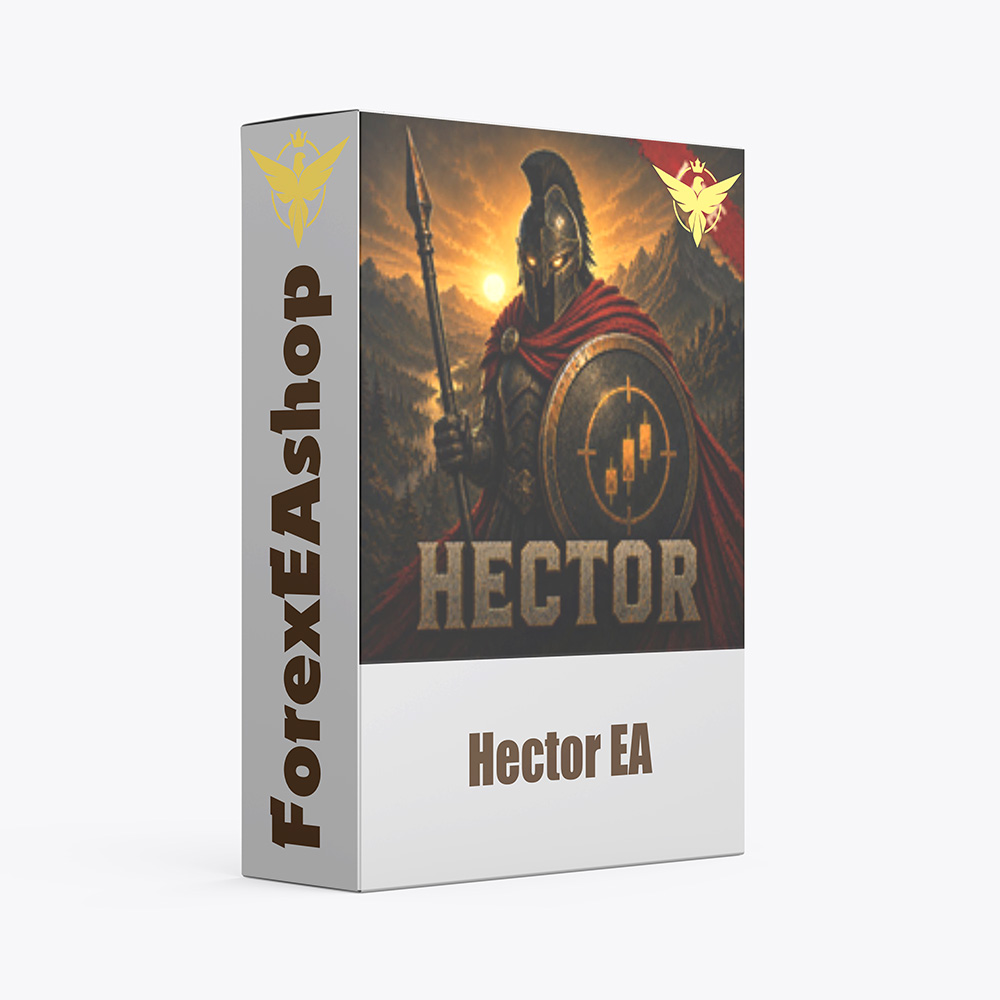

What is Hector EA?
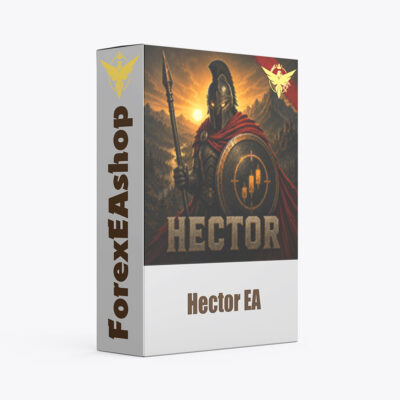
Hector EA is a fully automated MetaTrader 5 Expert Advisor developed by Anton Shevtsov for XAUUSD Gold trading, combining 74 independent Grid strategies within a single algorithmic trading portfolio. Each strategy operates according to its own entry conditions, trading frequency, and Grid depth, allowing the system to participate in different market environments without relying exclusively on one trading setup. The EA incorporates mandatory percentage-based Stop Loss protection for individual strategy baskets, optional basket hedging, and configurable lot sizing to manage trading exposure. Designed for Gold symbols with two decimal places, the system supports any chart timeframe and is optimized for low-spread ECN or RAW hedging accounts using broker-specific SET files.
Vendor website: https://www.mql5.com/en/market/product/184138

Original price: $190
ForexEAshop price: $19 (You Save 90%)
Key Takeaways
- Hector EA is a MetaTrader 5 XAUUSD Gold trading robot featuring 74 independent Grid strategies, mandatory percentage-based basket Stop Loss protection, optional hedging, configurable lot sizing, and broker-specific SET file optimization.
- The multi-strategy Gold Grid EA supports different trading frequencies, Grid depths, and market conditions while allowing individual strategy activation and adjustable risk parameters for automated portfolio management.
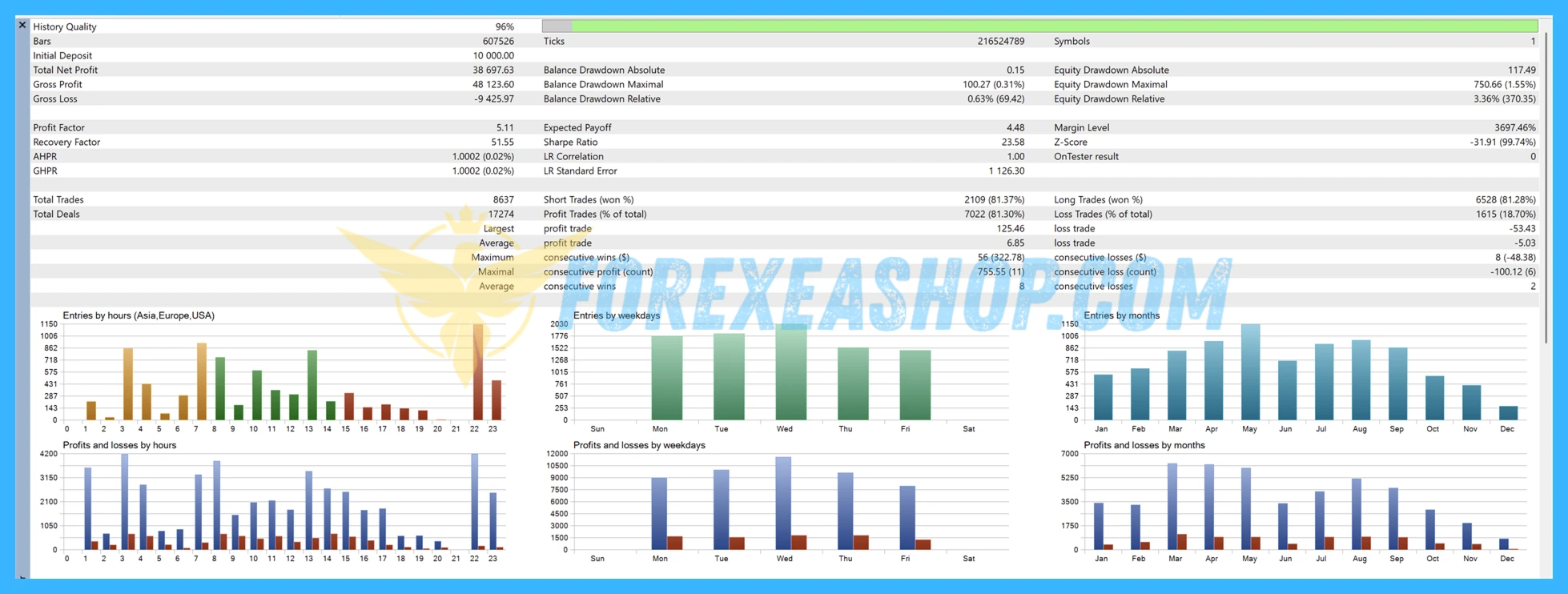
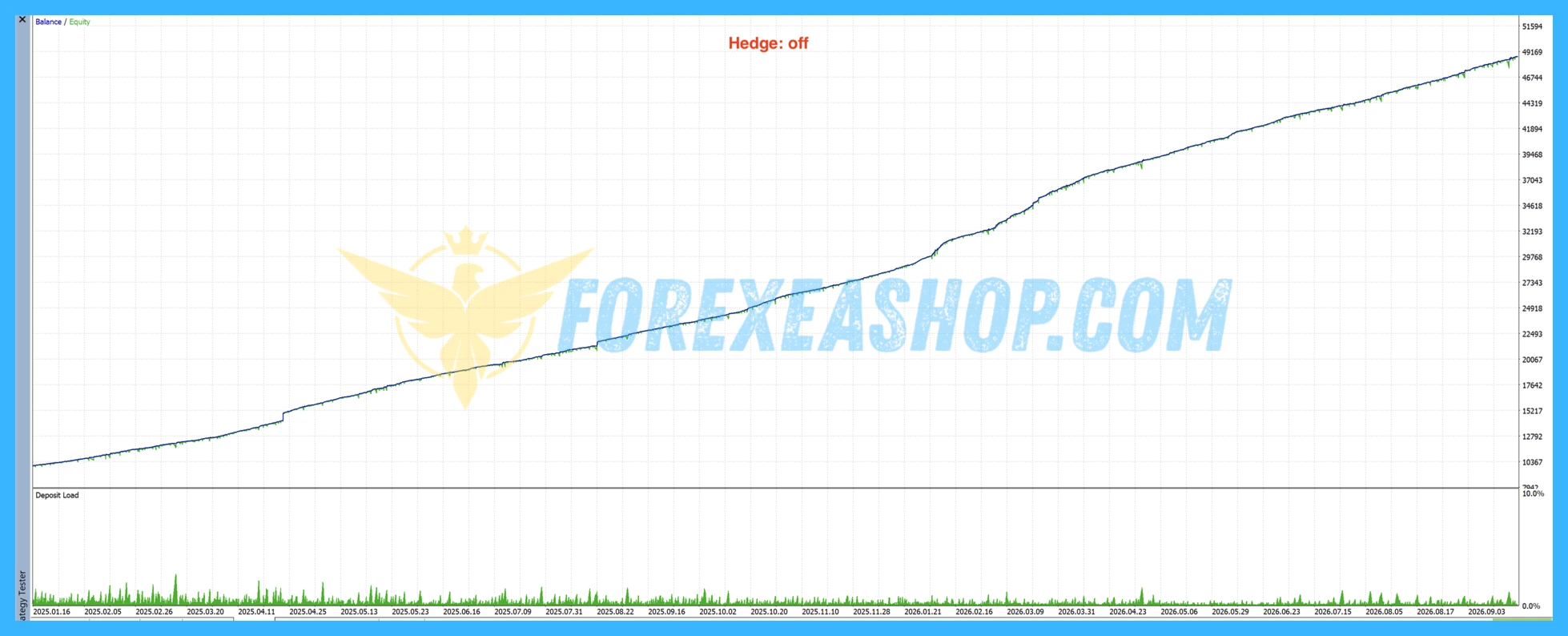
- Historical backtests and early customer reviews provide useful evaluation material, but cumulative basket exposure, consecutive Stop Loss events, margin requirements, broker execution differences, and unverified current-version live results make conservative risk management and forward testing essential.
Hector EA Features
- Used on platform: Meta Trader 5.
- Currency pairs: XAUUSD (Gold) (2 decimal places).
- Time frame: Any time frame.
- Minimum deposit: 1000$.
- Recommend use leverage: 1:500.
- Expert Advisor trading automated 100%.
- Brokers: FxPro, Ultima Markets, Fusion, IC Markets, FPTrading, VT, etc.
- Account: hedging, ECN/RAW, zero/low spread.
🚀 Recommend Use VPS Forex
To keep Experts Advisor running smoothly 24/7, use a quality Forex VPS. Optimize trading efficiency, no worries about interruptions!
Register VPS NowHector EA Reviews
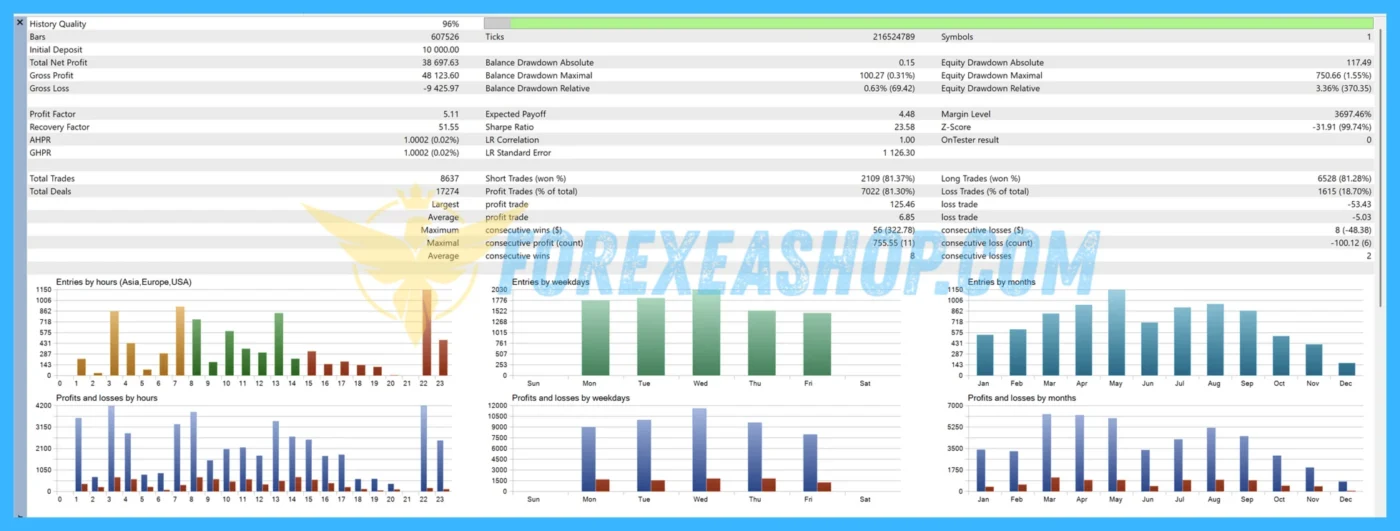
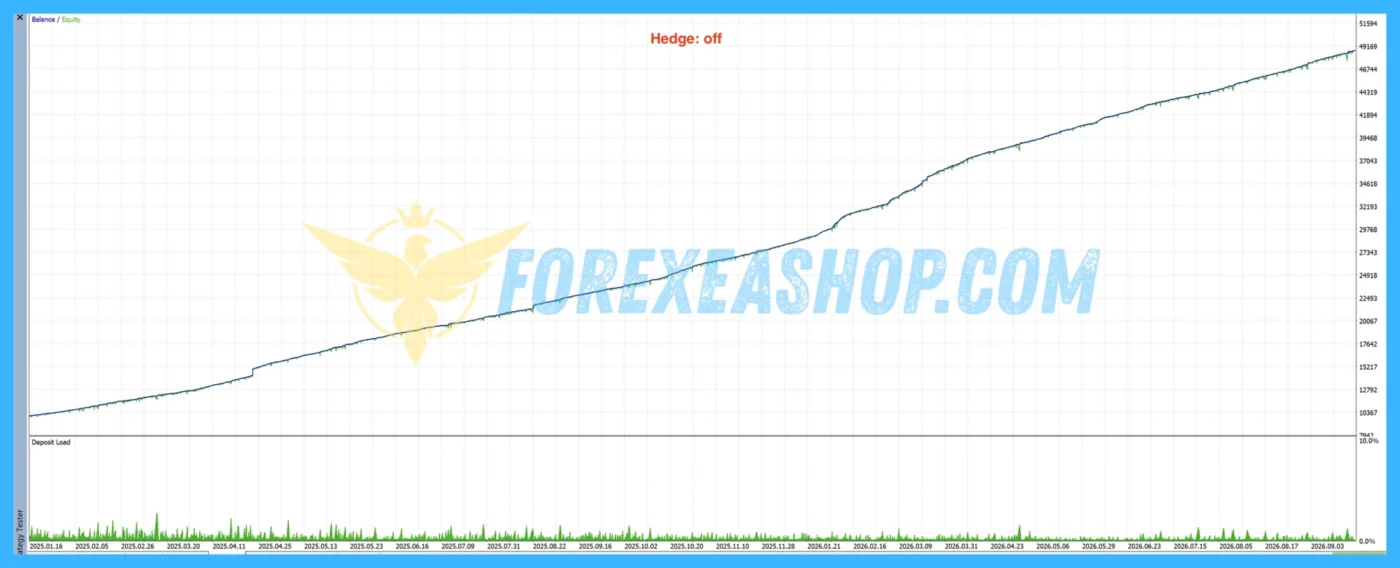
Hector EA was published on the MQL5 marketplace on July 3, 2026, with version 2.1 released on September 20, 2026, and three public customer reviews describing favorable early trading experiences and responsive developer support. The developer reports historical testing across multiple brokers using data from 2020 onward, including separate annual evaluations and out-of-sample validation, but these backtests should not be treated as independently verified live performance. Importantly, the developer acknowledges that previously published live signals contain experimental trading activity and do not accurately represent the current version, making broker-specific backtesting, consecutive Stop Loss events, and portfolio-level drawdown essential considerations.


Why should you use Hector EA?
Hector EA provides experienced Gold traders with a multi-strategy automated trading system that combines 74 independent Grid configurations, customizable risk parameters, and mandatory basket protection. Instead of operating one fixed Grid structure, the algorithm distributes trading activity across strategies with different entry frequencies, position sequences, and market conditions. Its broker-specific configuration, optional hedging, and adjustable Stop Loss settings offer flexibility for traders who understand the risks associated with multiple simultaneous XAUUSD positions.
- 74 Independent Grid Strategies: Combines 74 separately configurable trading strategies with different entry conditions, Grid depths, and trading frequencies, allowing the system to identify opportunities across changing Gold market environments.
- Mandatory Stop Loss Protection: Applies a compulsory Stop Loss to each strategy basket, configurable between 3 and 30 percent of account balance, helping establish predefined exit conditions for individual trading sequences.
- Optional Basket Hedging: Supports an additional hedging mechanism that can create opposite-direction exposure when enabled, providing an alternative approach to managing selected Grid positions during market reversals.
- Broker-Specific SET File Optimization: Uses configuration files tailored to different broker price feeds, allowing traders to select appropriate strategy combinations for supported low-spread ECN and RAW trading environments.
- Flexible Lot Sizing and Strategy Control: Allows individual strategies to be enabled or disabled while adjusting trading volume and Stop Loss parameters according to available capital, account leverage, and acceptable risk.
- Historical Testing and Portfolio Diversification: Incorporates strategies evaluated across different historical market periods, including out-of-sample testing, with varied Grid structures designed to reduce dependence on a single entry pattern.
Trading Specifications
Recommended settings and parameters to pay attention to from developers and experts:
| Features | Type |
|---|---|
| Trading platform | MetaTrader 5 (MT5) |
| Currency pairs | XAUUSD (Gold) (2 decimal places) |
| Time frame | Any Timeframe |
| Minimum deposit | 1000$ |
| Recommend leverage | 1:500 |
| Setup files | Have setfiles |
| Product type | Without/Have DLL / Unlimited / Free 1 Year Updates |
| Recommend Broker | Exness Broker / ICMarket Broker / Tickmill / Roboforex |
| Virtual Private Server (VPS) | FXVM Forex VPS provides reliable Windows VPS solutions optimized for MT4/MT5, helping keep Expert Advisors and automated trading platforms online 24/7 |
How to install and run the Hector EA Trading Bot in Metatrader 5?
- Open the Metatrader 5 platform
- From the top menu, click on “File”
- Now click on “Open Data Folder”
- Open the “MQL5” folder
- Open the “Experts” folder
- Copy the Hector EA v2.1.ex5 file here
- Then close and restart the MT5 platform
- Attach the Expert Advisor to the chart
Now, you are ready to start using the Hector EA v2.1 MT5 With Setfiles!
If you have any questions regarding EA installation, you can view the information in the Help Center to assist you in installing the EA: Click to view
Hector EA Download Package
Link download Hector EA v2.1 MT5 With Setfiles will be sent to your email after purchase.
Installation guide (if any) will be sent immediately via email after your purchase, or you can directly download it from the website, under the section: My account -> Download.
+ Expert Advisor Download :
- Hector EA v2.1.ex5
- Unlimited / NoDLL / Build New / Presets
- Free 1 Year Updates (If there is a new update, please check in the download on the forexeashop website or you can contact us via Email or Telegram Lucas Jason and provide proof of purchase, we will send you the update)
Conclusion
Hector EA combines 74 independent XAUUSD Grid strategies, mandatory basket Stop Loss protection, optional hedging, and broker-specific configuration within one MetaTrader 5 automated trading system. Its multi-strategy architecture offers flexible Gold market participation, although simultaneous Grid baskets can generate substantial cumulative drawdown even when each strategy has its own protective stop. The developer recommends a minimum deposit of 1,000 dollars, leverage of at least 1:500, and an ECN or RAW hedging account with low spreads, while conservative position sizing remains essential for managing margin exposure. Review the recommended SET files, evaluate the current version through realistic backtesting, and begin with a demo account before committing live trading capital.
Frequently Asked Questions (FAQs)
What platform does Hector EA use?
Hector EA is designed for MetaTrader 5 and operates as a fully automated Expert Advisor specializing in XAUUSD Gold Grid trading.
Which trading instrument is supported?
The EA is developed specifically for XAUUSD Gold with two decimal places. Traders should confirm their broker’s Gold symbol specifications before activating automated trading.
What timeframe is recommended?
The system supports any chart timeframe because its trading logic is configured through independent strategies and their associated settings.
How many trading strategies are included?
The EA includes 74 independent Grid strategies with different entry frequencies, trading conditions, and Grid depths. Each strategy can be enabled or disabled according to the selected portfolio configuration.
How does the Grid trading strategy work?
The system uses individual strategy conditions to open and manage sequences of Gold positions at configured price levels. Different strategies may operate simultaneously, creating separate baskets with their own trading behavior and protective stops.
What is the recommended minimum deposit?
The minimum recommended deposit is 1,000 dollars, with a suggested starting lot size of 0.01 for balances between 1,000 and 9,999 dollars. The developer recommends 0.02 lot for balances between 10,000 and 19,999 dollars, followed by an additional 0.01 lot for each further 10,000 dollars.
What leverage is required?
The developer recommends leverage of at least 1:500 to support the margin requirements of multiple Grid positions. Higher leverage provides additional margin flexibility but can also increase the risk of excessive account exposure.
Does Hector EA have a mandatory Stop Loss?
Hector EA includes compulsory Stop Loss protection for every independent strategy basket, with configurable thresholds ranging from 3 to 30 percent of account balance. These limits apply separately to each strategy rather than acting as one guaranteed maximum loss for the entire portfolio.
Can multiple Stop Losses occur simultaneously?
Yes. Several active strategy baskets may reach their individual Stop Loss levels during the same unfavorable Gold market movement, potentially producing cumulative losses greater than a single strategy’s configured threshold.
Does the EA support hedging?
Yes. Optional basket hedging is available for traders who want to incorporate opposite-direction positions into selected Grid management configurations. Hedging can modify directional exposure but does not eliminate floating losses, margin requirements, or execution risk.
Why are broker-specific SET files important?
Different brokers may provide different Gold price feeds, spreads, execution conditions, and contract specifications. The developer supplies broker-specific SET files because all 74 strategies are disabled by default until an appropriate configuration is loaded.
Which brokers are recommended?
The developer identifies FxPro, Ultima Markets, Fusion Markets, IC Markets, FPTrading, and VT Markets among the supported broker environments. A low-spread ECN or RAW hedging account is recommended for more consistent execution.
Does the EA start trading immediately after installation?
Not necessarily. All strategies are disabled by default, so traders must load a compatible SET file or manually enable the required strategies before automated trading can begin.
Is a VPS recommended?
Yes. A reliable VPS is recommended to maintain continuous MetaTrader 5 operation, support multiple active strategy baskets, and reduce interruptions during automated position management.
Are the published live trading results verified?
The developer states that historical live signals include unrelated experiments, manual lot-size errors, and earlier trading configurations. These records should not be interpreted as verified performance evidence for the current version, and independent forward testing remains important.
Is Grid trading suitable for beginners?
Grid trading requires an understanding of floating drawdown, cumulative position exposure, leverage, and margin consumption. Beginners should practice with a demo account and conservative settings before considering live trading.
Shopping Guide and Important Information
We Accept Payment: Cryptocurrency, USDT, Binance Pay, Skrill, Paypal: Click to view
More payment methods please contact: Email or Telegram Admin.
Cryptocurrency, PayPal: Our website checkout system automated.
Memo: Your email + EA name
EA will be send to your email ASAP. The download link will be sent to your email within 5 minutes after the order is confirmed.
Some EAs will need to wait a few hours to up to 12 hours to receive the download link.
Please read and agree to the information below before purchasing our products:
Beginner traders should research and learn about trading before using any EAs.
Please make sure you understand the risks involved with trading and that past performance is no guarantee for future results. (EA could also make losses).
The product does not guarantee profits and demands resilience, patience, and a positive attitude in forex trading.
Before use, please test the EA on a demo account first.
Happy trading!

POSEIDON EA MT4 v1.1 With Setfiles