
What is Prop Firm EA?
Prop Firm EA is a expert advisors for Meta Trader 4 that perform complex analysis of moving markets in seconds. Prop Firm EA design all tools to make trading as simple as possible to save you time collecting data from chart history, trade on many different currency pairs and time frames, opens and closes trades automatically, EA do not use martingale strategy. By designing and building this tool for MetaTrader 4, it is overcome the challenges of prop companies.
Vendor website: https://propfirm-ea.com/

Original price: $459
ForexEAshop price: $24 (You Save 92%)
Key Takeaways
- Prop Firm EA prioritize user-friendly design, streamlining the trading process to save you valuable time spent on historical data analysis
- EA is tailored to assist traders in prop companies, capable of swiftly analyzing dynamic market movements, effectively addressing their unique challenges
- The EA is compatible with MetaTrader 4 demo or live accounts with a minimum fund size of $10,000 USD
- Each development phase typically requires just 15-20 trading days to complete, ensuring a rapid deployment of solution
Prop Firm EA Features
- Used on platform : Meta Trader 4
- Currency pairs: GBPUSD, EURUSD.
- Time frame: M5.
- Live account 10,000 USD fund in the account or above. This EA is suitable for all Prop Firm Company.
- Trade on many different currency pairs and time frames.
- The EA is smart and opens and closes trades automatically.
- DRAWDOWN is set to never exceed 4% per day.
- EA do not use martingale strategy.
- Work On all Broker.
- Installation is simple.
- Can run the bot on personal live account and funding account.
🚀 Recommend Use VPS Forex
To keep Experts Advisor running smoothly 24/7, use a quality Forex VPS. Optimize trading efficiency, no worries about interruptions!
Register VPS Now
Which Prop Firm does the EA work on?
FTMO, Myforexfunds, CentralTradersFund, Theproptrading, The 5ers, Fidelcrest, AudacityCapital, Blufx, Citytradersimperium, Thefundedtrader, Traderseed, Topstep, Speedup-trader and many more.
Typically, it takes less than 15-20 trading days to complete each phase.
Prop Firm EA Results
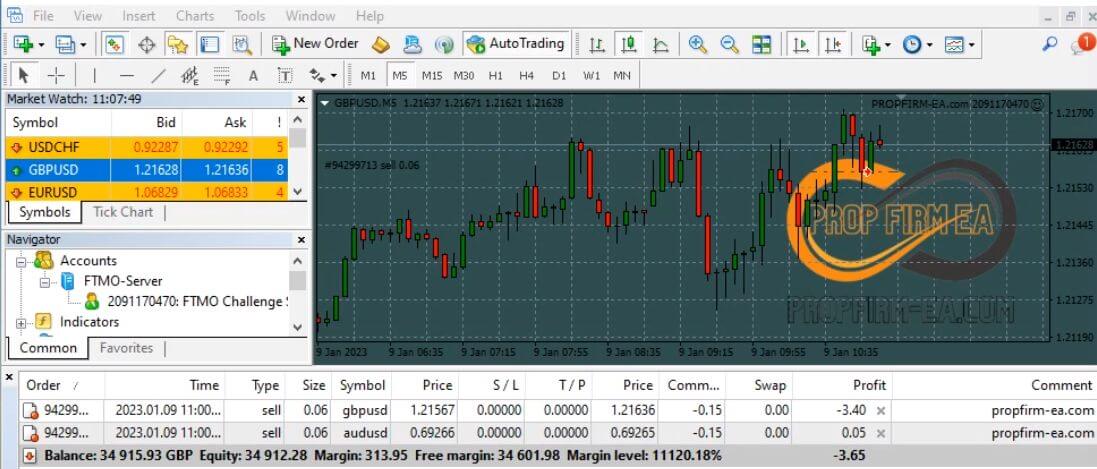
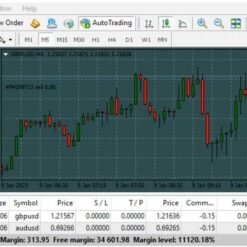
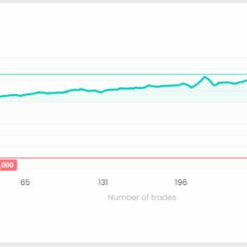
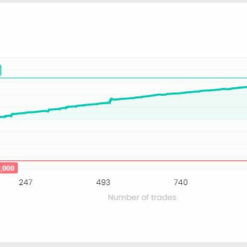
Prop Firm EA best ea to pass prop firm designs tools that make trading easy, performing complex analysis. With high performance, Expert Advisor (EA) has helped investors earn stable profits.
Some results have been proven at FTMO:
FTMO 1: Click to view

FTMO 2: Click to view

Other FTMO 3: Click to view
Prop Firm EA Installs
Step 1: Download files
1-Keep note of the location of where you saved it.
2- Select and copy the EA file you wish to install.
3- Look for the MetaTrader4 folder. This is normally located in the C: drive.
4- Paste the files into the Experts folder. A window requesting admin permission may appear; if so, just click Continue.
Step 2: Installing the EA on the MT4 platform
1- Launch your MT4
2- Look for the Expert Advisors section under the Navigator panel at the left side of the platform. Click on the Plus sign and the available EAs should be listed there.
3- Click on the EA you want to install and drag it onto one of the charts on your platform.
Step 3: Adjusting the settings
1- A pop-up box will appear showing the settings of your EA.
2- Make sure that all the settings and alerts are correct before clicking OK.
Let’s watch the video below to better understand installing and using EA:
Trading Specifications
Recommended settings and parameters to pay attention to from developers and experts:
| Features | Type |
|---|---|
| Trading Platform | MetaTrader 4 (MT4) |
| Currency pairs | GBPUSD, EURUSD |
| Time Frame | M5 |
| Minimum deposit | 200$ |
| Recommend Leverage | 1:500 |
| Trading | Expert Advisot trading automated 100% |
| Trader | Suitable for Beginners and professional traders |
| Broker | Broker Compatibility Any broker |
| Product type | Without DLL |
| Virtual private server (VPS) | Recommned Use VPS |
How to install and run the Prop Firm EA Trading Bot in Metatrader 4?
- Open the Metatrader 4 platform
- From the top menu, click on “File”
- Now click on “Open Data Folder”
- Open the “MQL4” folder
- Open the “Experts” folder
- Copy the Prop Firm EA v6.5.0 MT4 file here
- Then close and restart the MT4 platform
- Attach the Expert Advisor to the chart
Now, you are ready to start using the Prop Firm EA v6.5.0 MT4 Without DLL Setfiles!
If you have any questions regarding EA installation, you can view the information in the Help Center to assist you in installing the EA: Click to view
Prop Firm EA Downloads
Link download Prop Firm EA v6.5.0 MT4 Without DLL Setfiles will be sent to your email after purchase.
Installation guide (if any) will be sent immediately via email after your purchase, or you can directly download it from the website, under the section: My account -> Download.
Updated February 11, 2025: Prop Firm EA v6.5.0 MT4 Without DLL Setfiles (Build 1431+) ( Without DLL)
+ Expert Advisor Download :
- Prop Firm EA v6.5.0.ex4
- Unlimited / NoDLL / Presets / Build New
- FTMO / PROPFIRM / Eightcap
- Free 1 Year Updates (If there is a new update, please check in the download on the forexeashop website or you can contact us via Email or Telegram Lucas Jason and provide proof of purchase, we will send you the update)
Shopping Guide and Important Information
We Accept Payment: Cryptocurrency, USDT, Binance Pay, Skrill, Paypal: Click to view
More payment methods please contact: Email or Telegram Admin.
Cryptocurrency, PayPal: Our website checkout system automated.
Memo: Your email + EA name
EA will be send to your email ASAP. The download link will be sent to your email within 5 minutes after the order is confirmed.
Some EAs will need to wait a few hours to up to 12 hours to receive the download link.
Please read and agree to the information below before purchasing our products:
Beginner traders should research and learn about trading before using any EAs.
Please make sure you understand the risks involved with trading and that past performance is no guarantee for future results. (EA could also make losses).
The product does not guarantee profits and demands resilience, patience, and a positive attitude in forex trading.
Before use, please test the EA on a demo account first.
Happy trading!


Reviews
There are no reviews yet.