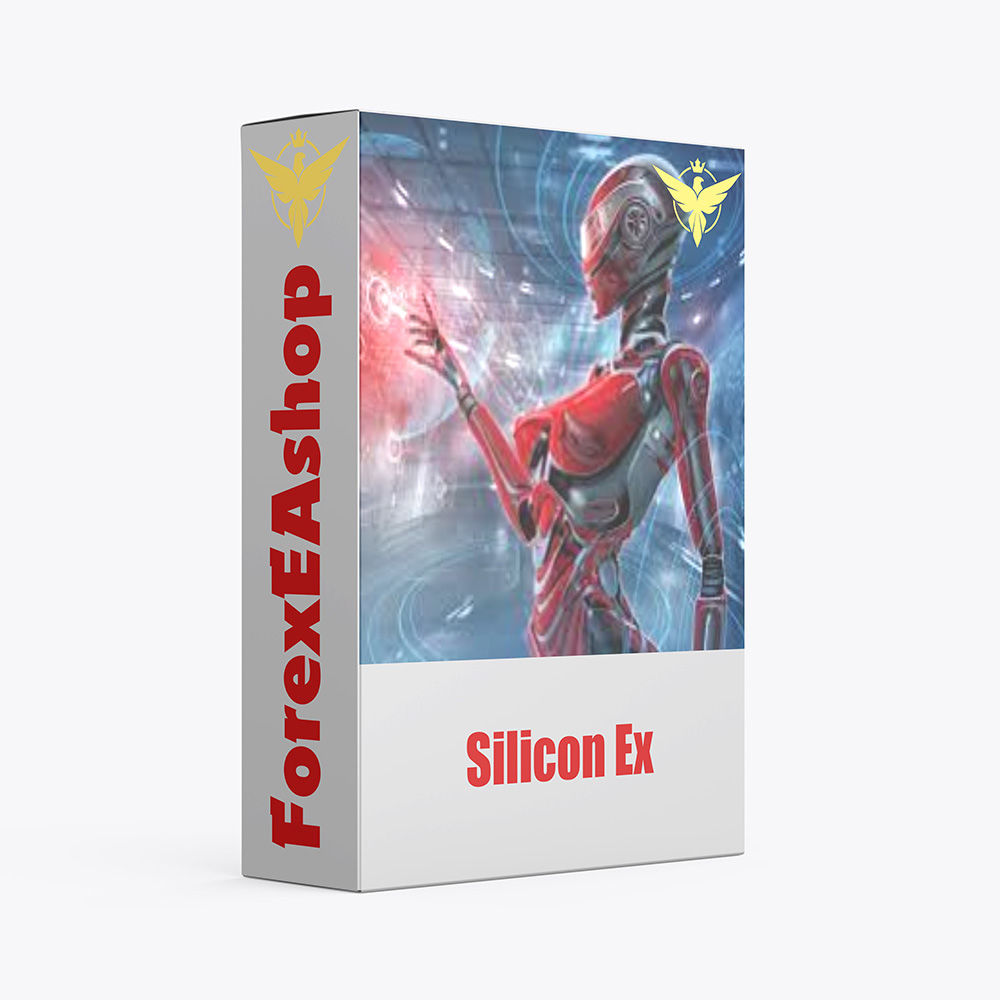
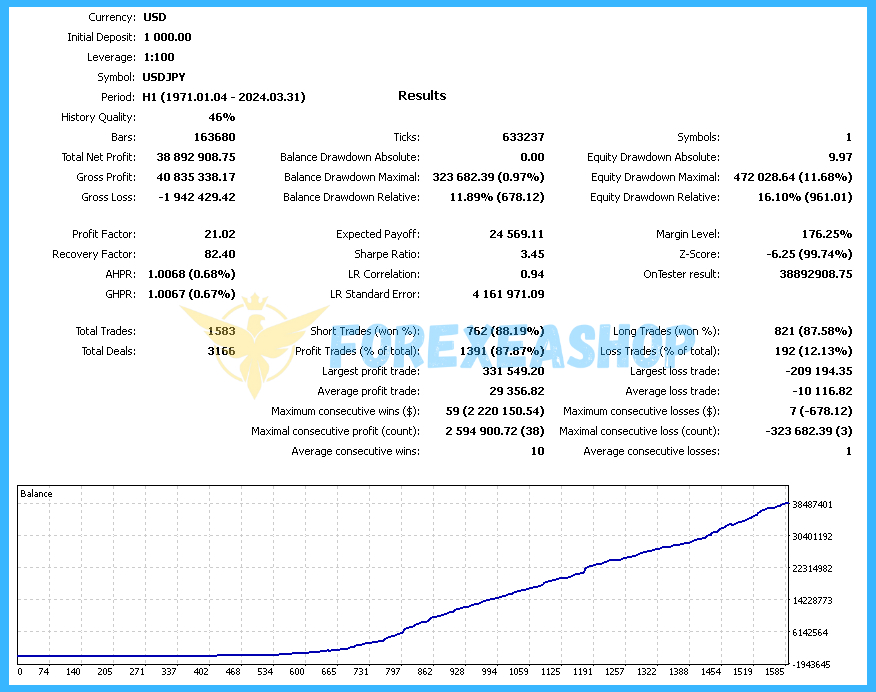
What is Silicon Ex?
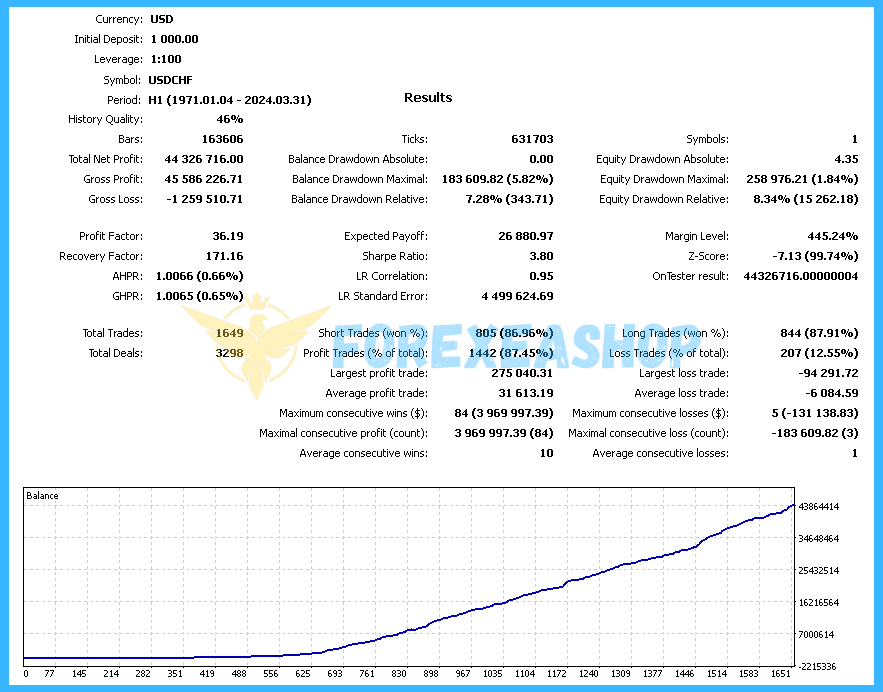
Silicon Ex is a modern expert advisor developed for MetaTrader to bring stability and efficiency to forex trading. It combines advanced algorithms with intelligent money management, delivering accurate buy and sell signals automatically. By analyzing price action, volume, and market structure in real time, the EA adapts to changing conditions and executes trades with precision. With flexible parameters and multi-level protection, it ensures traders can achieve reliable results across various market scenarios.
Vendor website: https://www.mql5.com/en/market/product/120642
![]()
Original price: $1499
ForexEAshop price: $19 (You Save 99%)
Who’s Behind the Creation?
This Expert Advisor is developed by Nadiya Mirosh, who brings over 3 years of experience forex ea robot on MQL5 to the table. He has worked on several notable products, including Miliron mt4, Gyroscopes, Doctor Winston, and the highly successful Silicon Ex, which stands out as his top-performing creation.
Key Takeaways
- Silicon Ex is a modern MetaTrader expert advisor that combines advanced algorithms, real-time price action analysis, and intelligent money management to deliver precise automated trading signals on major forex pairs with strong capital protection.
- The EA enhances trading efficiency through features such as dynamic risk control, trailing stop functions, and multi-level safeguards, helping traders optimize strategies and reduce exposure in volatile market conditions.
- With flexible parameters, compatibility across brokers, and proven adaptability on the H1 timeframe, it represents a future-ready solution for sustainable forex growth and consistent long-term performance.
Silicon Ex Features
- Used on platform: Meta Trader 4.
- Curency pairs: Major pairs forex.
- Time frame: H1.
- Minimum deposit: 300$.
- Recommend use leverage: 1:100 or higher.
- Expert Advisor trading automated 100%.
- Protects profits and allows you to maximize your income when the price moves favorably.
- Built-in money management system (Money Management) allows you to control the level of risk and optimize trading strategies.
- Generates accurate buy and sell signals based on algorithms and strategies, which allows the trader to make informed decisions.
- Analyzes all key aspects of the market, such as opening price, maximum, minimum, closing and volume.
🚀 Recommend Use VPS Forex
To keep Experts Advisor running smoothly 24/7, use a quality Forex VPS. Optimize trading efficiency, no worries about interruptions!
Register VPS NowSilicon Ex Reviews
Silicon Ex adapts to changing conditions and executes trades with precision. With flexible parameters and multi-level protection, it ensures traders can achieve reliable results across various market scenarios.


Why should you use Silicon Ex?
Silicon Ex is built for traders who value automation, safety, and adaptability in their trading journey. Its advanced risk controls, real-time analysis, and ease of use make it a valuable partner for both beginners and professionals seeking consistent growth.
- Intelligent Risk Management: Integrated money management system controls risk exposure and optimizes strategies.
- Real-Time Market Analysis: Evaluates open, close, high, low, and volume to capture precise trend signals.
- Flexible Settings: Wide range of adjustable parameters to fit different trading styles and broker conditions.
- Automated Trading Signals: Generates accurate buy and sell signals, reducing emotional errors and manual effort.
- Effective Trailing Stop: Protects profits and locks in gains when the market moves favorably.
- Multi-Level Protection: Provides spread control and safeguards against unexpected volatility.
Trading Specifications
Recommended settings and parameters to pay attention to from developers and experts:
| Features | Type |
|---|---|
| Trading platform | MetaTrader 4 (MT4) |
| Currency pairs | Major pairs forex |
| Time frame | H1 |
| Minimum deposit | 300$ |
| Recommend leverage | 1:100 or higher |
| Setup files | Default setting |
| Product type | Without DLL / Unlimited / Free 1 Year Updates |
| Recommend Broker | Exness Broker / ICMarket Broker / Tickmill / Roboforex |
| Virtual Private Server (VPS) | FXVM (Lite VPS, Basic VPS, Advanced VPS, High Freq VPS) |
How to install and run the EA Trading Bot in Metatrader 4?
- Open the Metatrader 4 platform
- From the top menu, click on “File”
- Now click on “Open Data Folder”
- Open the “MQL4” folder
- Open the “Experts” folder
- Copy the Silicon Ex v2.3.ex4 file here
- Then close and restart the MT4 platform
- Attach the Expert Advisor to the chart
Now, you are ready to start using the Silicon Ex v2.3 MT4 Without DLL!
If you have any questions regarding EA installation, you can view the information in the Help Center to assist you in installing the EA: Click to view
Silicon Ex Download Package
Link download Silicon Ex v2.3 MT4 Without DLL will be sent to your email after purchase.
Installation guide (if any) will be sent immediately via email after your purchase, or you can directly download it from the website, under the section: My account -> Download.
+ Expert Advisor Download :
- Silicon Ex v2.3.ex4
- Unlimited / NoDLL / Build New
- Free 1 Year Updates (If there is a new update, please check in the download on the forexeashop website or you can contact us via Email or Telegram Lucas Jason and provide proof of purchase, we will send you the update)
Conclusion
Silicon Ex offers a complete trading framework that blends modern technology with proven strategies to achieve consistent profitability. Its built-in protections, automated signals, and customizable settings make it suitable for traders at any level. By focusing on risk control and reliable performance, this EA provides a smart and secure solution for sustainable forex trading success.
Frequently Asked Questions (FAQs)
How does Silicon Ex analyze the market?
It evaluates price action, including open, high, low, close, and volume data, to determine the most accurate trend signals.
What type of risk management does it use?
It includes a money management system that adapts position sizing and limits exposure to protect capital.
Can beginners use Silicon Ex?
Yes, its user-friendly design allows even novice traders to set up and run the EA without technical knowledge.
Does it work on any broker?
It is compatible with most brokers, though accounts with low spreads and fast execution provide the best results.
What features make it unique?
Its combination of automated trading signals, multi-level protection, and real-time analysis sets it apart from standard forex robots.
Shopping Guide and Important Information
We Accept Payment: Cryptocurrency, USDT, Binance Pay, Skrill, Paypal: Click to view
More payment methods please contact: Email or Telegram Admin.
Cryptocurrency, PayPal: Our website checkout system automated.
Memo: Your email + EA name
EA will be send to your email ASAP. The download link will be sent to your email within 5 minutes after the order is confirmed.
Some EAs will need to wait a few hours to up to 12 hours to receive the download link.
Please read and agree to the information below before purchasing our products:
Beginner traders should research and learn about trading before using any EAs.
Please make sure you understand the risks involved with trading and that past performance is no guarantee for future results. (EA could also make losses).
The product does not guarantee profits and demands resilience, patience, and a positive attitude in forex trading.
Before use, please test the EA on a demo account first.
Happy trading!