

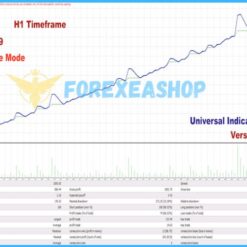
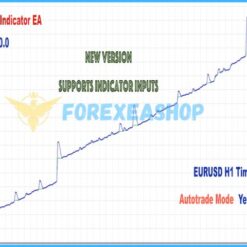
What is Universal Indicator EA?
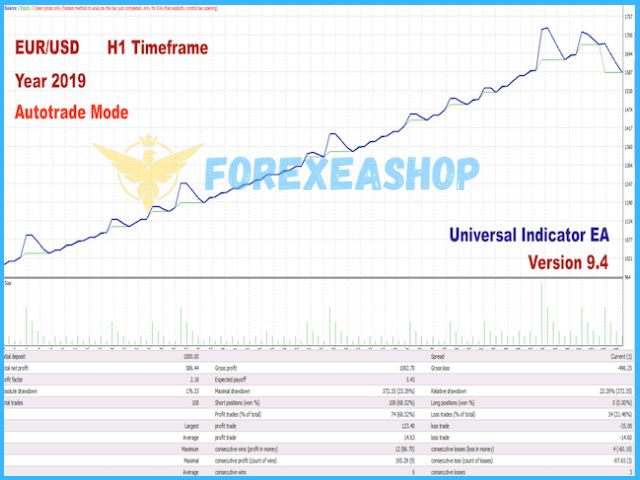
Universal Indicator EA is a highly adaptable Expert Advisor designed to work seamlessly with any indicator that provides Buy and Sell signals, work on meta trader 4 platform, making it a powerful solution for traders of all experience levels. It can accurately interpret signals from both indicator buffers and chart objects, ensuring flexible integration with a wide range of strategies. One of its standout features is its ability to function as a single EA compatible with nearly all custom indicators eliminating the need for multiple specialized trading bots.
Vendor website: https://www.mql5.com/en/market/product/48476

Original price: $169
ForexEAshop price: $19 (You Save 88%)
Why should you use Universal Indicator EA?
Universal Indicator EA is a powerful and flexible trading solution designed for MetaTrader 4 that works seamlessly with any custom indicator generating Buy and Sell signals. Whether the signals come from indicator buffers or chart objects, this EA can accurately interpret and execute trades based on them. Its standout capability lies in being a single, universal tool that integrates with virtually any custom indicator making it ideal for traders who want automation without the need for coding. Compatible with major Forex pairs and all time frame, the EA supports instant order execution, includes the built-in CyberZingFxZigZag indicator, and is fully automated. With a recommended leverage of 1:500 and a minimum deposit of $500, it offers traders of all levels an efficient, hands-free trading experience.
Key Takeaways:
- Works with any custom indicator using signal buffers or chart objects.
- Fully automated EA with instant Buy/Sell execution based on indicator signals.
- Compatible with all timeframes and major Forex pairs, minimum deposit $500.
Follow our telegram channel to stay informed about the latest EA releases, updates to existing EAs, and get free EA downloads.
>>> Join the Channel Telegram Now <<<
About The Author
This Expert Advisor is developed by Afsal Meerankutty, who brings over 5+ years of experience in MQL5 to the table. He has worked on several notable products, including CyberZingFx Trend Reversal, CyberZingFx Volume Plus, and the highly successful Universal Indicator EA, which stands out as his top-performing creation.
Universal Indicator EA Features
- Used on platform: Meta Trader 4.
- Curency pairs: Major pairs forex.
- Time frame: H1.
- Minimum deposit: 500$.
- Recommend use leverage: 1:500.
- Instant Buy and Sell Order for Indicator Signal.
- Using inbuilt CyberZingFxZigZag Indicator.
- Expert Advisor trading automated 100%.
- Recommend use VPS (Click see here).

Universal Indicator EA Reviews
Compatible with major Forex pairs and all time frame, the EA supports instant order execution, includes the built-in CyberZingFxZigZag indicator, and is fully automated. With a recommended leverage of 1:500 and a minimum deposit of $500, it offers traders of all levels an efficient, hands-free trading experience.

Works with any custom indicator using signal buffers or chart objects.

Trading Specifications
Recommended settings and parameters to pay attention to from developers and experts:
| Features | Type |
|---|---|
| Trading platform | MetaTrader 4 (MT4) |
| Currency pairs | Major pairs forex |
| Time frame | H1 |
| Minimum deposit | 500$ |
| Recommend leverage | 1:500 |
| Setup files | Default setting |
| Product type | Without DLL / Unlimited / Free 1 Year Updates |
| Recommend Broker | Exness Broker / ICMarket Broker / Tickmill / Roboforex |
| Virtual Private Server (VPS) | FXVM (Lite VPS, Basic VPS, Advanced VPS, High Freq VPS) |
>>> Reviewed by Lucas Jason <<<
How to install and run the Universal Indicator EA Trading Bot in Metatrader 4?
- Open the Metatrader 4 platform
- From the top menu, click on “File”
- Now click on “Open Data Folder”
- Open the “MQL4” folder
- Open the “Experts” folder
- Copy the Universal Indicator EA.ex44 file here
- Then close and restart the MT4 platform
- Attach the Expert Advisor to the chart
Now, you are ready to start using the Universal Indicator EA for Your Indicator MT4 v12.3 Without DLL!
The settings of Universal Indicator EA are easy to use. Simply give the name of the indicator to be used by the EA and configure buffer numbers or object names to start trading. The indicator should be inside the MT4 Indicators folder, and if it is inside the Market folder, give the name in settings as ‘Market/YourIndicatorName’.
The EA will use default settings of the given indicator, and to change indicator input settings, give indicator input parameters in EA settings in the same order (Comma Separated).
Universal Indicator EA Downloads
Link download Universal Indicator EA for Your Indicator MT4 v12.3 Without DLL will be sent to your email after purchase.
Installation guide (if any) will be sent immediately via email after your purchase, or you can directly download it from the website, under the section: My account -> Download.
+ Expert :
- Universal Indicator EA.ex4
- Unlimited / NoDLL / Build New
- Free 1 Year Updates (If there is a new update, please check in the download on the forexeashop website or you can contact us via Email or Telegram Lucas Jason and provide proof of purchase, we will send you the update)
Shopping Guide and Important Information
We Accept Payment: Cryptocurrency, USDT, Binance Pay, Skrill, Paypal: Click to view
Cryptocurrency, PayPal: Our website checkout system automated. Pay with cryptocurrency for 15% discount (proceed to checkout to select Crypto).
Memo: Your email + EA name
EA will be send to your email ASAP. The download link will be sent to your email within 5 minutes after the order is confirmed.
Some EAs will need to wait a few hours to up to 12 hours to receive the download link.
More payment methods please contact: Email or Telegram Admin.
>>> Join the Membership Now <<<
Please read and agree to the information below before purchasing our products:
Beginner traders should research and learn about trading before using any EAs.
Please make sure you understand the risks involved with trading and that past performance is no guarantee for future results. (EA could also make losses).
The product does not guarantee profits and demands resilience, patience, and a positive attitude in forex trading.
Before use, please test the EA on a demo account first.
Happy trading!