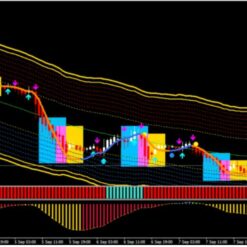



What is News Catcher Pro EA?
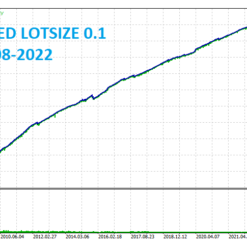
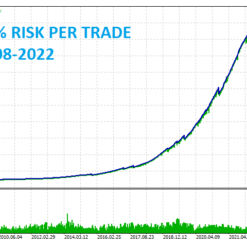
News Catcher Pro EA is a mean reversion strategy that uses seasonal intraday volatility patterns caused by high-impact news events. News Catcher Pro EA enters the market at a certain time right before a high impact news event occurs. Just one chart to trade all the symbols, it supports recommended trading currency pairs and timeframes, backtesting and solid live performance plus advanced news filter functionality high (can be used in Strategy Checker), auto detect GMT. What’s more special is that it doesn’t trade often!
Vendor website: https://www.mql5.com/en/market/product/72439

Original price: $2200
ForexEAshop price: $19 (You Save 99%)
Key Takeaways
- News Catcher Pro EA is a trading robot that utilizes intraday seasonal volatility patterns caused by high-impact news events
- The EA supports multiple currency pairs and has a solid backtest and live performance
- It offers advanced features such as an auto GMT detection, self-diagnostic system, and an advanced news filter.
News Catcher Pro EA Features
- Compatible with the platform Meta Trader 4
- Supported currency pairs: GBPUSD, EURUSD, EURGBP
- Timeframe: M5
- News Catcher Pro EA is FIFO compatible
- Advanced News Filter(can be used in Strategy Tester)
- Auto GMT detection
- Self Diagnostic System
🚀 Recommend Use VPS Forex
To keep Experts Advisor running smoothly 24/7, use a quality Forex VPS. Optimize trading efficiency, no worries about interruptions!
Register VPS NowSignals News Catcher Pro EA: https://www.mql5.com/en/signals/1849794?source=Unknown
News Catcher Pro EA Setting
- The EA must be attached to ONLY one M5 chart, EURUSD is recommended
- If your broker uses a suffix (e.g. EURUSD.a) you should update names in the Symbol parameter
- Use recommended pairs only. You don’t need .set files, all settings are stored internally in the EA
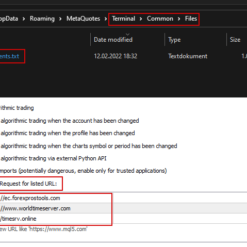
- Please allow web requests to the following URLs for news filter and GMT detection (delete spaces)
- https:// ec.forexprostools.com (delete spaces)
- https:// www. worldtimeserver.com (delete spaces)
- http:// timesrv.online (delete spaces)

- Allow Opening a new Trade – on/off opening new trades
- Lot-sizing Method – select the lot sizing method according to the risk you want to take: Fixed Lots will use fixed lot size from the “Fixed lot” parameter, Dynamic Lotswill use Dynamic Lot parameter, Max Risk per Trade will calculate lots based on % risk per trade, 3 predefined presets will calculate risk automatically for you
- Fixed Lot – fixed trading lot
- Dynamic Lot – balance/equity to be used per 0.01 lot
- Maximum Lot – max allowed trading lot
- Maximum Spread, in pips – max allowed spread for positionclosing
- Maximum Slippage for a non-ECN acc, in pips – max allowed slippage
- Maximum Symbols at a time – max allowed number of symbols that can be opened at the same time
- Maximum Net Number of Currencies – max allowed number of open trades with the same currencies (not symbols/currency pairs) in the same direction
- Allow to Buy/Sell – on/off Buy/Sell trades
- Allow Hedging – allow opening multi-directional trades on the same symbol
- Minimum Free Margin % – if Free Margin% falls below the specified value, the EA will not place new pending orders and will cancel already placed ones
- Max Floating Drawdown % (in Money) – if current floating drawdown exceeds the specified % (value) the EA will close open positions
- Max Drawdown Action – allows specifying actions to be taken after the max. drawdown is reached (in money or %)
News Catcher Pro EA Strategy
- Symbols separated by comma – list of pairs to trade. Suffix needs to be included if your broker uses one!
- PCh Period – period of the price channel (PCh)
- PCh Offset – offset for the PCh levels
- ATR Period – period of the daily ATR indicator
- Position Time Stop – max position holding time, in M5 bars
- Hour to Stop Trading on Friday – hour to stop trading on Friday. All open positions will be closed at this hour
- New Year Holiday Filter – on/off Christmas/New Year filter
- TakeProfit / StopLoss, %ATR – volatility-based take profit / stop loss in %ATR
- Hide StopLoss – on/off SL hiding
- News Filter Enabled – on/off News Filter
- Minutes Before/After Event – allow trading before/after the high-impact event
News Catcher Pro EA Review
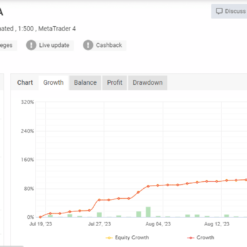
Signal News Catcher Pro MyFxBook link: Click to view
You can watching How to video set News Catcher Pro EA:
How to install and run the EA Trading Bot in Metatrader 4?
- Open the Metatrader 4 platform
- From the top menu, click on “File”
- Now click on “Open Data Folder”
- Open the “MQL4” folder
- Open the “Experts” folder
- Copy the News Catcher Pro v3.34.ex4 file here
- Then close and restart the MT4 platform
- Attach the Expert Advisor to the chart
Now, you are ready to start using the News Catcher Pro EA v4.24 MT4 Without Setfiles!
If you have any questions regarding EA installation, you can view the information in the Help Center to assist you in installing the EA: Click to view
News Catcher Pro EA Download
Link download News Catcher Pro EA v4.24 MT4 Without Setfiles will be sent to your email after purchase.
Installation guide (if any) will be sent immediately via email after your purchase, or you can directly download it from the website, under the section: My account -> Download.
Updated June 11, 2024: News Catcher Pro EA v4.24 MT4 Without Setfiles Build 1420+ ( Without DLL )
Updated May 3, 2024: News Catcher Pro EA v4.24 MT4 With Setfiles ( Without DLL )
+ Expert :
- News Catcher Pro v3.34.ex4
- Unlimited / NoDLL
- Free 1 Year Updates (If there is a new update, please check in the download on the forexeashop website or you can contact us via Email or Telegram Lucas Jason and provide proof of purchase, we will send you the update)
Shopping Guide and Important Information
We Accept Payment: Cryptocurrency, USDT, Binance Pay, Skrill, Paypal: Click to view
More payment methods please contact: Email or Telegram Admin.
Cryptocurrency, PayPal: Our website checkout system automated.
Memo: Your email + EA name
EA will be send to your email ASAP. The download link will be sent to your email within 5 minutes after the order is confirmed.
Some EAs will need to wait a few hours to up to 12 hours to receive the download link.
Please read and agree to the information below before purchasing our products:
Beginner traders should research and learn about trading before using any EAs.
Please make sure you understand the risks involved with trading and that past performance is no guarantee for future results. (EA could also make losses).
The product does not guarantee profits and demands resilience, patience, and a positive attitude in forex trading.
Before use, please test the EA on a demo account first.
Happy trading!


Thiamlaion –
Purchsed it and it comes with very simple setting as well. Good