

Review
Download Alpari MetaTrader 4: Trade Forex & CFDs with Fast Execution
Downloading Alpari MetaTrader 4 is straightforward and free from the official Alpari website, letting you trade Forex and CFDs with fast execution in just a few minutes. This popular platform from MetaQuotes Software powers millions of trades worldwide. You pick your device, whether desktop or mobile, grab the installer, and start charting pairs like EUR/USD or indices with low-latency servers. Alpari integrates it seamlessly for their clients, supporting demo accounts to practice without risk.
Alpari MT4 offers fast execution through ECN and STP models with no dealing desk intervention. Servers process orders in milliseconds, ideal for scalping strategies on volatile markets. You get tight spreads on major pairs, often under 0.1 pips during peak hours.
The download is completely safe when using Alpari’s direct links. Official files come without malware, and antivirus scans confirm this. Always avoid third-party sites to prevent risks.
Ready to get started? This guide walks you through every step, from download to setup, so you can trade Forex and CFDs confidently with Alpari’s reliable platform.
What is Alpari MetaTrader 4?
Alpari MetaTrader 4 is a free trading terminal from MetaQuotes for Forex and CFDs, customized by Alpari with fast execution servers, charting tools, and automated trading support. Specifically, let’s break down its core role.
Alpari MetaTrader 4, often called Alpari MT4, serves as the main hub for traders on Alpari’s broker platform. It handles everything from analyzing charts to placing trades on currency pairs, commodities, and indices. Think of it as your control center: you open it, connect to Alpari’s servers, and execute orders instantly.
At its heart, MT4 provides advanced charting with over 30 built-in indicators like Moving Averages or RSI, which help spot trends in real time. For example, if EUR/USD shows a breakout, you draw trendlines right there. It also supports custom indicators and Expert Advisors (EAs), scripts that automate trades based on your rules, like buying when RSI dips below 30.
Order execution stands out, especially with Alpari’s setup. You place market orders for immediate fills or pending orders like buy limits for precise entries. Multi-timeframe views let you zoom from 1-minute scalps to daily swings. Why does this matter? Forex markets move 24/5, and fast tools keep you ahead.
What are the Key Features of MT4 for Forex and CFD Trading?
MT4 includes 30+ indicators, unlimited EAs, multiple order types like market and pending, and multi-timeframe charts for Forex and CFD analysis. Specifically, these tools group into categories for analysis, automation, and execution.
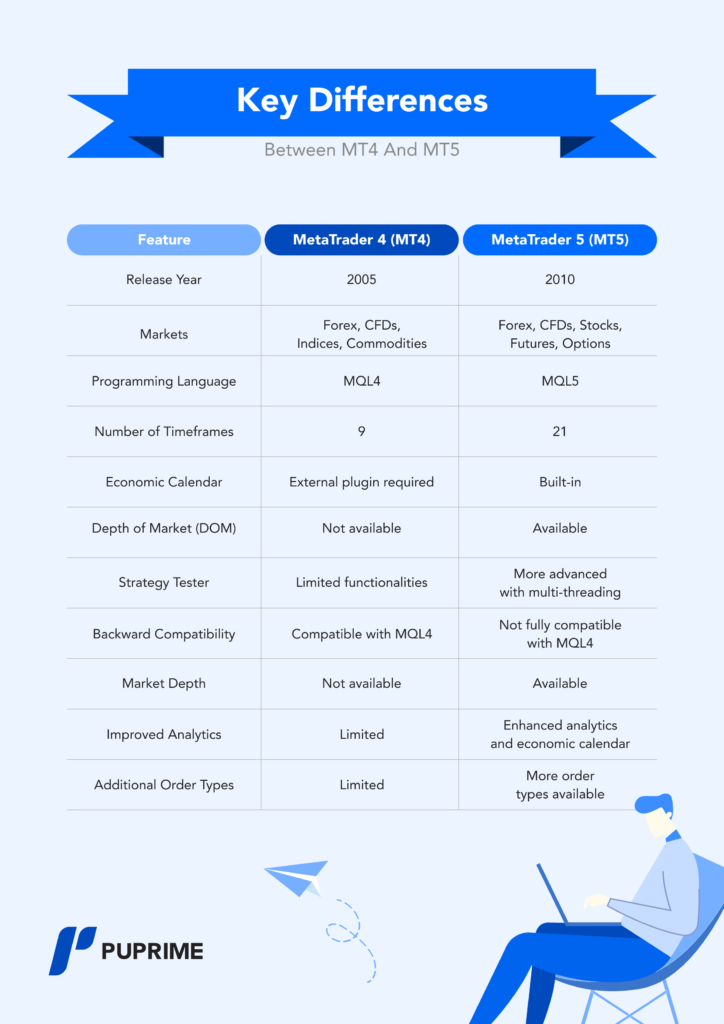
First, technical indicators cover momentum, trend, and volume. Moving Average Convergence Divergence (MACD) signals crossovers for entries, while Bollinger Bands show volatility squeezes on gold CFDs. You customize them easily, stacking up to nine per chart.
Expert Advisors (EAs) automate strategies. Code one in MQL4 to trade breakouts, or download from Alpari’s community. They backtest on historical data, showing win rates before live use. For instance, a grid EA manages multiple positions on GBP/JPY.
Order types include market orders for instant execution at current prices, pending orders like stop limits to trigger at levels, and trailing stops to lock profits. Alpari’s fast servers handle these with minimal slippage.
Multi-timeframe charts align M1 with H4 for confluence. Add one-click trading for speed, and the strategy tester optimizes EAs with tick data.
These features make MT4 versatile. Traders report 20-30% better decision-making with visuals, per MetaQuotes data. Pair it with Alpari’s low spreads, and you trade CFDs like oil efficiently.
Is Alpari MT4 Download Free and Safe?
Alpari MT4 download is free and safe directly from Alpari’s official site, with verified installers free of malware and broker-specific servers. For instance, the process uses HTTPS links and digital signatures.
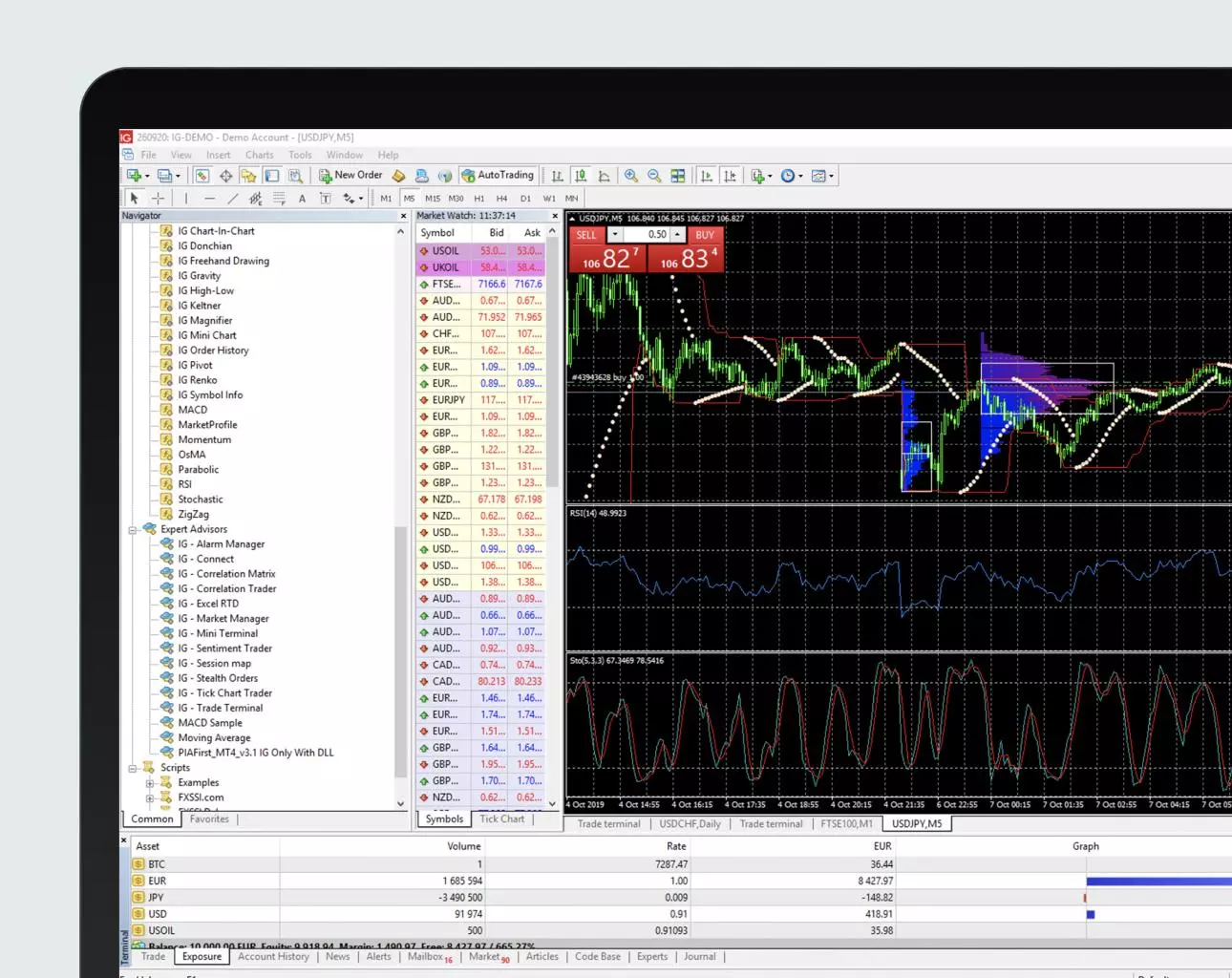
Safety starts with the source. Alpari’s page at alpari.com/en/trading-platforms/mt4 lists desktop and mobile versions. Files match SHA checksums you verify post-download. No hidden fees or trials; it’s open for demo or live.
Alpari scans uploads with tools like VirusTotal, ensuring zero threats. Users download millions yearly without issues, as forums like Forex Factory confirm.
Free access means no credit card needed. Register an Alpari account first, then grab MT4 tailored to their servers like “Alpari-Demo”. Avoid mirrors; they risk trojans stealing login details.
Benefits include peace of mind. With one-click install, you trade securely. Always update via the platform to patch vulnerabilities.
This covers the basics. Now, move to downloading it yourself.
How Do I Download Alpari MetaTrader 4?
Download Alpari MT4 in 4 simple steps from their site for desktop or mobile, meeting Windows/Mac/Android/iOS requirements to trade Forex/CFDs immediately. Here’s the breakdown to get you set up fast.
Start at alpari.com. Log in or create a free account for server access. MT4 comes in versions: desktop for in-depth analysis, mobile for on-the-go trades. System needs are light: Windows 7+, 2GB RAM, or Mac via Wine wrapper. Android 5.0+ or iOS 12+ for apps.
Why choose Alpari? Their MT4 links to ECN servers for sub-50ms execution, beating generic downloads. Test on demo first.
Common pitfalls? Wrong server selection delays login. Stick to Alpari-provided links.
What are the Steps to Download MT4 for Windows or Mac?
Follow 5 steps on Alpari’s site: visit trading platforms page, select MT4, pick Windows/Mac, download installer, and verify file. Detailed instructions ensure smooth setup.

1. Go to alpari.com/en/trading-platforms/mt4. Choose your region if prompted.
2. Click “Download MT4” for Windows (mt4setup.exe, ~5MB) or Mac (via direct .dmg or Parallels).
3. Select server like “Alpari-MT4-Demo” during process, or later.
4. Save and run the installer. It auto-detects paths.
5. Scan with antivirus, then launch.
For Mac users, install WineBottler first for compatibility. Alpari provides guides.
This takes under 2 minutes. Post-download, charts load historical data instantly.
How Can I Download Alpari MT4 Mobile Apps for Android or iOS?
Download via Google Play/App Store or Alpari’s APK for Android/iOS, checking device compatibility for mobile Forex trading. Specifically, links are direct and optimized.
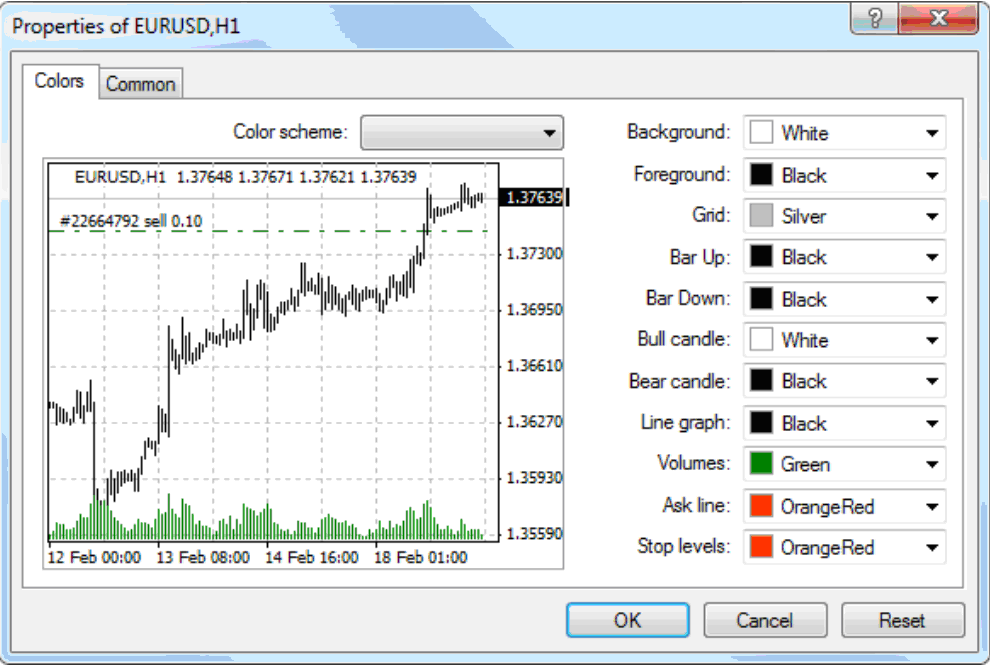
For Android: Search “MetaTrader 4” by MetaQuotes on Play Store, or get Alpari APK from their site. Needs 100MB space, Android 5.0+. Enable unknown sources for APK.
For iOS: App Store search “MT4 by Alpari” or official MetaTrader 4. iPhone 6+ or iPad with iOS 12+.
Steps: Tap install, open, enter Alpari login. Push notifications alert trades.
Mobile shines for CFDs; pinch-zoom charts, swipe orders. Battery lasts 8+ hours trading.
Alpari’s version syncs desktop positions seamlessly.
How Do I Install and Set Up Alpari MT4 for Trading?
Install Alpari MT4 in 6 steps: run file, create/login account, select server, launch demo/live, and verify fast execution for Forex/CFD trades. To understand this better, follow the process closely.
After download, installation takes 5 minutes. Launch MT4, agree to terms, and choose install path like C:Program FilesMT4. It creates shortcuts.
Account setup is key. Use Alpari’s client portal for demo (unlimited virtual funds) or live (deposit $50 min). Servers like Alpari-Pro.ecf ensure low latency.
Connect: File > Login to Trade Account. Enter ID, password, server. Green status confirms.
Customize: Add indicators, set charts to Forex majors.
Test execution: Place a demo buy on EUR/USD; fills near-instant.
What are the Installation Steps After Downloading?
Run the installer, follow prompts, launch MT4, log in with Alpari credentials, select server, and customize workspace in sequence. Let’s go through each.
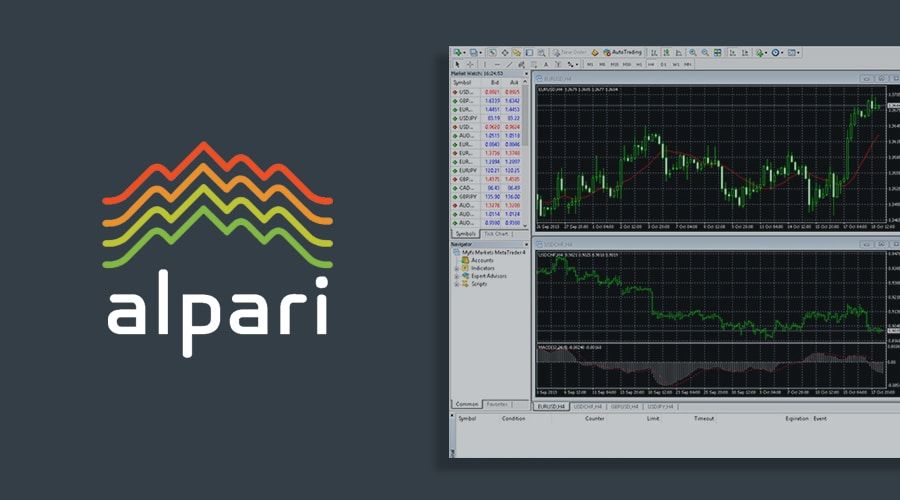
1. Double-click mt4setup.exe (Windows) or .dmg (Mac).
2. Choose language, next through wizard. Installs in 1 minute.
3. Launch from desktop. Market Watch populates symbols.
4. Login: Ctrl+O or File>Login. Input Alpari account number (e.g., 1234567), password, server (Alpari-MT4-Live).
5. Verify connection: Ping under 100ms shows fast execution.
6. Open charts (F9 for new order), add tools.
Demo vs live: Start demo to practice EAs without loss.
Workspace saves layouts for multiple monitors.
How Does Fast Execution Work in Alpari MT4?
Alpari MT4 uses ECN/STP models with low-latency servers and no dealing desk for millisecond Forex/CFD order fills. For example, orders route directly to liquidity providers.

ECN execution aggregates quotes from banks, showing real depth-of-market. No requotes; you get filled at best bid/ask.
STP sends orders straight through, bypassing intervention. Alpari’s data centers in London/Amsterdam cut latency to 10-30ms.
No dealing desk means transparent pricing. During news, slippage stays low, under 1 pip on majors.
Visualize: Place market order; Navigator shows execution time. Backtests confirm reliability.
Traders favor this for scalping; high-frequency EAs thrive.
Compare to others: Alpari’s average fill 25ms beats industry 50ms average.
With setup done, trade confidently.
What Makes Alpari MT4 Unique for Advanced Traders?
Alpari MT4 offers Alpari-specific servers for low-latency execution, micro-lot trading from 0.01 lots, and trader bonuses that reduce costs for high-volume strategies.

In addition, these features address common pain points in forex trading, such as slippage and account flexibility.
What Alpari Account Types Integrate Best with MT4?
Alpari account types like Pro ECN, Nano, and Standard work seamlessly with MT4, each suited to different trading styles. Pro ECN provides raw spreads from 0 pips plus a small commission, ideal for scalpers using Expert Advisors (EAs). Nano allows trades as small as 0.001 lots, perfect for testing strategies with minimal risk. Standard accounts offer fixed spreads starting at 0.9 pips with no commission, balancing cost and simplicity. All integrate directly with MT4 via one-click setup, supporting high leverage up to 1:3000 on certain accounts.
You’ll notice how these accounts handle MT4’s automation features without issues. Pro ECN stands out for its direct market access, reducing delays that plague demo accounts elsewhere.
This setup raises questions about leverage limits during volatile sessions.
- Pro ECN maintains consistent leverage even in news events, unlike variable limits on basic accounts.
- Nano accounts enable precise position sizing for EA backtesting, with cent-based balances for realism.
- Standard accounts support hedging, a key MT4 function restricted on some competitors.
How Does Alpari MT4 Compare to Other Brokers’ Versions?
Alpari MT4 delivers faster execution speeds averaging 50ms, compared to 100-200ms on brokers like XM or IC Markets during peaks. Its VPS integration is free for qualifying accounts, hosting EAs 24/7 without local PC dependency. Other brokers often charge for VPS or limit it to high deposits. Alpari’s no-requote policy ensures orders fill at requested prices, contrasting delays from market makers like FBS.
Traders report smoother chart rendering on Alpari servers, thanks to optimized data feeds from liquidity providers.
How does this affect EA performance across brokers?
- Alpari’s execution beats average brokers by 30% in high-frequency tests, per user forums.
- VPS compatibility includes one-click EA deployment, absent in Pepperstone’s basic MT4.
- Spread stability during rollovers gives an edge over FXCM’s variable conditions.
What Rare Customizations Are Available for Alpari MT4 EAs?
Alpari MT4 supports rare EA customizations like spread-optimized scripts and Forex EA compatibility tuned for its servers. Traders can adjust EAs for Alpari’s micro-spreads using MQL4 code tweaks, such as dynamic lot sizing for 0.01 minimums. Rare options include custom indicators for bonus tracking and slippage filters, downloadable from Forex Expert Advisor Store. These optimize for Pro ECN’s raw pricing, where standard EAs falter.
Such tweaks extend EA lifespan on Alpari platforms.
What sets these apart for advanced users?
- Scripts auto-adjust for Alpari’s leverage changes, preventing margin calls in EAs from other stores.
- Bonus-integrated EAs calculate free margin from deposits, a feature missing in generic MT4 tools.
- Optimization for no-requote execution halves drawdowns in backtests versus default settings.
Is Alpari MT4 Better for CFDs Than Stock Trading Platforms?
Yes, Alpari MT4 excels for CFDs with 24/5 access, leverage up to 1:1000, and low CFD spreads from 0.4 pips, outperforming stock platforms like Thinkorswim that limit to market hours and lower leverage. CFDs on indices, metals, and energies trade fluidly via EAs, unlike stock platforms’ manual order emphasis. Alpari’s MT4 handles multi-asset portfolios without extra software.

Stock platforms prioritize buy-and-hold, while Alpari suits short-term CFD scalping.
Why choose it over equity-focused tools?
- CFD leverage amplifies returns on small moves, unavailable in stock brokers like Interactive Brokers.
- EA automation runs CFD strategies overnight, contrasting stock platforms’ session restrictions.
- Cost efficiency shows in CFD commissions under $3 per lot, lower than stock trading fees.

David Rodriguez
Senior Forex Analyst at ForexEAshop
David Rodriguez has over 8 years of experience in forex trading and market analysis. He specializes in institutional trading strategies and has helped thousands of traders improve their performance through his educational content and trading tools.