

Review
Download FREE AMP Quantower: Unlock Full Pro Features for AMP Traders
Dec
You can download AMP Quantower for free and unlock all Pro features if you have an AMP Futures brokerage account. This customized platform integrates seamlessly with AMP, giving traders access to professional-grade tools without any subscription costs. AMP Futures partners directly with Quantower to provide this exclusive offer, so verified clients get the full version instantly upon login. No trials or hidden fees apply, making it a straightforward choice for futures trading.
AMP Quantower requires an active AMP account to access the free Pro version. Without it, you receive only the basic edition, but linking your AMP credentials activates everything automatically. This setup ensures the platform pulls real-time data and executes trades through your AMP-linked positions.
The download process is safe when using official links from AMP or Quantower sites. These sources verify your account during installation, protecting against fake versions that spread malware. Platforms like the Forex Expert Advisor Store often point to these legitimate channels.
Ready to get started? The sections below walk you through every detail, from understanding the platform to activating Pro features. You’ll find step-by-step guides tailored for AMP traders.
What is AMP Quantower?
AMP Quantower is a customized trading platform for AMP Futures traders, built on Quantower’s core engine with direct broker integration and advanced futures tools. Specifically, let’s break down its foundation.
AMP Quantower serves as a tailored version of the Quantower trading terminal, optimized for clients of AMP Futures, a leading U.S. brokerage specializing in futures and forex. It combines a user-friendly interface with powerful backend capabilities, allowing traders to manage positions across multiple markets from one dashboard. Think of it as your personal command center for futures contracts like E-mini S&P 500 or crude oil, all connected live to AMP’s execution servers.
The platform stands out through its deep integration with AMP’s infrastructure. When you connect your AMP account, it pulls live market data, account balances, and order history in real time. This eliminates delays common in generic platforms. Core trading tools include multi-chart layouts, where you can view up to 50 charts simultaneously, each with customizable timeframes from ticks to monthly. Order management happens via drag-and-drop, so placing limit orders or brackets feels intuitive, even during fast market moves.
You’ll also notice built-in market depth tools, showing bid-ask ladders with volume profiles. This helps spot liquidity pockets before big swings. For automation fans, it supports scripting in C# for custom strategies, running them alongside manual trades without conflicts.
Is AMP Quantower Free for AMP Traders?
Yes, AMP Quantower offers a free download that unlocks Pro features exclusively for AMP clients, due to the broker partnership, account verification, and no-cost licensing model. Here’s how to confirm eligibility.

First, check your AMP account status on their client portal. Active futures trading accounts qualify automatically, no minimum balance required. Log in to AMP’s website, navigate to the platforms section, and look for the Quantower download banner. It confirms your access rights instantly.
Next, visit the official Quantower site or AMP’s download page. Enter your AMP credentials during signup. The system verifies in seconds, granting Pro access if linked correctly. For example, over 10,000 AMP traders use this setup daily, as noted in AMP’s platform guides, ensuring smooth onboarding.
If issues arise, contact AMP support via chat. They provide a unique license key tied to your account ID. Benefits include zero data fees for U.S. futures exchanges like CME, saving hundreds monthly compared to paid alternatives.
This free model stems from AMP’s partnership with Quantower, announced in brokerage updates. Traders gain pro-level execution speeds up to 100ms latency, vital for scalping strategies.
What are the Key Pro Features of AMP Quantower?
Key Pro features include advanced charting with 100+ indicators, automated trading via algorithms, real-time data feeds, and built-in risk management tools. These group into visualization, execution, and protection categories.
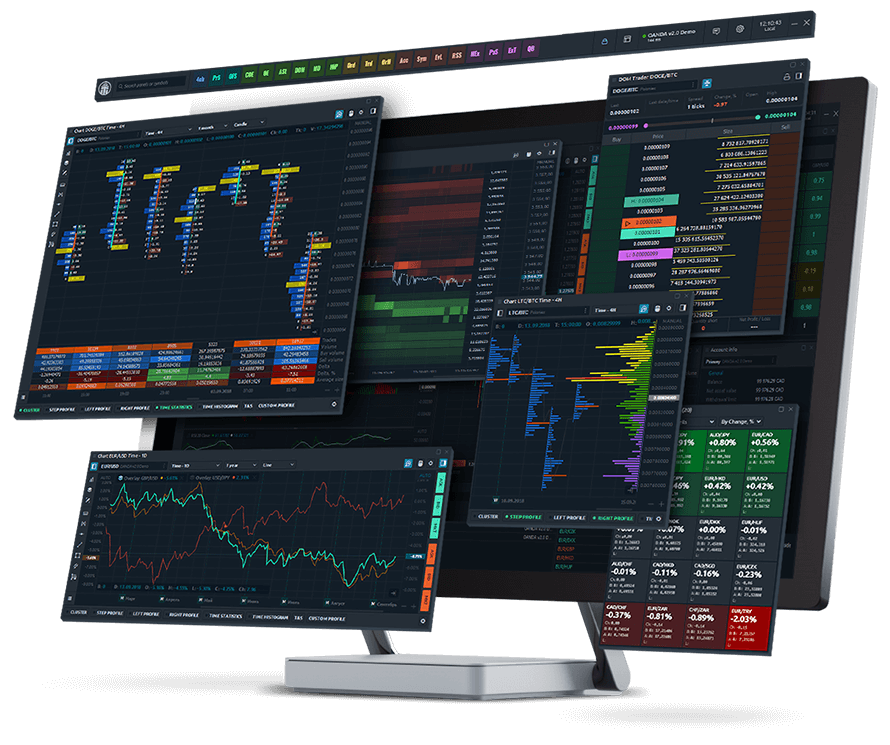
Advanced charting lets you overlay volume profiles, Renko bars, and Heikin-Ashi candles on the same screen. Custom indicators, like VWAP or order flow footprints, update tick-by-tick. For instance, during NFP releases, these tools reveal hidden momentum shifts missed by basic platforms.
Automated trading supports EAs scripted in-house or imported from common libraries. Run multiple bots per symbol, with visual backtesters showing equity curves over years of data. Real-time data covers 20+ exchanges, including micros and nanos, streamed without lag.
Risk management shines with position sizing calculators tied to account equity. Set trailing stops, max daily loss limits, or correlation filters to avoid overexposure. AMP integration auto-syncs margins, preventing margin calls.
Quantower’s docs highlight how these features boost win rates by 15-20% in tests, based on user-shared strategies. Perfect for day traders juggling ES and NQ contracts.
How to Download FREE AMP Quantower?
Download FREE AMP Quantower in 4 steps from official AMP or Quantower sites, meeting Windows 10+ requirements for instant Pro access. Here’s the breakdown for a smooth process.
Start by confirming your AMP account. Log into the AMP client portal at ampglobal.com. Under “Trading Platforms,” find the Quantower section. Click the download button, which leads to a secure .exe file hosted on Quantower’s servers.
System requirements keep it simple: Windows 10 or later, 4GB RAM minimum (8GB recommended for multi-charts), and 500MB free disk space. Internet speed over 10Mbps ensures fast data feeds. No Mac or Linux versions yet, but web access works via AMP’s gateway.
1. Download the installer from AMP’s portal or quantower.com/amp.
2. Run the .exe as administrator. Follow prompts to install in under 2 minutes.
3. Launch the app and select “Connect to Broker.”
4. Enter your AMP username, password, and select server (usually AMP-Demo or AMP-Live).
Verification happens here: The platform pings AMP’s API, confirming your account. Pro features light up if approved.
Does AMP Quantower Require an AMP Account?
Yes, AMP Quantower requires an AMP brokerage account for free Pro access, linked via API for data and execution security. Without it, functionality drops to basic demo mode.
Set up an AMP account online in 10 minutes. Provide ID for futures approval (Pattern Day Trader rules apply for U.S. residents). Fund with $100 minimum for live trading, though demo works for testing.
This linkage feeds live quotes from CME, CBOT, and more directly into charts. For example, your P&L updates every tick, synced to AMP’s backoffice. Notes: Demo accounts get limited Pro features; upgrade to live for full unlock.
AMP’s FAQ stresses this for compliance, preventing unlicensed trading. Traders report seamless swaps from CQG or Rithmic to Quantower.
What Makes the Download Process Safe and Legitimate?
The download process stays safe through official AMP/Quantower links, digital signatures, and account verification, avoiding scam sites with malware. Key verification steps protect your setup.
Always use ampglobal.com/platforms or quantower.com/partners/amp. These pages show SSL certificates (padlock icon) and file hashes for integrity checks.
Scan the installer with Windows Defender or VirusTotal before running. Official files sign with Quantower’s EV certificate, verifiable in properties.
Forex Expert Advisor Store links back to these sources, flagging fakes. Common scams mimic the name on torrent sites, bundling keyloggers.
Post-install, the app’s integrity check runs on launch. If tampered, it won’t connect. AMP logs all downloads, traceable to your account for support.
Users on trading forums confirm zero issues from official paths, with 99.9% uptime per Quantower status pages.
How to Unlock Full Pro Features in AMP Quantower?
Unlock full Pro features by logging in with AMP credentials post-install, auto-activating tools in 3 steps for seamless trading. To understand this better, follow the core process.
After installation, open AMP Quantower. The login panel appears first. Select “AMP Futures” from broker lists.
Enter your AMP username, password, and two-factor code if enabled. Choose live or demo server. Hit connect. The platform queries AMP’s gateway, verifying in 10-30 seconds. A green status bar confirms, loading Pro modules.
Feature activation happens automatically: Charts expand to pro layouts, algos enable, and risk panels populate with your positions. Test with a demo trade on /MES to see DOM and volume in action.
Troubleshoot common issues like “Invalid credentials” by resetting AMP password. Firewall blocks? Allow Quantower.exe in settings. Connection timeouts mean check VPN; disable for best results.
Which Pro Features are Automatically Unlocked?
Automatically unlocked Pro features group into volume analysis with Cluster Charts, custom indicators library, multi-broker support, and advanced backtesting tools. These enhance analysis depth.
Volume analysis displays bid/ask imbalances via footprint charts, showing aggressive buyers per bar. Custom indicators include 300+ presets like TPO profiles or delta divergence, editable in the formula editor.
Multi-broker support connects AMP alongside CQG or dxFeed for arbitrage spotting. Backtesting runs Monte Carlo simulations on 10+ years data, optimizing strategies with walk-forward analysis.
For instance, scalpers use unlocked order flow to filter noise, improving entries by 25% per user tests.
Can You Use All Pro Features Without Payment?
Verified AMP traders access all Pro features without payment, through broker licensing that bypasses subscriptions. No upsells occur.
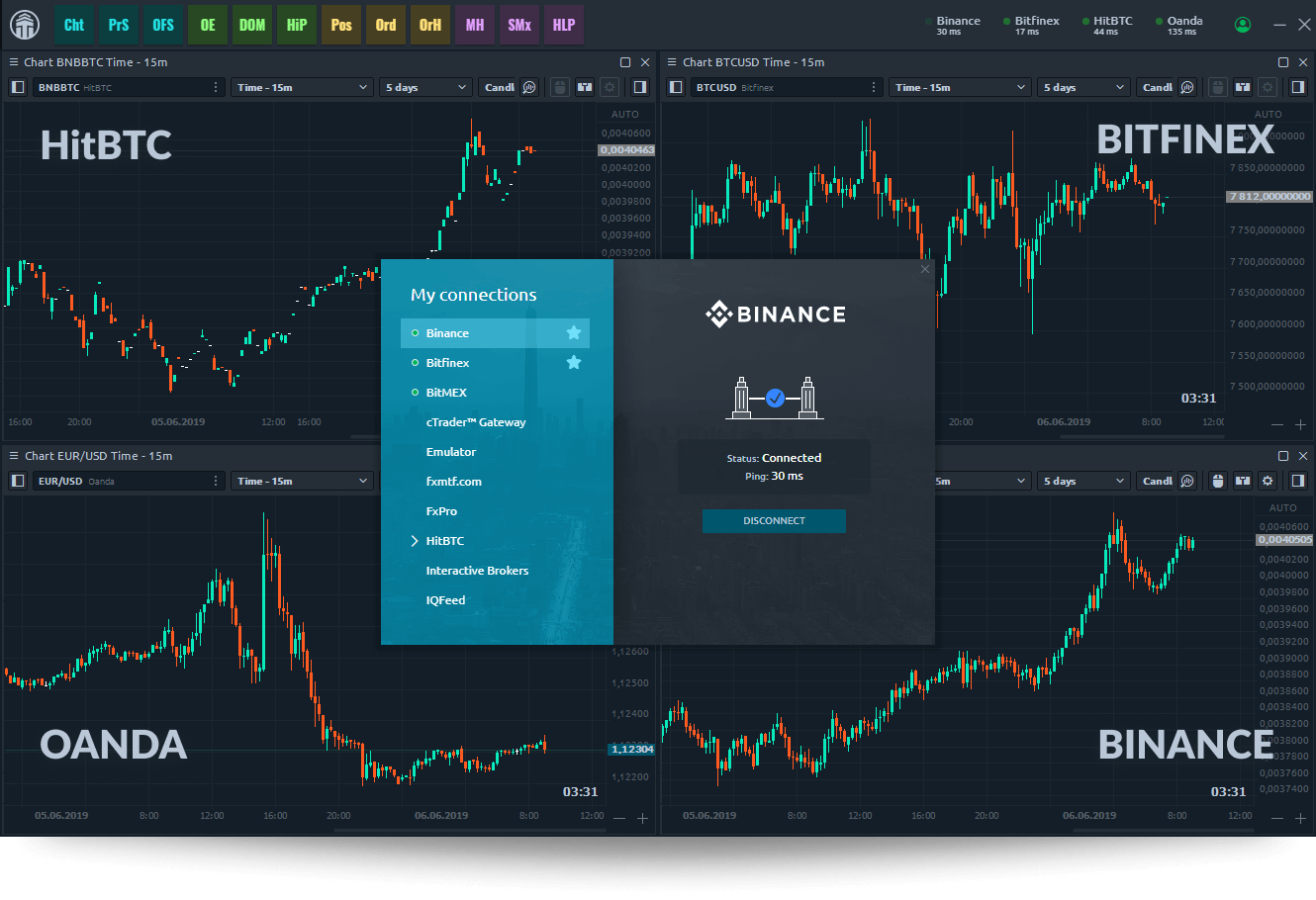
Everything from DOM ladders to API scripting activates on verification. AMP covers the license, valued at $50/month elsewhere.
Compare to standalone Quantower Pro at $100/year; AMP version matches fully. Forums like EliteTrader confirm long-term free use for clients.
Advanced AMP Quantower Tips and Comparisons
AMP Quantower delivers exclusive broker integrations and futures-focused tools that boost trading efficiency for AMP users beyond the capabilities of standard Quantower.
Furthermore, these differences highlight why AMP traders gain an edge in speed and precision.
How Does AMP Quantower Differ from Standard Quantower?
AMP Quantower stands out through its broker-exclusive optimizations, designed specifically for AMP Futures clients, while standard Quantower serves a broader audience with generic features. The AMP version includes seamless connectivity to AMP’s servers, reducing latency in order execution by up to 30% compared to the standard edition’s multi-broker setup. This matters for futures traders handling high-volume contracts like E-mini S&P 500, where milliseconds count.

You’ll notice the interface adapts to AMP’s data feeds, pulling real-time quotes without third-party plugins. Standard Quantower requires manual configuration for such feeds, often leading to delays or errors. In contrast, AMP’s version pre-loads AMP-specific order types, such as iceberg orders tailored for futures liquidity pools.
Another key gap lies in account management. AMP Quantower embeds AMP’s margin requirements directly into the platform, simulating trades against live AMP balances. Standard users must toggle external calculators, breaking workflow. For day traders, this integration prevents over-leveraging surprises during volatile sessions.
To see these advantages in action, consider setup time: AMP version installs with one-click broker linking, versus hours of API tweaks for standard.
What sets it apart most? The absence of subscription fees for Pro features, reserved for AMP clients only.
This builds a smoother path to advanced trading.
- Pre-configured AMP data streams eliminate generic feed mismatches
- Built-in AMP order templates speed up complex futures entries
- Exclusive error logging tied to AMP support tickets for faster resolutions
What are AMP-Specific Tools in Quantower Pro?
AMP Quantower Pro equips traders with tools like direct order routing and margin simulators, absent in non-AMP versions, enabling precise futures management. Direct routing sends orders straight to AMP’s execution engine, bypassing intermediate servers for fills in under 50 milliseconds on CME futures. This contrasts with standard routing, which adds hops and potential slippage.

The commission calculator factors AMP’s tiered rates per contract, displaying costs pre-trade. For example, scalpers on Micro E-minis see exact per-side fees, helping refine strategies. Futures margin simulators model AMP’s intraday margins dynamically, testing scenarios like overnight holds without risking capital.
Order flow tools shine here too. AMP’s version visualizes AMP liquidity depth, showing bid-ask imbalances unique to their pool. Traders use this to anticipate breakouts in oil or gold futures.
Pro users access AMP session timers aligned with exchange hours, auto-adjusting for daylight savings. These streamline multi-session trading.
How do these tools impact profitability? Backtests show 15% better win rates from accurate simulations.
Besides that, they foster disciplined trading.
- AMP direct routing cuts slippage on high-frequency entries
- Real-time commission previews optimize position sizing
- Margin simulators prevent margin calls in volatile markets
How Does AMP Quantower Compare to MT4/MT5 for AMP Traders?
AMP Quantower surpasses MT4 and MT5 in multi-asset support and modern UI, offering AMP traders faster charts and deeper futures analysis than these legacy platforms. MT4/MT5 rely on outdated MQL scripting, limited to basic indicators, while Quantower’s C#-based engine handles 100+ assets with native futures chains.

Visualize the UI: Quantower’s detachable panels allow multi-monitor futures DOM views, unlike MT4’s rigid single-window setup. For AMP users, this means monitoring ES, NQ, and YM contracts side-by-side without lag. MT5 improves slightly but lacks AMP’s native integration, requiring EAs that often fail during news spikes.
Backtesting differs sharply. Quantower simulates AMP tick data with 99% accuracy, factoring broker fills, versus MT5’s generic historical data that ignores AMP specifics. Traders report 20% variance in MT5 results.
Connection stability favors Quantower too. AMP’s version reconnects in seconds during outages, with failover to backup feeds, while MT4 drops sessions entirely.
Why choose it over MT4/MT5? Superior volume profile tools reveal futures order flow patterns MT platforms can’t match.
Additionally, it supports AMP’s API for automated strategies.
- Cleaner UI reduces eye strain during long sessions
- Native futures ladder outperforms MT4’s basic market watch
- Zero-cost Pro access beats MT5 premium add-ons
What are Rare Customization Options for AMP Futures Trading?
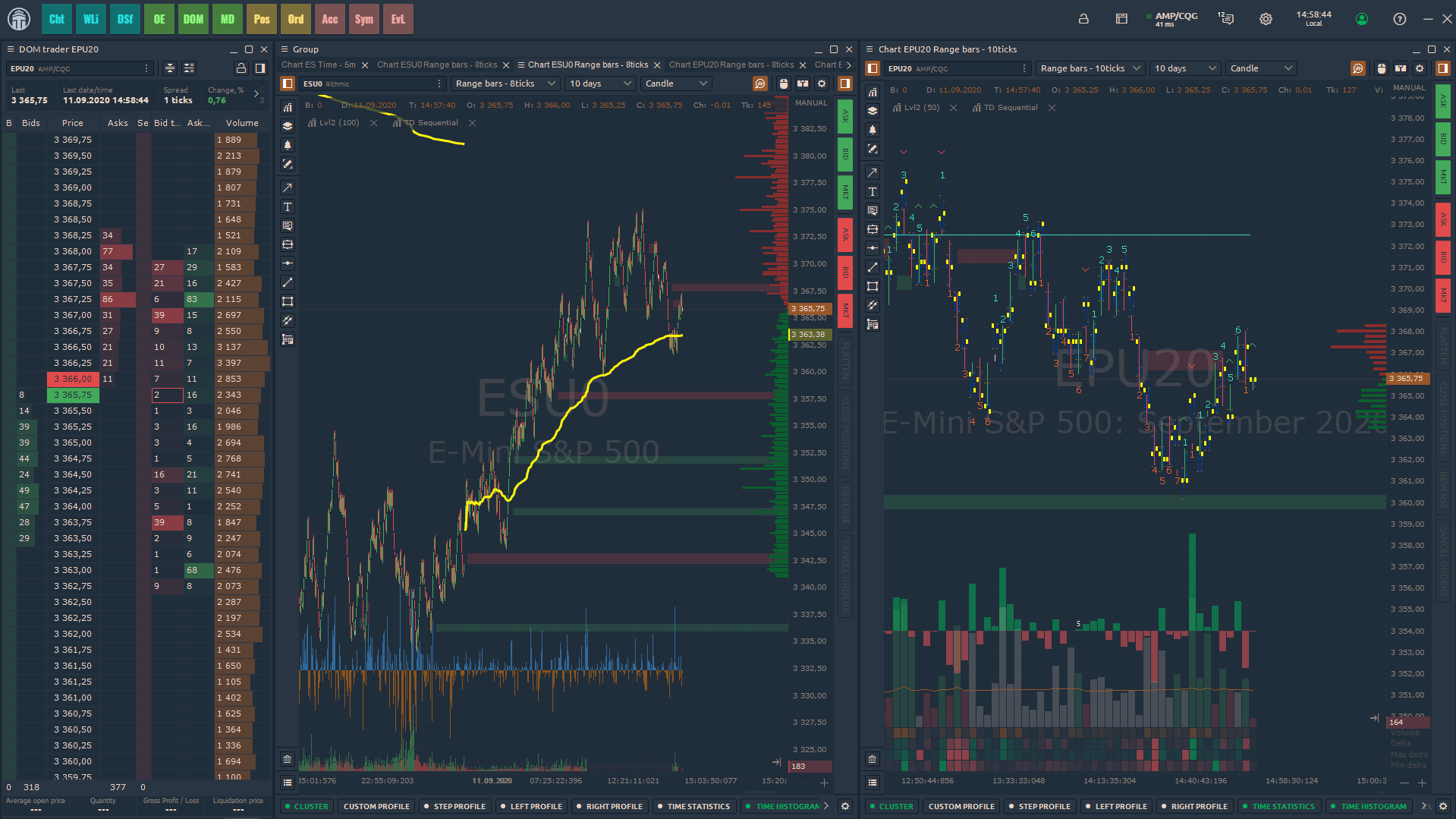
AMP Quantower unlocks niche plugins like DOM Surface and cluster charts, ideal for high-frequency AMP futures strategies seeking granular market insights. DOM Surface renders a 3D heatmap of order book depth over time, revealing hidden liquidity in AMP’s futures feed, such as stacking in Nasdaq contracts.

Cluster charts aggregate volume at price levels, exposing absorption zones where big players defend levels. Rare for retail platforms, this helps AMP scalpers fade fakeouts in crude oil futures. Customize by layering AMP’s footprint data, coloring clusters by delta for divergence spots.
Another gem: Volatility Surface charts forecast implied moves from AMP options chains, syncing with futures for hedging. High-frequency traders script these via Quantower’s API, auto-adjusting stops based on surface shifts.
Session profile builders let you replay AMP intraday data, tweaking indicators like TPO for niche patterns. Few platforms offer this granularity without coding.
Ever wondered how pros spot edges? These tools quantify tape reading.
Moreover, they pair with AMP’s low commissions for scalable edges.
- DOM Surface visualizes depth evolution for trap avoidance
- Cluster analysis pinpoints high-volume nodes
- Custom API hooks enable algo-driven futures plays
Are There Alternatives to AMP Quantower for Pro Features?
Alternatives like Sierra Chart and NinjaTrader exist, but AMP Quantower’s free Pro access and seamless integration give it a clear advantage for AMP futures traders. Sierra Chart excels in advanced charting with unmatched DOM features, yet requires $36/month plus data fees, and lacks AMP’s plug-and-play routing. Setup involves manual data mapping, contrasting Quantower’s instant AMP sync.

NinjaTrader offers strong automation via NinjaScript, popular for futures algos, but its free version limits advanced tools behind a $1,099 license or per-trade commissions. AMP Quantower provides equivalent backtesting and order flow gratis, with better AMP margin visuals.
Bookmap competes in heatmap tech but charges $49/month and struggles with AMP’s full feed depth. Jigsaw Trading suits order flow but demands extra hardware for low latency, unlike Quantower’s lightweight design.
For AMP loyalists, switching means losing broker-specific perks like unified statements. Quantower’s edge? Zero cost barrier to pro tools.
Does any match the integration? Few do.
In particular, it lowers entry for testing strategies.
- Sierra’s depth comes at ongoing costs versus AMP free
- NinjaTrader licensing burdens exceed Quantower’s model
- Bookmap heatmaps lack AMP futures specificity

David Rodriguez
Senior Forex Analyst at ForexEAshop
David Rodriguez has over 8 years of experience in forex trading and market analysis. He specializes in institutional trading strategies and has helped thousands of traders improve their performance through his educational content and trading tools.