

Some common installation errors on the MT4 trading platform.
This article outlines the causes and solutions for errors encountered when installing Experts Advisor on the MT4 platform.
Error 1: The “OK” button does not appear when attaching an EA to a chart on the MT4 platform.
Starting with MetaTrader 4 Build 1451 version and later, some third-party products from the MQL5 Market may not function as expected and not display the “OK” button when attaching an EA to a chart due to changes in the platform’s architecture.
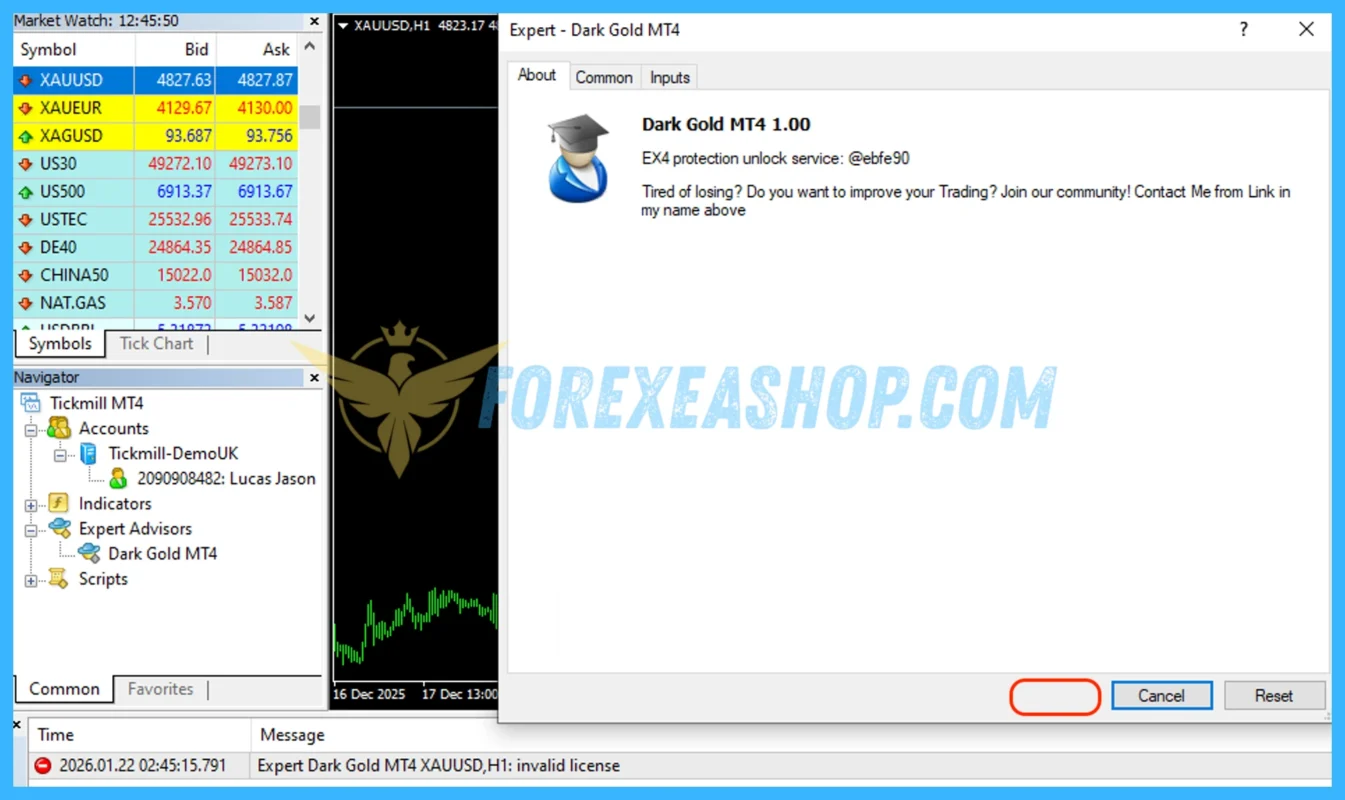
Troubleshooting:
To ensure stability and compatibility when using MetaTrader software, we recommend using MetaTrader 4 Builds 1441 1444 at this time (version 1444 is recommended for stability).
How to disable automatic updates in MetaTrader 4:
Method 1: You can see detailed instructions here: Click to view how to stop update meta trader
Method 2: (Recommendation, simple operation):
Step 1: Download these three files:
- Stop Update MetaTrader 4.bat
- Terminal.exe (Build 1444 MT4)
- Video How To Stop Update Meta Trader.mp4
Link download three files: Click to download file
Step 2: Close MT4 if it is running, and copy both files into the MT4 root folder (Replace the file in the destination).
Step 3: Right-click on file Stop Update MetaTrader.bat, select Run as administrator, and confirm the action by pressing Y (Yes) > Enter when prompted.
Currently, there is no solution, but our team is working to find a convenient solution in the future. I will inform you if there are any updates.
If you have followed my instructions, but still not installed successfully, please contact Telegram Admin Lucas Jason to check you are having problems to handle.
Important notes you need to know.
- Our just a seller of digital good, not trade, not developers of any EA. I don’t guarantee about the EA’s performance.
- The financial markets are unpredictable, and even the best strategies can face challenges during sudden market changes.
- Trading always involves risks, and we encourage users to trade responsibly and understand the nature of the Forex market.
- The EA only trades when the market meets its standards. It will not work immediately once you install it, please wait.
Visit our Help Center for more on getting started with forexeashop.com.
These might be helpful, too:
- Need help with Setup Experts Advisor Or Indicators Have DLL? This tutorial is all you need.
- Learn how to How To Stop Update Meta Trader.
- Need help with Unable To Run Backtest On Meta Trader?
- Need help with Errors Encountered When Installing Experts Advisor On The MT5 Platform
How Can We Help?
Choose your preferred way to reach our support team. We're available to assist you with any inquiries.
Email Support
Send your queries to Email and receive personalized. Our expert team ensures every email is answered promptly, providing you with detailed solutions tailored to your needs.
Send EmailTelegram Admin
Get in touch with us Telegram Admin Lucas Jason for convenient and quick support. Our support team will be there to assist you with your queries and concerns.
Open TelegramLive Chat Support
For instant support, use our Live Chat feature available on our website. A click on the chat icon opens a direct line to our support team, offering real-time solutions to your inquiries.
Start Chat