



What is AI For Gold EA?
AI For Gold EA is the best Gold Trading EA on the MQL market uses Price Action patterns and AI to predict the outcome of the incoming trade. AI For Gold EA is unique approach enables you to enjoy superior reliability without permanent relearning and anxiety of desintagration as it is common for AI other systems. The EA (Expert Advisor) has the performance of the current version is so impressive, that it can be used for prop firm trading. It is uses Take Profit and Stop Loss for every trade, the exposure to market craziness and the overall risk are minimal. This EA has a built in real-time issue support. In this EA you can enable automated submission of errors and logs so I can help you right away with any issue occuring in your account.
Vendor website: https://www.mql5.com/en/market/product/97071

Original price: $649
ForexEAshop price: $19 (You save 99%)
Key Takeaways
- This is a fully robustified and adaptable EA
- This is the best Gold Trading EA on the MQL market
- This EA can be used to trade prop firms
- This EA uses Take Profit and Stop Loss for every trade
- This EA has a built in real-time issue support
- Compatible with multiple brokers
Please read this note carefully before purchasing and using EA with DLL: If you know how to use DLL from the old terminal version and how to disable automatic updates in Metatrader, you can buy it. Or if you do not know how to install, visit Help Center, we will show you the instructions for installing EA with DLL. Don’t worry, if you see it but still cannot do it successfully, please contact Admin Lucas Jason to support you with the installation via AnyDesk.
AI For Gold EA Features
- Trading platform Meta Trade 5
- Currency pair: XAUUSD or Gold
- Timeframe: M15
- Minimum deposit: $100 (high risk), 1000$ (low risk)
- Account type: Any with a minimum spread (preferably ECN)
- Brokers: Any broker, Best with ICMarkets
🚀 Recommend Use VPS Forex
To keep Experts Advisor running smoothly 24/7, use a quality Forex VPS. Optimize trading efficiency, no worries about interruptions!
Register VPS NowInput Parameters
- Multiply all lots: The system is normalized for a 1000$ account. That means, that if you account is smaller, you are facing larger risk than we might expect from the live signal. If you account is e.g. 10000$, then you can set the “Multiply all lots” to 0.1 in order to experience same PnL as it is expected with a 1000$ account. Setting this value to 0.1 is also a good way to trade a 10000$ account at a prop firm like FTMO or similar.
- Debug Message: Enable printing messages on the Chart and inside the log “Experts” tab
- Risk level: Minimal risk: 0, max recommended risk: 10, max feasible risk: 13
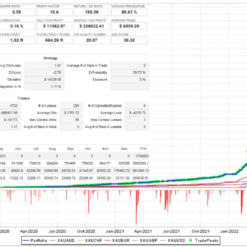
AI For Gold EA Results and Live Signals
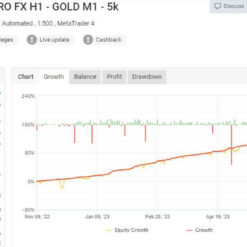
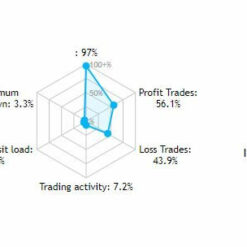
- Medium Risk: https://www.mql5.com/en/signals/1989000 – 23% in 15 weeks, drawdown: 3.3% (21st July 2023)

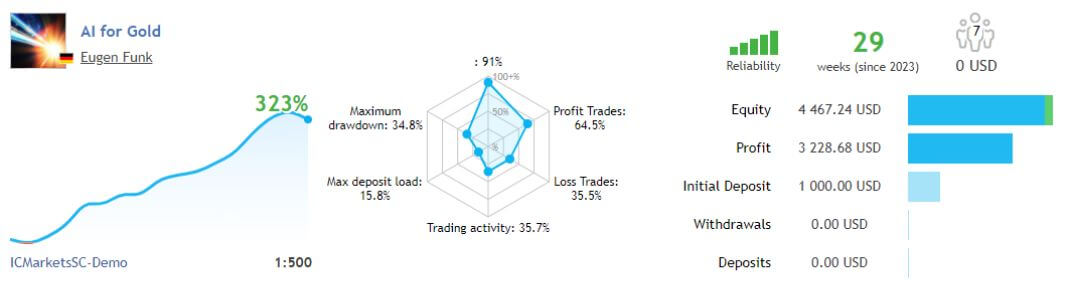
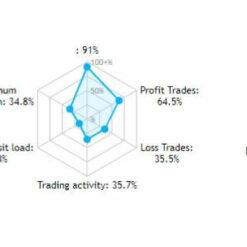
- High Risk: https://www.mql5.com/en/signals/1876919 – 323% in onl 29 weeks, drawdown: 34.8% (21st July 2023)

AI For Gold EA Setting
Let’s start the best AI for Gold EA setup process. First, find the EA file in the Market list.

Then right click on the “AI for Gold EA” and select “Test”.

You can use XAUUSD or Gold as a symbol only,
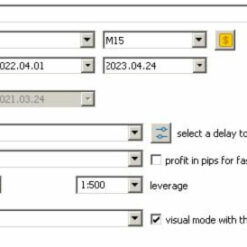
– Time Frame: 15M
– Tester with “visualization” enabled

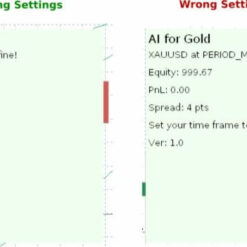
After you click on “Start” the backtest chart will appear and you will see the ea for gold review panel indicating if you set all your settings in a correct way.

Check if the installed steps are effective.
1. The panel should display “All settings are fine“.

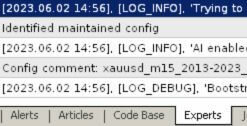
2. The logs under the “Experts” tab should look like this:

How to install and run the AI For Gold EA Trading Bot have DLL in Metatrader?
- Some EA has DLL from unknown developers will be mistakenly labeled as malicious and removed by Defender or Antivirus.
- So you need turn off antivirus or windows defender protect to download and use.
- You should use VPS and you turn off antivirus or windows defender protect on VPS to use.
- Next time you reopen the VPS, you don’t need to do anything about it anymore, Without DLL, there is no need to disable it.
Please read this note carefully before purchasing and using EA with DLL: If you know how to use DLL from the old terminal version and how to disable automatic updates in Metatrader, you can buy it. Or if you do not know how to install, visit Help Center, we will show you the instructions for installing EA with DLL. Don’t worry, if you see it but still cannot do it successfully, please contact Admin Lucas Jason to support you with the installation via AnyDesk.
AI For Gold EA Download
Link download AI For Gold EA MT5 With Setfile will be sent to your email after purchase.
Installation guide (if any) will be sent immediately via email after your purchase, or you can directly download it from the website, under the section: My account -> Download.
+ Expert :
- AI For Gold EA.ex5
- Unlimited / DLL
- Free 1 Year Updates (If there is a new update, please check in the download on the forexeashop website or you can contact us via Email or Telegram Lucas Jason and provide proof of purchase, we will send you the update)
Shopping Guide and Important Information
We Accept Payment: Cryptocurrency, USDT, Binance Pay, Skrill, Paypal: Click to view
More payment methods please contact: Email or Telegram Admin.
Cryptocurrency, PayPal: Our website checkout system automated.
Memo: Your email + EA name
EA will be send to your email ASAP. The download link will be sent to your email within 5 minutes after the order is confirmed.
Some EAs will need to wait a few hours to up to 12 hours to receive the download link.
Please read and agree to the information below before purchasing our products:
Beginner traders should research and learn about trading before using any EAs.
Please make sure you understand the risks involved with trading and that past performance is no guarantee for future results. (EA could also make losses).
The product does not guarantee profits and demands resilience, patience, and a positive attitude in forex trading.
Before use, please test the EA on a demo account first.
Happy trading!


Reviews
There are no reviews yet.