
What is EA Nesco?
EA Nesco is a fully automatic robot expert that independently analyzes the market and makes trading decisions, offering multiple strategies and a low cost for accessibility. NESCO has its own data analysis system, server for parsing financial events, and offline protection package to ensure safe trading. The installation and launch of NESCO is quick and easy, with customizable risk settings and the option to enable the new ULTIMATE mode for optimized trading.
Vendor website: https://www.mql5.com/en/market/product/106454

Original price: $999
ForexEAshop price: $19 (You save 99%)
Key Takeaways
- It can trade multiple strategies simultaneously and has its own server for obtaining financial events.
- It has several strategies, including PILOT_R, STENVALLL_, and NIGHT_POUND, each with different trading times and minimum deposits.
- In the Ultimate mode, the EA sets an individual Stop-loss and takes profit for all positions.
EA Nesco Setting
- The trading platform is Metatrader 4
- The currency pair is EURUSD, GBPUSD
- Timeframe is M5
- Minimum deposit is $200
- Compatibility with other EA
- The maximal spread from 20 to 25
🚀 Recommend Use VPS Forex
To keep Experts Advisor running smoothly 24/7, use a quality Forex VPS. Optimize trading efficiency, no worries about interruptions!
Register VPS NowEA Nesco Strategies
PILOT_R:
- Trading time is 1:30 – 18:30
- The symbol is EURUSD M5
- The minimum deposit is 150 USD
STENVALLL_:
- Trading time is 1:30 – 18:30
- The symbol is EURUSD M5
- The minimum deposit is 100 USD
NIGHT_POUND:
- Trading time is 1:30 – 5:30
- The symbol is GBPUSD M5
- The minimum deposit is 200 USD
Note: By default, only one strategy, PILOT_R11, is enabled. You can launch the strategies you like or all strategies at the same time.
EA Nesco Results
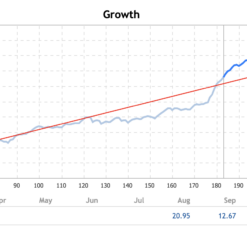
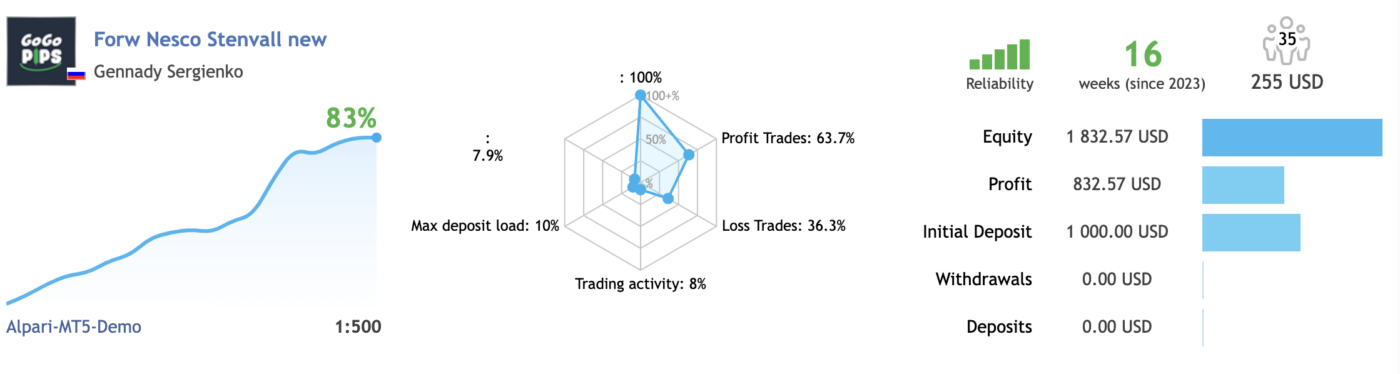
The Nesco EA is a fully automatic robotic trading EA that delivers undeniable results.


Watch this video to see more information and EA Nesco results:
EA Nesco Reviews
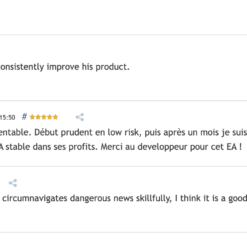
Nesco EA has been trusted and positively evaluated by many traders.

How to install and run the EA Nesco MT4 Trading Bot in Metatrader 4?
- Open the Metatrader 4 platform
- From the top menu, click on “File”
- Now click on “Open Data Folder”
- Open the “MQL4” folder
- Open the “Experts” folder
- Copy the EA Nesco MT4 file here
- Then close and restart the MT4 platform
- Attach the Expert Advisor to the chart
Now, you are ready to start using the EA Nesco MT4 v9.1 NoDLL!
If you have any questions regarding EA installation, you can view the information in the Help Center to assist you in installing the EA: Click to view
EA Nesco Download
Link download Nesco MT4 v9.1 NoDLL will be sent to your email after purchase.
Installation guide (if any) will be sent immediately via email after your purchase, or you can directly download it from the website, under the section: My account -> Download.
Updated February 17, 2024: Nesco MT4 v9.1 ( Without DLL)
+ Expert Advisor Download :
- Nesco MT4 v9.1.ex4
- Unlimited / NoDLL / Build New
- Free 1 Year Updates (If there is a new update, please check in the download on the forexeashop website or you can contact us via Email or Telegram Lucas Jason and provide proof of purchase, we will send you the update)
Shopping Guide and Important Information
We Accept Payment: Cryptocurrency, USDT, Binance Pay, Skrill, Paypal: Click to view
More payment methods please contact: Email or Telegram Admin.
Cryptocurrency, PayPal: Our website checkout system automated.
Memo: Your email + EA name
EA will be send to your email ASAP. The download link will be sent to your email within 5 minutes after the order is confirmed.
Some EAs will need to wait a few hours to up to 12 hours to receive the download link.
Please read and agree to the information below before purchasing our products:
Beginner traders should research and learn about trading before using any EAs.
Please make sure you understand the risks involved with trading and that past performance is no guarantee for future results. (EA could also make losses).
The product does not guarantee profits and demands resilience, patience, and a positive attitude in forex trading.
Before use, please test the EA on a demo account first.
Happy trading!


Reviews
There are no reviews yet.