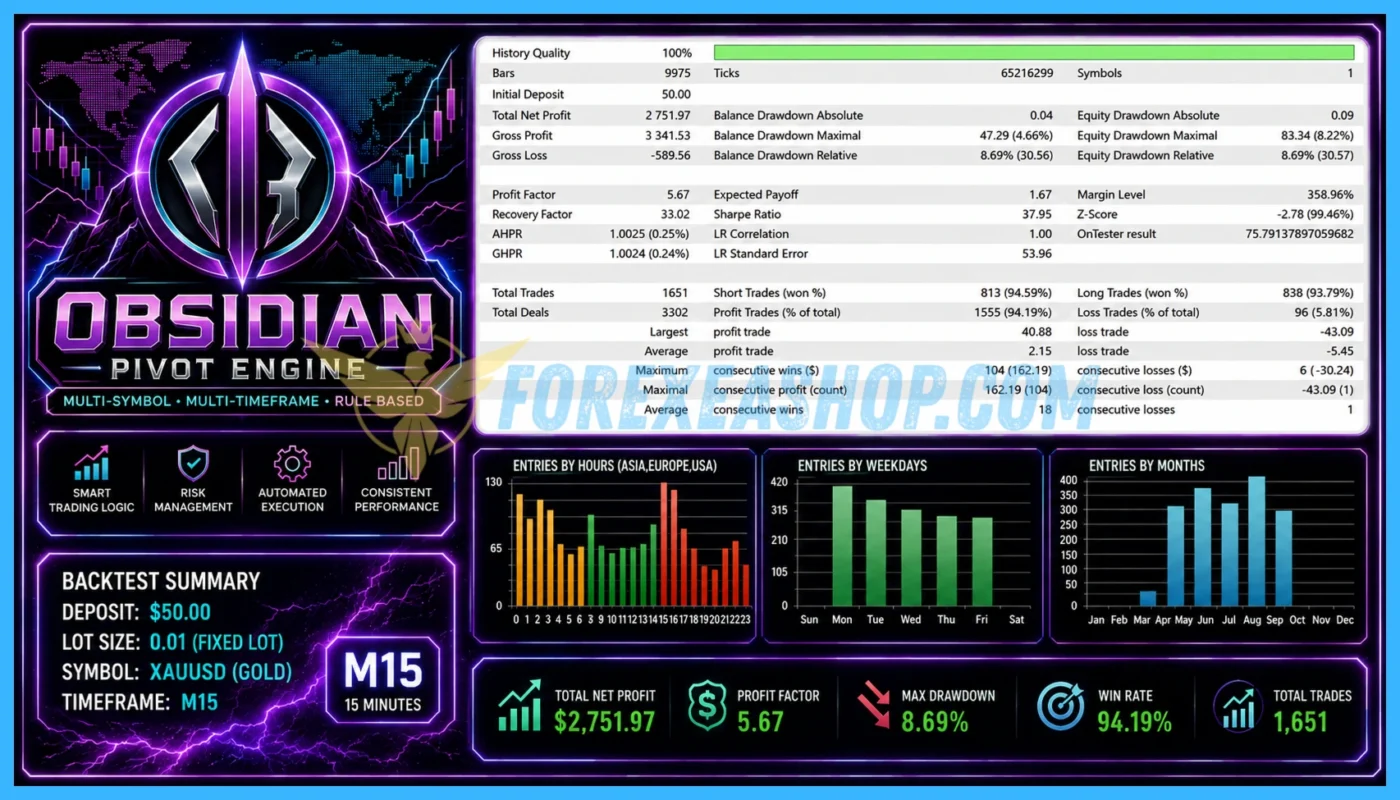

What is Obsidian Pivot Engine?
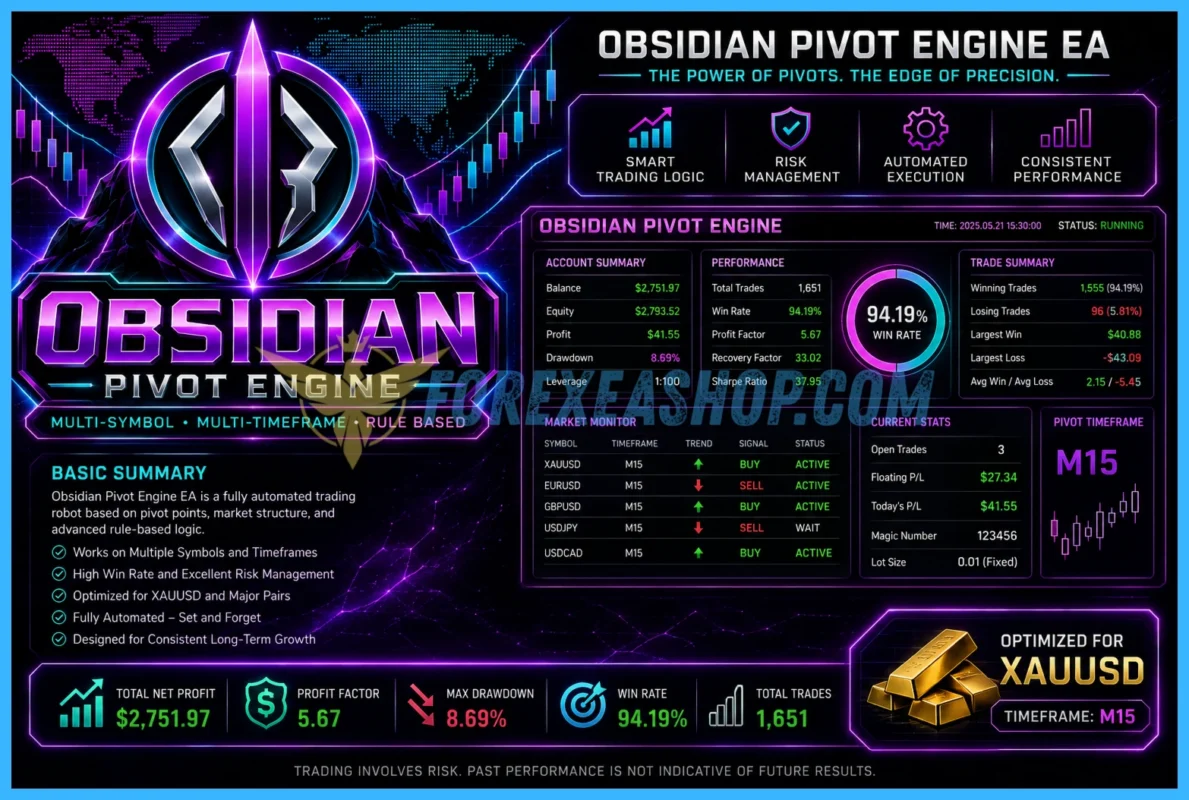
Obsidian Pivot Engine is a multi-symbol and multi-timeframe Expert Advisor developed for MetaTrader 5, with its primary configuration focused on XAUUSD trading on the M15 timeframe. The automated trading system analyzes recent price structure across different timeframes and can place pending orders when its internal conditions identify a potential level breakout. BTCUSD and NASDAQ are supported as additional markets and can be enabled or disabled independently, allowing the algorithm to manage several instruments from one structured trading framework. The current official product listing confirms version 1.0 and describes multi-symbol analysis, pending-order execution, independent market settings, and automated position protection as core elements of the system.
Vendor website: https://www.mql5.com/en/market/product/193477

Original price: $249
ForexEAshop price: $39 (You Save 99%)
Key Takeaways
- Obsidian Pivot Engine is a MetaTrader 5 multi-symbol breakout EA built primarily for XAUUSD M15, with additional BTCUSD and NASDAQ support, multi-timeframe analysis, pending orders, and automated position management.
- Independent settings for spread, slippage, entry distance, position limits, pending-order limits, and aggregate symbol risk provide greater control when operating an automated Gold, Bitcoin, and NASDAQ trading portfolio.
- Initial Stop Loss protection, Trailing Stop management, fallback protection, Friday pending-order expiration, optional holiday protection, and an on-screen trading panel add operational controls for traders seeking a structured automated breakout system.
Obsidian Pivot Engine Features
- Used on platform: Meta Trader 5.
- Currency pairs: XAUUSD (Gold), support BTCUSD (Bitcoin) and NASDAQ.
- Time frame: M15.
- Minimum deposit: 500$.
- Recommend use leverage: 1:100 or higher.
- Expert Advisor trading automated 100%.
- On-screen information panel.
- Level-based breakout engine.
- Fallback mechanism for position protection.
🚀 Recommend Use VPS Forex
To keep Experts Advisor running smoothly 24/7, use a quality Forex VPS. Optimize trading efficiency, no worries about interruptions!
Register VPS NowObsidian Pivot Engine Reviews
Obsidian Pivot Engine was officially published on September 2, 2026, and the current public MetaTrader Market listing identifies version 1.0 as the latest release at the time of research. Because the product is relatively new and independent long-term performance data remains limited, traders should evaluate it through the MetaTrader 5 Strategy Tester and forward testing rather than relying on short-term promotional results. Its multi-timeframe breakout architecture and independent symbol controls provide a structured foundation for evaluating XAUUSD, BTCUSD, and NASDAQ under different broker conditions.


Why should you use Obsidian Pivot Engine?
Obsidian Pivot Engine is suitable for traders who want an automated MT5 breakout system capable of combining price-level analysis, multi-timeframe confirmation, pending orders, and structured risk controls. Its primary Gold configuration keeps the system focused on XAUUSD while optional BTCUSD and NASDAQ modules provide additional diversification opportunities. The independent settings available for each market also allow traders to adjust execution and exposure according to the different characteristics of Gold, Bitcoin, and stock indices.
- Multi-Timeframe Market Analysis: The EA evaluates recent price structure across different timeframes to identify potential breakout areas instead of relying exclusively on information from the active M15 chart.
- Level-Based Breakout Engine: Trading logic focuses on calculated market levels and can use pending orders when the internal strategy detects conditions that may support a confirmed price breakout.
- Multi-Symbol Trading: XAUUSD is the primary configuration, while BTCUSD and NASDAQ can be activated independently to create a broader automated trading portfolio.
- Independent Risk Controls: Each supported instrument can use separate parameters for maximum spread, slippage, entry distance, position limits, pending-order limits, protection management, and aggregate risk.
- Position Protection: Initial Stop Loss, Trailing Stop, and an additional fallback protection mechanism help manage positions when market conditions or broker execution become more difficult.
- Operational Monitoring: The integrated on-screen information panel provides a practical way to follow the automated trading system, while continuous VPS operation helps maintain order management and protection functions.
Trading Specifications
Recommended settings and parameters to pay attention to from developers and experts:
| Features | Type |
|---|---|
| Trading platform | MetaTrader 5 (MT5) |
| Currency pairs | XAUUSD (Gold), support BTCUSD (Bitcoin) and NASDAQ |
| Time frame | M15 |
| Minimum deposit | 500$ |
| Recommend leverage | 1:100 or higher |
| Setup files | Default setting |
| Product type | Without/Have DLL / Unlimited / Free 1 Year Updates |
| Recommend Broker | Exness Broker / ICMarket Broker / Tickmill / Roboforex |
| Virtual Private Server (VPS) | FXVM Forex VPS provides reliable Windows VPS solutions optimized for MT4/MT5, helping keep Expert Advisors and automated trading platforms online 24/7 |
How to install and run the Obsidian Pivot Engine Trading Bot in Metatrader 5?
- Open the Metatrader 5 platform
- From the top menu, click on “File”
- Now click on “Open Data Folder”
- Open the “MQL5” folder
- Open the “Experts” folder
- Copy the Obsidian Pivot Engine v1.1.mq5 file here
- Then close and restart the MT5 platform
- Attach the Expert Advisor to the chart
Now, you are ready to start using the Obsidian Pivot Engine MQ5 v1.1 Source Code!
If you have any questions regarding EA installation, you can view the information in the Help Center to assist you in installing the EA: Click to view
Obsidian Pivot Engine Download Package
Link download Obsidian Pivot Engine MQ5 v1.1 Source Code will be sent to your email after purchase.
Installation guide (if any) will be sent immediately via email after your purchase, or you can directly download it from the website, under the section: My account -> Download.
+ Source Code Download :
- Obsidian Pivot Engine v1.1.mq5 Source Code
- Unlimited / NoDLL / Build New
- Free 1 Year Updates (If there is a new update, please check in the download on the forexeashop website or you can contact us via Email or Telegram Lucas Jason and provide proof of purchase, we will send you the update)
Conclusion
Obsidian Pivot Engine combines multi-timeframe analysis, level-based breakout trading, pending-order execution, multi-symbol support, and automated position protection in a MetaTrader 5 Expert Advisor. Its main XAUUSD M15 configuration is particularly relevant for traders looking for a structured Gold breakout EA, while optional Bitcoin and NASDAQ support expands its algorithmic trading applications. Independent execution and risk parameters provide additional flexibility for adapting the system to different spreads, volatility conditions, and broker environments. Test the EA with realistic tick data and a demo account, configure conservative risk settings, and use a reliable VPS before considering full live deployment.
Frequently Asked Questions (FAQs)
What platform does Obsidian Pivot Engine use?
Obsidian Pivot Engine is developed exclusively for MetaTrader 5 and is distributed as an automated Expert Advisor for multi-symbol trading.
Which markets can the EA trade?
The system primarily targets XAUUSD Gold, while BTCUSD and NASDAQ are also supported and can be enabled or disabled independently.
What timeframe is recommended?
The primary configuration uses M15 for XAUUSD, although the algorithm can analyze information from several timeframes internally as part of its breakout decision process.
How does the breakout strategy work?
The EA studies recent price structure and calculated market levels before using pending orders when its internal filters identify a potential breakout opportunity.
Does Obsidian Pivot Engine support several symbols at the same time?
Yes. Obsidian Pivot Engine is designed as a multi-symbol system and can manage Gold, Bitcoin, and NASDAQ independently according to the selected configuration.
Does the EA use pending orders?
Yes. Pending orders are part of the trading architecture and may be placed when the strategy conditions for a potential level breakout are satisfied.
Does the system include Stop Loss protection?
Yes. The supplied product specifications include an initial Stop Loss, Trailing Stop functionality, and a fallback mechanism intended to provide additional position protection.
What minimum deposit is recommended?
The supplied configuration recommends a minimum starting deposit of 500 dollars, although actual capital requirements should also consider selected risk, position limits, the number of active markets, and broker margin requirements.
What leverage is recommended?
The reference configuration recommends leverage of 1:100 or higher, but higher leverage should not be treated as a reason to increase trade risk or position size.
Is a VPS recommended?
Yes. Continuous VPS operation is important because the automated system must remain connected to MetaTrader 5 to manage pending orders, open positions, trailing protection, and multi-symbol activity.
Shopping Guide and Important Information
We Accept Payment: Cryptocurrency, USDT, Binance Pay, Skrill, Paypal: Click to view
More payment methods please contact: Email or Telegram Admin.
Cryptocurrency, PayPal: Our website checkout system automated.
Memo: Your email + EA name
EA will be send to your email ASAP. The download link will be sent to your email within 5 minutes after the order is confirmed.
Some EAs will need to wait a few hours to up to 12 hours to receive the download link.
Please read and agree to the information below before purchasing our products:
Beginner traders should research and learn about trading before using any EAs.
Please make sure you understand the risks involved with trading and that past performance is no guarantee for future results. (EA could also make losses).
The product does not guarantee profits and demands resilience, patience, and a positive attitude in forex trading.
Before use, please test the EA on a demo account first.
Happy trading!

Galaxy PropFirm EA MT5 + SetFiles