
What is OPTIMUM EA?
OPTIMUM EA is Expert Advisor uses a built-in market scanner and employs advanced trading algorithms, optimizing strategies with sensitivity, work on Meta Trader 4 platform. It avoids risky tactics, such as martingale and hedging. It incorporates a built-in market scanner and operates with a single order for opening and closing.
Vendor website: https://t.me/+liKwCboBHjw1YTNl
ForexEAshop price: $19
Key Takeaways
- OPTIMUM EA is an Expert Advisor that utilizes advanced trading algorithms and AI technology to optimize strategies with sensitivity.
- The Expert Advisor avoids risky tactics like martingale and hedging, and incorporates a built-in market scanner for single order opening and closing.
- It operates on the Meta Trader 4 platform, focusing on currency pairs US30 and DE40, with a minimum deposit of $250 and a maximum drawdown of 1%.
Please read this note carefully before purchasing and using EA with DLL: If you know how to use DLL from the old terminal version and how to disable automatic updates in Metatrader, you can buy it. Or if you do not know how to install, visit Help Center, we will show you the instructions for installing EA with DLL. Don’t worry, if you see it but still cannot do it successfully, please contact Admin Lucas Jason to support you with the installation via AnyDesk.
OPTIMUM EA Features
- Used on platform: Meta Trader 4
- Currency pairs: US30, DE40.
- Time frame: M5.
- Minimum deposit: 250$.
- Use advanced Risk Management Algorithm.
- Maximum drawdown 1%.
- Expert Advisor avoids dangerous strategies, martingale, hedging, and grading.
- EA use Latest Ai technology and many tools like CURRENCY METRE, MARKET SCANNER, RSI, CMA, TREND, BBANDS, CHANNEL, PARABOLIC.
- Use Fixed Stop Loss (SL).
- Lot size can be set automatically or manually.
- Maximum supported spread: 5 pips/500 points.
- Leverage from 1:30 to 1:2000.
🚀 Recommend Use VPS Forex
To keep Experts Advisor running smoothly 24/7, use a quality Forex VPS. Optimize trading efficiency, no worries about interruptions!
Register VPS NowOPTIMUM EA Results
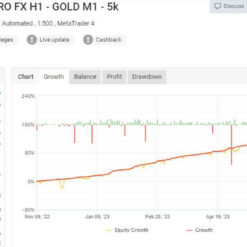
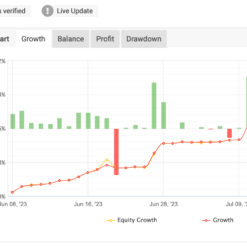
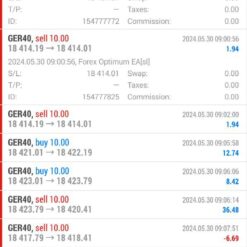
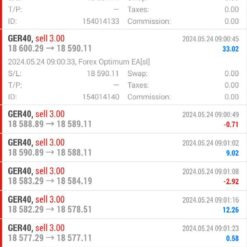
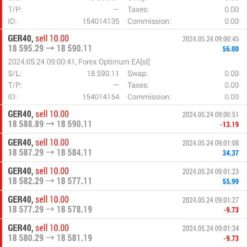
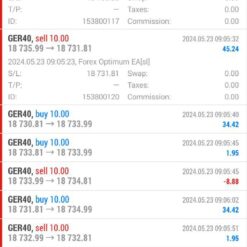
Some EA results that have been trading show very good results:


Signal link result: Click to view
Trading Specifications
Recommended settings and parameters to pay attention to from developers and experts:
| Features | Type |
|---|---|
| Trading Platform | MetaTrader 4 (MT4) |
| Currency pairs | US30, DE40 |
| Time Frame | M5 |
| Minimum deposit | 250$ |
| Recommend Leverage | 1:30 to 1:1000 |
| Trading | Expert Advisot trading automated 100% |
| Trader | Suitable for Beginners and professional traders |
| Broker | Broker Compatibility Any broker |
| Product type | Have DLL |
| Virtual private server (VPS) | Recommned Use VPS |
How to install and run the OPTIMUM EA Trading Bot have DLL in Metatrader?
- Some EA has DLL from unknown developers will be mistakenly labeled as malicious and removed by Defender or Antivirus.
- So you need turn off antivirus or windows defender protect to download and use.
- You should use VPS and you turn off antivirus or windows defender protect on VPS to use.
- Next time you reopen the VPS, you don’t need to do anything about it anymore, Without DLL, there is no need to disable it.
Please read this note carefully before purchasing and using EA with DLL: If you know how to use DLL from the old terminal version and how to disable automatic updates in Metatrader, you can buy it. Or if you do not know how to install, visit Help Center, we will show you the instructions for installing EA with DLL. Don’t worry, if you see it but still cannot do it successfully, please contact Admin Lucas Jason to support you with the installation via AnyDesk.
OPTIMUM EA Download
Link download OPTIMUM EA MT4 Without Setfiles will be sent to your email after purchase.
Installation guide (if any) will be sent immediately via email after your purchase, or you can directly download it from the website, under the section: My account -> Download.
Updated November 22, 2024: OPTIMUM EA MT4 Without Setfiles (Build 1427+ DLL) ( Have DLL)
+ Expert Advisor Download :
- OPTIMUM EA.ex4
- Unlimited / DLL / Build 1420+
- Free 1 Year Updates (If there is a new update, please check in the download on the forexeashop website or you can contact us via Email or Telegram Lucas Jason and provide proof of purchase, we will send you the update)
Shopping Guide and Important Information
We Accept Payment: Cryptocurrency, USDT, Binance Pay, Skrill, Paypal: Click to view
More payment methods please contact: Email or Telegram Admin.
Cryptocurrency, PayPal: Our website checkout system automated.
Memo: Your email + EA name
EA will be send to your email ASAP. The download link will be sent to your email within 5 minutes after the order is confirmed.
Some EAs will need to wait a few hours to up to 12 hours to receive the download link.
Please read and agree to the information below before purchasing our products:
Beginner traders should research and learn about trading before using any EAs.
Please make sure you understand the risks involved with trading and that past performance is no guarantee for future results. (EA could also make losses).
The product does not guarantee profits and demands resilience, patience, and a positive attitude in forex trading.
Before use, please test the EA on a demo account first.
Happy trading!


Reviews
There are no reviews yet.