

What is PolyGold Scalper?
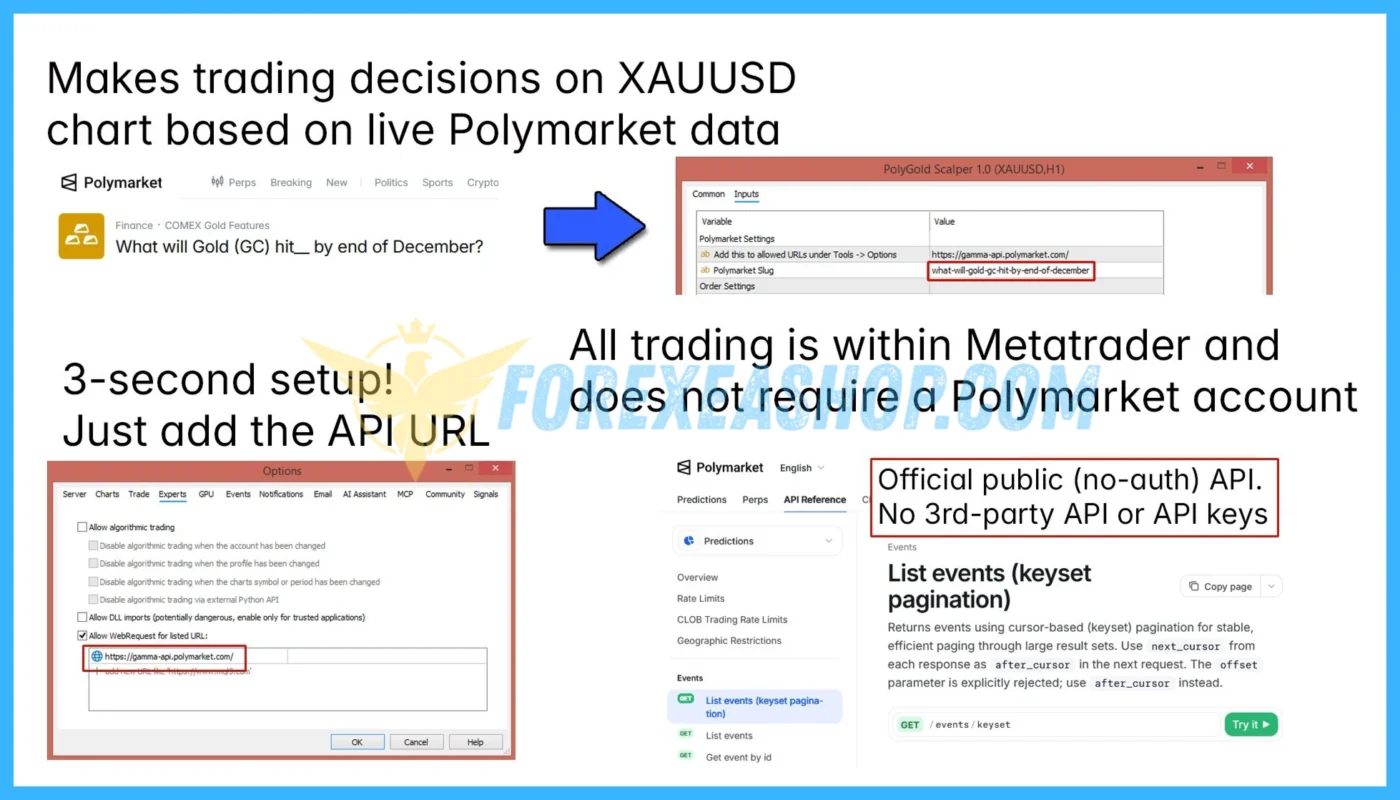
PolyGold Scalper is a fully automated MetaTrader 5 Expert Advisor designed for XAUUSD Gold trading on the H1 timeframe, combining short-term scalping strategies with real-time market sentiment data from the Polymarket prediction market platform. The algorithm analyzes external sentiment signals alongside Gold price movements to identify potential trading opportunities when collective market expectations confirm or diverge from current XAUUSD price action. Unlike conventional technical indicator-based trading robots, the EA integrates an external data feed that refreshes every few seconds and displays relevant sentiment information through an interactive on-chart dashboard. Its trading system executes individual positions without Grid or Martingale strategies, using dynamic virtual Stop Loss and trailing stop mechanisms based on daily Gold market volatility.
Vendor website: https://www.mql5.com/en/market/product/189091

Original price: $149
ForexEAshop price: $19 (You Save 99%)
Key Takeaways
- PolyGold Scalper is a MetaTrader 5 XAUUSD trading Expert Advisor designed for H1 operation, integrating Polymarket prediction market sentiment, real-time external data analysis, and automated Gold scalping without Grid or Martingale trading.
- The automated Gold trading robot combines sentiment divergence analysis, an interactive on-chart dashboard, single-position execution, volatility-based virtual Stop Loss management, and dynamic trailing stops to support alternative data-driven trading strategies.
- Official marketplace reviews and a developer-linked live trading signal provide early performance references, while limited monitoring history, external API dependency, virtual Stop Loss risks, and differences between historical backtesting and live sentiment data make independent forward testing essential.
PolyGold Scalper Features
- Used on platform: Meta Trader 5.
- Currency pairs: XAUUSD (Gold).
- Time frame: H1.
- Minimum deposit: 200$.
- Recommend use leverage: 1:100 or higher.
- Expert Advisor trading automated 100%.
- Account Type: Standard, ECN, Raw, Cent.
🚀 Recommend Use VPS Forex
To keep Experts Advisor running smoothly 24/7, use a quality Forex VPS. Optimize trading efficiency, no worries about interruptions!
Register VPS NowPolyGold Scalper Reviews
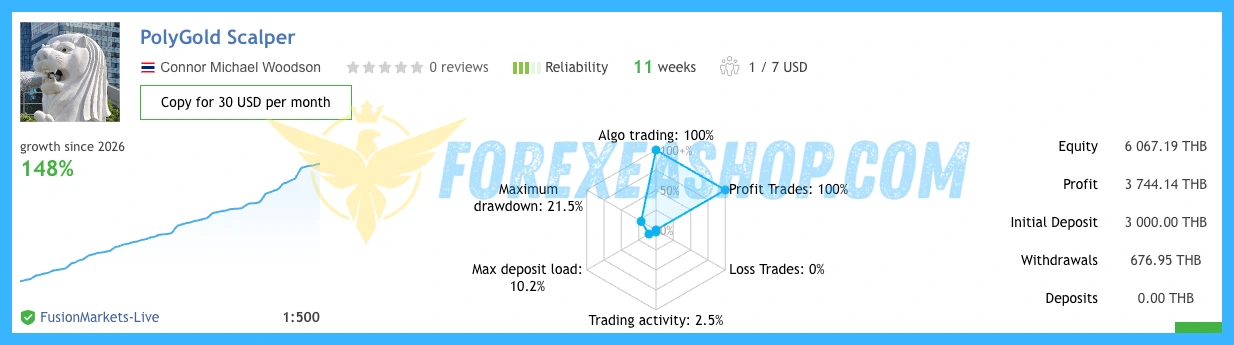
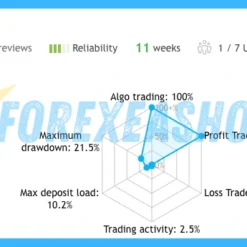
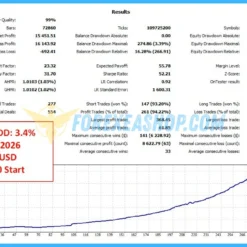
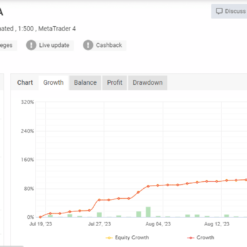
PolyGold Scalper was officially published on the MQL5 marketplace on August 12, 2026, with version 1.5 released on October 9, 2026, and has received positive customer reviews highlighting its automated trading performance, Polymarket integration, and developer support. A developer-linked live trading signal provides publicly accessible performance records, although the relatively short monitoring period and differences between balance drawdown and floating equity drawdown require careful evaluation. Customer feedback also highlights that historical backtesting cannot fully reproduce the live Polymarket data connection, making forward testing particularly important when assessing actual trading behavior and risk exposure.

Signal EA on link: Click to view


Why should you use PolyGold Scalper?
PolyGold Scalper offers an innovative approach to automated Gold trading by combining prediction market sentiment analysis with algorithmic execution on MetaTrader 5. Instead of relying exclusively on historical price indicators, the system incorporates externally sourced market expectations to evaluate potential changes in XAUUSD price direction. Its single-position trading approach, automated trade management, and straightforward API configuration make it an interesting option for traders seeking alternative data-driven Gold scalping strategies.
- Polymarket Sentiment Integration: Connects to an external prediction market data feed to evaluate collective market expectations, allowing the trading algorithm to incorporate sentiment information alongside traditional XAUUSD price movements.
- Advanced Sentiment Divergence Analysis: Compares Polymarket sentiment signals with current Gold price behavior to identify potential disagreements between market expectations and price action, which may indicate emerging reversal opportunities.
- Real-Time Market Sentiment Dashboard: Displays continuously updated Polymarket data directly on the MetaTrader 5 chart, helping traders monitor external sentiment conditions and understand the information influencing automated trading decisions.
- No Grid or Martingale Trading: Executes individual trading positions without Grid-based order accumulation or Martingale lot multiplication, avoiding common recovery techniques that can rapidly increase exposure during adverse market movements.
- Dynamic Virtual Stop Loss and Trailing Stop: Uses volatility-sensitive exit management to adjust protective trading levels according to daily Gold price fluctuations, allowing the system to respond to changing market conditions.
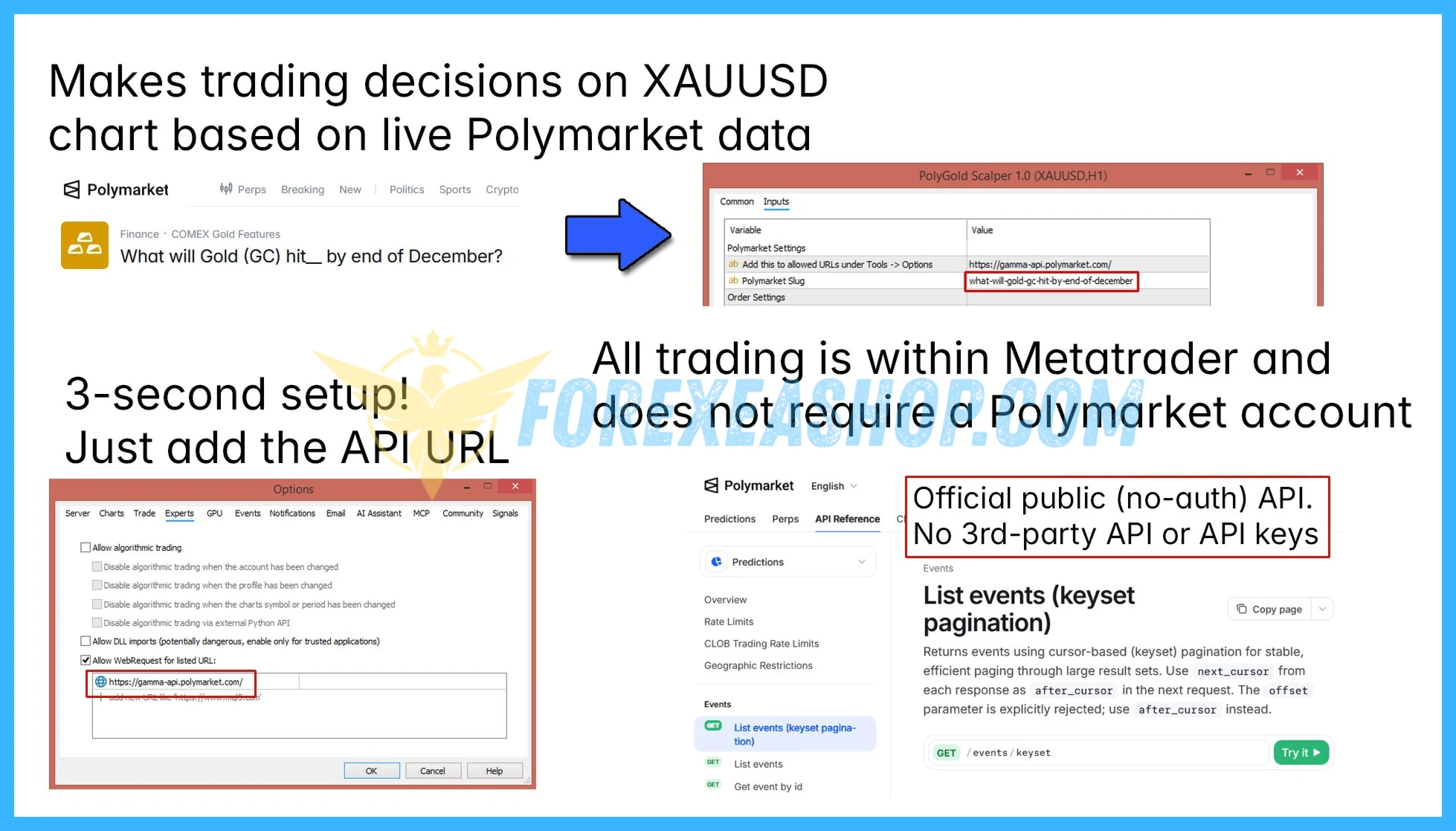
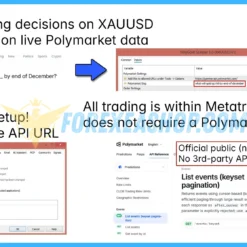
- Simple Setup and Automated Execution: Requires users to authorize the relevant API endpoint through MetaTrader 5 WebRequest settings, without creating a Polymarket account or obtaining personal API credentials, while all trading activity remains within the MT5 environment.
Trading Specifications
Recommended settings and parameters to pay attention to from developers and experts:
| Features | Type |
|---|---|
| Trading platform | MetaTrader 5 (MT5) |
| Currency pairs | XAUUSD (Gold) |
| Time frame | H1 |
| Minimum deposit | 200$ |
| Recommend leverage | 1:100 or higher |
| Setup files | Have setfiles |
| Product type | Without/Have DLL / Unlimited / Free 1 Year Updates |
| Recommend Broker | Exness Broker / ICMarket Broker / Tickmill / Roboforex |
| Virtual Private Server (VPS) | FXVM Forex VPS provides reliable Windows VPS solutions optimized for MT4/MT5, helping keep Expert Advisors and automated trading platforms online 24/7 |
How to install and run the PolyGold Scalper Trading Bot in Metatrader 5?
- Open the Metatrader 5 platform
- From the top menu, click on “File”
- Now click on “Open Data Folder”
- Open the “MQL5” folder
- Open the “Experts” folder
- Copy the PolyGold Scalper.ex5 file here
- Then close and restart the MT5 platform
- Attach the Expert Advisor to the chart
Now, you are ready to start using the PolyGold Scalper MT5 With Setfiles!
If you have any questions regarding EA installation, you can view the information in the Help Center to assist you in installing the EA: Click to view
PolyGold Scalper Download Package
Link download PolyGold Scalper MT5 With Setfiles will be sent to your email after purchase.
Installation guide (if any) will be sent immediately via email after your purchase, or you can directly download it from the website, under the section: My account -> Download.
+ Expert Advisor Download :
- PolyGold Scalper.ex5
- Unlimited / NoDLL / Build New / Presets
- Free 1 Year Updates (If there is a new update, please check in the download on the forexeashop website or you can contact us via Email or Telegram Lucas Jason and provide proof of purchase, we will send you the update)
Conclusion
PolyGold Scalper combines Polymarket prediction market sentiment, automated XAUUSD scalping, real-time external data analysis, and volatility-based position management within a MetaTrader 5 Expert Advisor. Its distinctive integration of crowd-sourced market expectations provides an alternative to conventional Gold trading robots, while its no-grid and no-martingale architecture avoids aggressive position accumulation strategies. The developer recommends a minimum deposit of 200 dollars, with the supplied configuration suggesting leverage of 1:100 or higher, although position sizing, floating drawdown, and reliable internet connectivity remain essential considerations. Explore the available settings, review the developer-linked trading signal, and test the live sentiment connection on a demo account before considering real-money trading.
Frequently Asked Questions (FAQs)
What platform does PolyGold Scalper use?
PolyGold Scalper is developed exclusively for MetaTrader 5 and operates as a fully automated Expert Advisor specializing in XAUUSD Gold scalping with Polymarket sentiment integration.
Which trading instrument does the EA support?
The trading system is designed specifically for XAUUSD, representing Gold against the US dollar. Compatibility with additional Forex pairs, cryptocurrencies, or other commodities has not been established.
What timeframe is recommended?
The developer recommends the H1 timeframe for the trading system. Although the strategy targets short-term opportunities, its recommended chart configuration is the one-hour Gold timeframe.
How does Polymarket integration work?
The EA retrieves external prediction market data through an authorized WebRequest connection and converts the information into numerical sentiment signals. These signals are evaluated alongside Gold price movements to support automated trading decisions.
Do I need a Polymarket account or API key?
No. The developer states that the EA does not require a Polymarket account or personal API credentials. Traders only need to configure the necessary WebRequest permissions within MetaTrader 5.
How do I enable WebRequest in MetaTrader 5?
Open the Expert Advisors section in the MetaTrader 5 settings and add the required API URL to the list of allowed WebRequest addresses. The exact endpoint should be obtained from the developer’s current installation instructions.
What is the minimum deposit required?
The recommended minimum deposit is 200 dollars. Actual capital requirements depend on position size, broker margin rules, Gold volatility, and the potential floating drawdown of individual trades.
What leverage is recommended?
The supplied specifications recommend leverage of 1:100 or higher, while the developer indicates that the system can operate with different leverage settings. Traders should select leverage according to their broker requirements and account risk tolerance.
Does PolyGold Scalper use Grid or Martingale trading?
PolyGold Scalper is designed to execute individual positions without Grid trading or Martingale lot multiplication. Its strategy focuses on sentiment-based entries and dynamic position management rather than accumulating additional recovery orders.
What is Polymarket sentiment divergence?
Sentiment divergence occurs when prediction market expectations and actual Gold price movements provide conflicting directional signals. The algorithm evaluates these differences as potential trading opportunities, although divergence does not guarantee an immediate price reversal.
Does the EA use artificial intelligence?
The system incorporates external prediction market sentiment into its trading decisions, but the developer does not establish that it uses a trained artificial intelligence or machine learning model. Its distinguishing feature is the integration of collective market expectations rather than a verified neural network architecture.
How does the virtual Stop Loss work?
A virtual Stop Loss is managed internally by the Expert Advisor instead of necessarily being placed as a protective order on the broker’s server. This approach requires continuous terminal operation and reliable connectivity because a platform interruption can delay the intended exit.
Does the EA include a fixed Stop Loss option?
Customer feedback indicates that a fixed Stop Loss can be enabled as an additional protective measure. Traders should verify the available settings and understand how the fixed Stop Loss interacts with the internal virtual exit logic.
How does the trailing stop work?
The EA uses a dynamic trailing stop designed to respond to daily Gold market volatility. As market prices move favorably, the algorithm can adjust its internal exit level according to the configured trading conditions.
Does the EA require a VPS?
A reliable Forex VPS is strongly recommended because the system depends on continuous MetaTrader 5 operation, external sentiment updates, and virtual position management. Network interruptions may prevent the EA from receiving new data or executing protective exits promptly.
Can the EA work without the Polymarket connection?
The system’s distinctive sentiment analysis depends on external Polymarket data, so missing or delayed information may affect its intended trading behavior. Traders should verify how their installed version handles unavailable data before enabling automated trading.
Why can backtesting results differ from live trading?
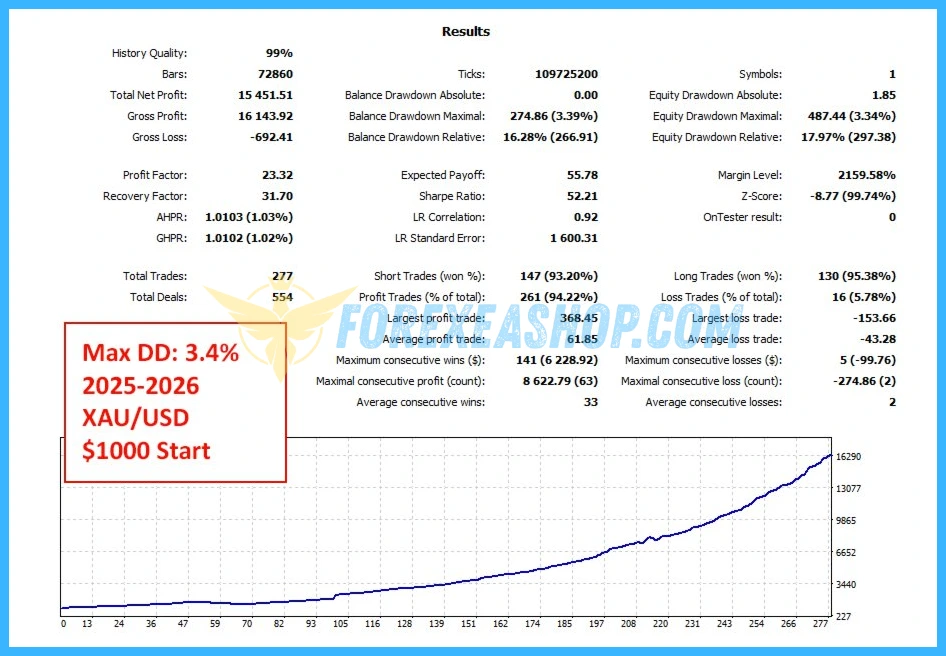
The MetaTrader 5 Strategy Tester may not reproduce the live WebRequest connection used to retrieve Polymarket sentiment data. Consequently, historical tests may evaluate different information from live trading, making demo forward testing essential.
Which account types are supported?
The developer lists Standard, ECN, RAW, and Cent accounts as supported account types. Traders should verify their broker’s XAUUSD contract specifications, minimum lot size, spreads, and execution conditions before installation.
Is a low-spread broker recommended?
A low-spread broker is generally preferable for short-term Gold trading because spreads, commissions, and slippage can significantly influence net trading performance. Traders should compare total execution costs rather than relying exclusively on advertised spreads.
Are live trading results available?
The developer provides a publicly accessible trading signal, and marketplace customers have reported early live trading experiences. However, the available performance history remains relatively short, and traders should evaluate floating equity drawdown separately from closed-trade results.
Are profitable trading results guaranteed?
No. Prediction market sentiment can be inaccurate, Gold prices can move unexpectedly, and virtual protective orders may be affected by connectivity or execution problems. Historical results and favorable customer reviews do not guarantee future profitability.
Shopping Guide and Important Information
We Accept Payment: Cryptocurrency, USDT, Binance Pay, Skrill, Paypal: Click to view
More payment methods please contact: Email or Telegram Admin.
Cryptocurrency, PayPal: Our website checkout system automated.
Memo: Your email + EA name
EA will be send to your email ASAP. The download link will be sent to your email within 5 minutes after the order is confirmed.
Some EAs will need to wait a few hours to up to 12 hours to receive the download link.
Please read and agree to the information below before purchasing our products:
Beginner traders should research and learn about trading before using any EAs.
Please make sure you understand the risks involved with trading and that past performance is no guarantee for future results. (EA could also make losses).
The product does not guarantee profits and demands resilience, patience, and a positive attitude in forex trading.
Before use, please test the EA on a demo account first.
Happy trading!

Market Breaker EA Ultra v4.0 and Indicator MT4 Without DLL