
What is South East EA?
South East EA is Expert Advisor The best GRID with the ability to control risks, work on Meta Trader 5 platform. It optimizes trading results by managing multiple currency pairs. This feature allows expert advisors to control the total currency pairs that can be traded at one time. EA stop opening new positions if the Max DD limit is reached. Close far loss position to reduce margin used. Account Protection: Cutloss by Drawdown in Money and in Percentage. Button Buy, Sell, BuyStop, SellStop, BuyLimit, SellLimit for manual intervention by carrying out manual trades to handle the most critical situation.
Vendor website: https://www.mql5.com/en/market/product/70720

Original price: $599
ForexEAshop price: $45 (You Save 92%)
Key Takeaways
- South East EA is a highly effective GRID Expert Advisor with risk control capabilities, operating on the Meta Trader 5 platform.
- It optimizes trading results by managing multiple currency pairs and utilizes a light martingale lot to expedite recovery while controlling risk.
- The EA includes manual intervention buttons for critical situations, implements a mechanism to avoid trading during uncertain periods, and offers account protection features such as cutting losses through withdrawals and percentage-based strategies.
About The Author
This Expert Advisor is developed by Sugianto, who brings over 9 years of experience in MQL5 to the table. He has worked on several notable products, including Bitcoin Wizard MT5, Golden Shine, Neuron Net Gold, and the highly successful South East, which stands out as his top-performing creation.
South East EA Features
- Used on platform: Meta Trader 5
- Currency pairs: AUDUSD,AUDCHF,AUDJPY,AUDNZD,AUDCAD,CADCHF,CADJPY,EURUSD,EURCAD,EURCHF,EURGBP,EURJPY,EURAUD, EURNZD,GBPUSD,GBPJPY,GBPCAD,GBPCHF,GBPAUD,NZDCAD,NZDCHF,NZDUSD,
USDCHF,USDCAD,USDJPY,XAUUSD,XAGUSD. - Time frame: M15, M30, H1.
- Broker any.
- Minimum deposit: 500$
- Recommend deposit: 2000$.
- Leverage 1:500.
- Utilizes a mild martingale lot to speed up the recovery process with controlled risk.
- Stop opening new positions if the Max DD limit is reached.
- Close far loss position to reduce margin used.
- Utilizes grid averaging to speed up the recovery process from bad trades.
- Account Protection: Cutloss by Drawdown in Money and in Percentage.
- Button Buy, Sell, BuyStop, SellStop, BuyLimit, SellLimit for manual intervention by carrying out manual trades to handle the most critical situation.
🚀 Recommend Use VPS Forex
To keep Experts Advisor running smoothly 24/7, use a quality Forex VPS. Optimize trading efficiency, no worries about interruptions!
Register VPS NowSouth East EA Reviews
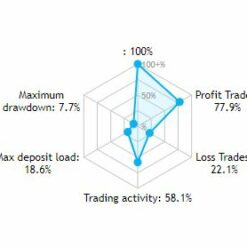
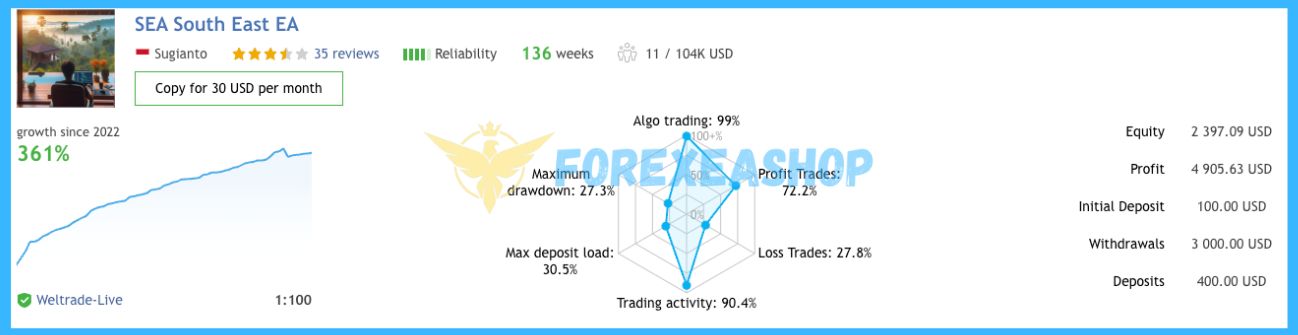
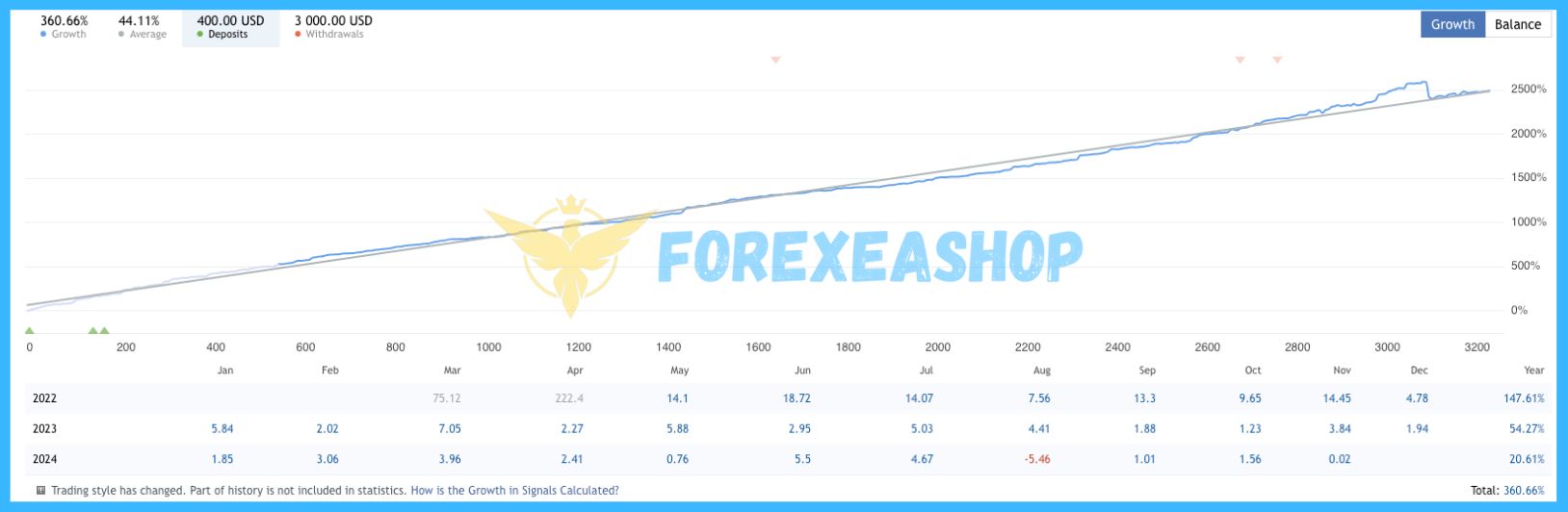
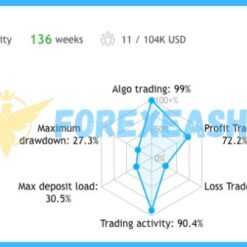
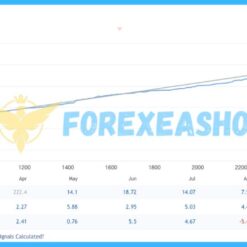
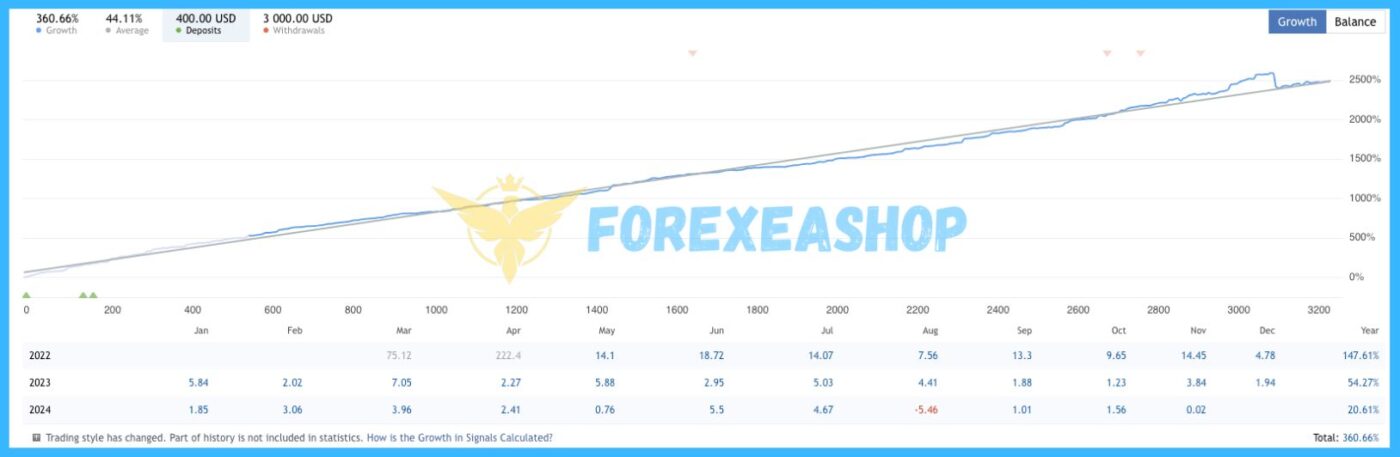
Experts Advisor on Weltrade-Live account 1:100 profit 361%
Maximum drawdown: 27.3%
Max deposit load: 30.5%
Trading activity: 90.4%
Loss Trades: 27.8%
Profit Trades: 72.2%
Algo trading: 99%


Signal link EA on Weltrade: Click to view
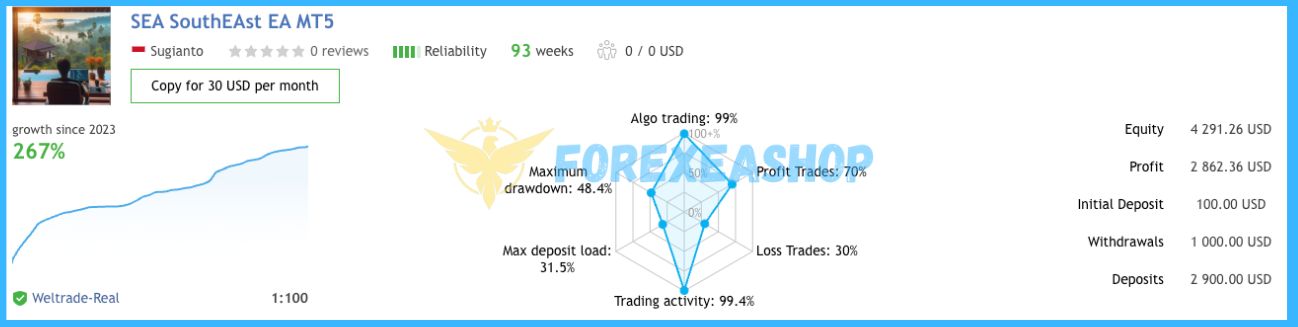
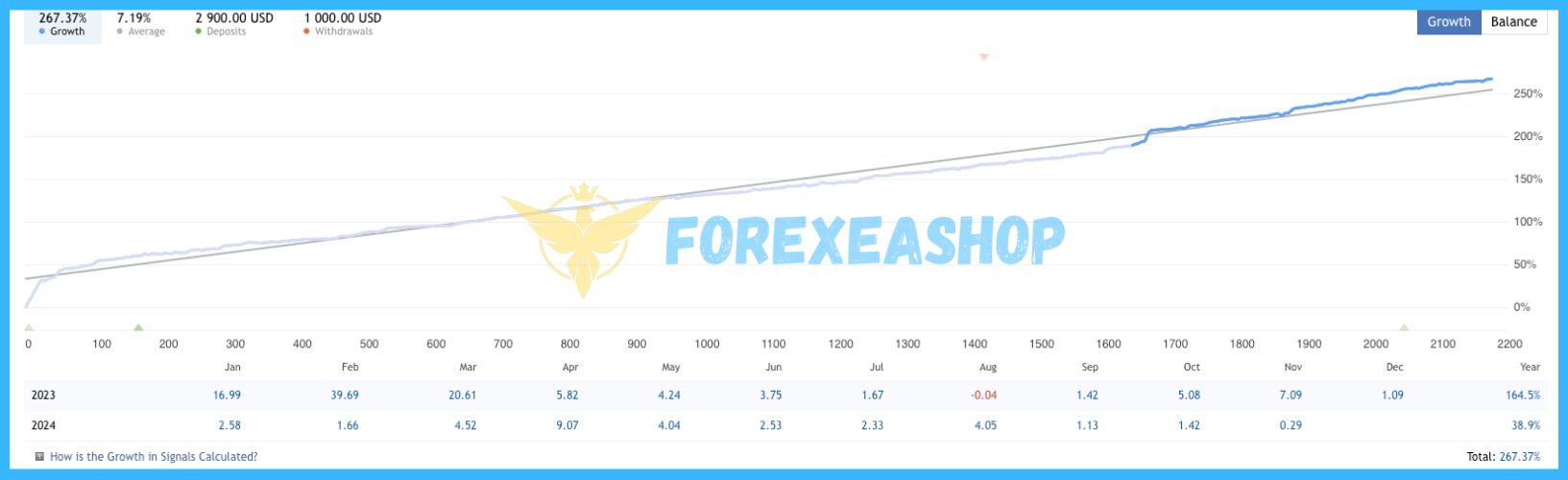
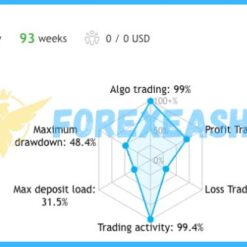
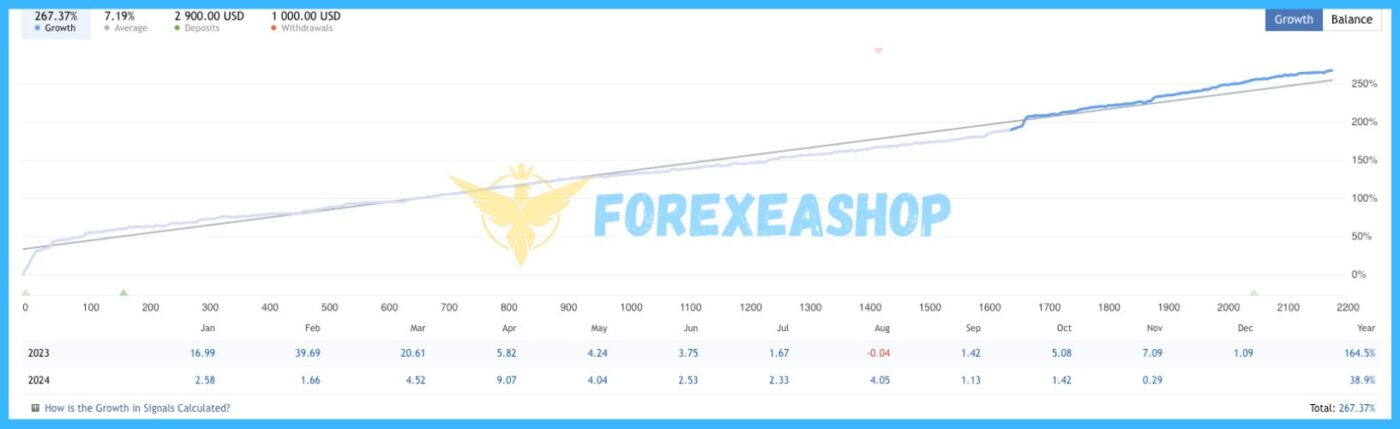
Experts Advisor on Weltrade-Live account 1:100 profit 267%
Maximum drawdown: 48.4%
Max deposit load: 31.5%
Trading activity: 99.4%
Loss Trades: 30%
Profit Trades: 70%
Algo trading: 99%


Signal link EA on Weltrade other: Click to view
Trading Specifications
Recommended settings and parameters to pay attention to from developers and experts:
| Features | Type |
|---|---|
| Trading Platform | MetaTrader 5 (MT5) |
| Currency pairs | AUDUSD,AUDCHF,AUDJPY,AUDNZD,AUDCAD,CADCHF,CADJPY,EURUSD,EURCAD,EURCHF,EURGBP,EURJPY,EURAUD, EURNZD,GBPUSD,GBPJPY,GBPCAD,GBPCHF,GBPAUD,NZDCAD,NZDCHF,NZDUSD, USDCHF,USDCAD,USDJPY,XAUUSD,XAGUSD |
| Time Frame | M15, M30, H1 |
| Minimum deposit | 500$ |
| Recommend Leverage | 1:100 |
| Trading | Expert Advisot trading automated 100% |
| Trader | Suitable for Beginners and professional traders |
| Broker | Broker Compatibility Any broker |
| Product type | Without DLL |
| Virtual private server (VPS) | Recommned Use VPS |
How to install and run the South East EA Trading Bot in Metatrader 4?
- Open the Metatrader 4 platform
- From the top menu, click on “File”
- Now click on “Open Data Folder”
- Open the “MQL4” folder
- Open the “Experts” folder
- Copy the South East EA file here
- Then close and restart the MT4 platform
- Attach the Expert Advisor to the chart
Now, you are ready to start using the South East EA MQ5 v3.1 Source code With Setfiles!
If you have any questions regarding EA installation, you can view the information in the Help Center to assist you in installing the EA: Click to view
South East EA Downloads
Link download South East EA MQ5 v3.1 Source code With Setfiles will be sent to your email after purchase.
Installation guide (if any) will be sent immediately via email after your purchase, or you can directly download it from the website, under the section: My account -> Download.
+ Expert Advisor Download :
- South East v3.1.mq5 Souce Code
- Unlimited / NoDLL / Presets / Build New
- Free 1 Year Updates (If there is a new update, please check in the download on the forexeashop website or you can contact us via Email or Telegram Lucas Jason and provide proof of purchase, we will send you the update)
Shopping Guide and Important Information
We Accept Payment: Cryptocurrency, USDT, Binance Pay, Skrill, Paypal: Click to view
More payment methods please contact: Email or Telegram Admin.
Cryptocurrency, PayPal: Our website checkout system automated.
Memo: Your email + EA name
EA will be send to your email ASAP. The download link will be sent to your email within 5 minutes after the order is confirmed.
Some EAs will need to wait a few hours to up to 12 hours to receive the download link.
Please read and agree to the information below before purchasing our products:
Beginner traders should research and learn about trading before using any EAs.
Please make sure you understand the risks involved with trading and that past performance is no guarantee for future results. (EA could also make losses).
The product does not guarantee profits and demands resilience, patience, and a positive attitude in forex trading.
Before use, please test the EA on a demo account first.
Happy trading!