What is XG Gold Robot EA?
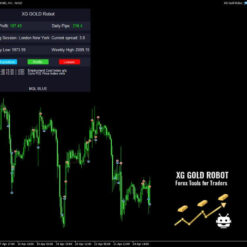
XG Gold Robot EA MT5 is specially designed for Gold, works perfectly with the XAUUSD, GOLD, XAUEUR currency pairs and use on time frame H1 with minimum deposit 1000$, minimum lots 0,01, leverage: 1:30 up to 1:1000. XG Gold Robot EA has created for all traders who like to trade in Gold and includes additional a function that displays weekly Gold levels with the minimum and maximum displayed in the panel as well as on the chart, which will help you in manual trading. It’s based on Price Action, Cycle Strength, SMA Strength, RSI and another two custom indicators (built-in within the strategy). There is also a time filter (defined trading days and hours), news filter (EA does not open positions 60 minutes before and after important data, high impact news), spread filter (additional protection of trading during important news and events) and many other parameters.
Vendor website: https://www.mql5.com/en/market/product/92195

Original price: $799
ForexEAshop price: $19 (You Save 99%)
Key Takeaways
- XG Gold Robot MT5 is a strategy-based EA designed for trading in gold, featuring price action, cycle strength, SMA strength, RSI, and custom indicators
- Expert advisor includes various filters such as time, news, and spread filters, as well as weekly gold level information to assist with manual trading
- The XG Gold Robot is available for MetaTrader 5, works on any currency pair: XAUUSD, GOLD, XAUEUR, timeframe: H1, can be used with any broker
Please read this note carefully before purchasing and using EA with DLL: If you know how to use DLL from the old terminal version and how to disable automatic updates in Metatrader, you can buy it. Or if you do not know how to install, visit Help Center, we will show you the instructions for installing EA with DLL. Don’t worry, if you see it but still cannot do it successfully, please contact Admin Lucas Jason to support you with the installation via AnyDesk.
Who’s Behind the Creation?
This Expert Advisor is developed by Marzena Maria Szmit, who brings over 2 years of experience in MQL5 to the table. He has worked on several notable products, including FX EURUSD Robot MT4, FT Gold Robot MT4, TS Prop Firm MT4, Bitcoin Robot MT4, and the highly successful XG Gold Robot, which stands out as his top-performing creation.
XG Gold Robot EA Features
- Used on platform : Meta Trader 5
- Works on any currency pair: XAUUSD, GOLD, XAUEUR
- Timeframe: H1
- Minimum lots: 0.01
- Leverage: 1:30 up to 1:1000
- Minimum deposit: 1.000$
- Type of account: Hedging, Zero, Micro, Standard, Premium or ECN
🚀 Recommend Use VPS Forex
To keep Experts Advisor running smoothly 24/7, use a quality Forex VPS. Optimize trading efficiency, no worries about interruptions!
Register VPS Now
How to properly test the XG Gold Robot in the MetaTrader 5 Tester?
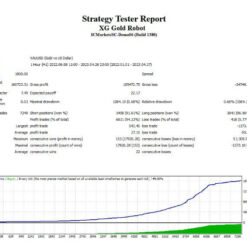
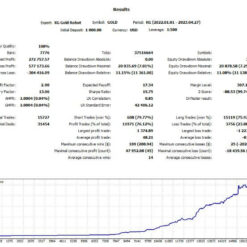
Please select a deposit of 1000$, a custom date from 01/01/2022 to 27/04/2023, select Every tick, Risk Percent 5-10 and choose a Leverage 1:500, Select risk mode: Low or Medium, then, click the start button in the MetaTrader 5 tester. If you set a lower leverage, the result will be a little worse, whereas if you were to use a higher leverage the result would be better.
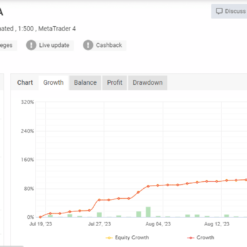
Please also see the results shown below:

XG Gold Robot EA Results
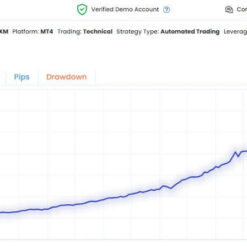
XG Gold Robor EA flexibility has created extremely impressive results, helping investors with financial stability. Stable income, outstanding capabilities that XG Gold Robot EA can do and produce good results.
Let’s look at some results that are truly impressive:

Result by fxmerge: Click to view

You can watching How to video set XG Gold Robot:
Trading Specifications
Recommended settings and parameters to pay attention to from developers and experts:
| Features | Type |
|---|---|
| Trading Platform | MetaTrader 5 (MT5) |
| Currency pairs | XAUUSD, GOLD, XAUEUR |
| Time Frame | H1 |
| Minimum deposit | 1000$ |
| Recommend Leverage | 1:30 up to 1:1000 |
| Type of account | Hedging, Zero, Micro, Standard, Premium or ECN |
| Trading | Expert Advisot trading automated 100% |
| Trader | Suitable for Beginners and professional traders |
| Broker | Broker Compatibility Any broker |
| Product type | Have DLL |
| Virtual private server (VPS) | Recommned Use VPS |
How to install and run the XG Gold Robot EA Trading Bot have DLL in Metatrader?
- Some EA has DLL from unknown developers will be mistakenly labeled as malicious and removed by Defender or Antivirus.
- So you need turn off antivirus or windows defender protect to download and use.
- You should use VPS and you turn off antivirus or windows defender protect on VPS to use.
- Next time you reopen the VPS, you don’t need to do anything about it anymore, Without DLL, there is no need to disable it.
Please read this note carefully before purchasing and using EA with DLL: If you know how to use DLL from the old terminal version and how to disable automatic updates in Metatrader, you can buy it. Or if you do not know how to install, visit Help Center, we will show you the instructions for installing EA with DLL. Don’t worry, if you see it but still cannot do it successfully, please contact Admin Lucas Jason to support you with the installation via AnyDesk.
XG Gold Robot EA Download
Link download XG Gold Robot EA v9.0 MT5 will be sent to your email after purchase.
Installation guide (if any) will be sent immediately via email after your purchase, or you can directly download it from the website, under the section: My account -> Download.
Updated January 13, 2026: XG Gold Robot EA v9.0 MT (Build 5430 MT5 DLL) ( Have DLL )
Updated March 24, 2025: XG Gold Robot EA v9.0 MT (Build 4885 MT5 DLL) ( Have DLL )
Updated December 11, 2024: XG Gold Robot EA v9.0 MT5 ( Build 4731 DLL) ( Have DLL )
Updated November 13, 2024: XG Gold Robot EA v9.0 MT5 ( Build 4644 DLL) ( Have DLL )
Updated October 27, 2024: XG Gold Robot EA v9.0 MT5 ( Build 4524 DLL) ( Have DLL )
Updated June 11, 2024: XG Gold Robot EA v9.0 MT5 For Build 4380 (DLL) ( Have DLL )
Updated May 23, 2024: XG Gold Robot EA v9.0 MT5 ( Have DLL )
Updated April 17, 2024: XG Gold Robot EA v6.0 MT5 For Build 4260 ( Have DLL )
+ Expert :
- XG Gold Robot EA.ex5
- Unlimited / DLL
- Free 1 Year Updates (If there is a new update, please check in the download on the forexeashop website or you can contact us via Email or Telegram Lucas Jason and provide proof of purchase, we will send you the update)
Please read this note carefully before purchasing and using EA with DLL: If you know how to use DLL from the old terminal version and how to disable automatic updates in Metatrader, you can buy it. Or if you do not know how to install, visit Help Center, we will show you the instructions for installing EA with DLL. Don’t worry, if you see it but still cannot do it successfully, please contact Admin Lucas Jason to support you with the installation via AnyDesk.
Shopping Guide and Important Information
We Accept Payment: Cryptocurrency, USDT, Binance Pay, Skrill, Paypal: Click to view
More payment methods please contact: Email or Telegram Admin.
Cryptocurrency, PayPal: Our website checkout system automated.
Memo: Your email + EA name
EA will be send to your email ASAP. The download link will be sent to your email within 5 minutes after the order is confirmed.
Some EAs will need to wait a few hours to up to 12 hours to receive the download link.
Please read and agree to the information below before purchasing our products:
Beginner traders should research and learn about trading before using any EAs.
Please make sure you understand the risks involved with trading and that past performance is no guarantee for future results. (EA could also make losses).
The product does not guarantee profits and demands resilience, patience, and a positive attitude in forex trading.
Before use, please test the EA on a demo account first.
Happy trading!


Alex –
Robot works well. I have used it very effectively.